Analytical Balance
A snapshot of the chart of accounts: each account's balance at the start of the period, at the end, and the difference. No turnover, no postings — just "was/became". The fastest answer to "what changed this month": one column of figures instead of the full trial balance.
Where to find it: Modules → Nominal Ledger → Reports → Analytical Balance
Worked example
July 2026 in the demo database:
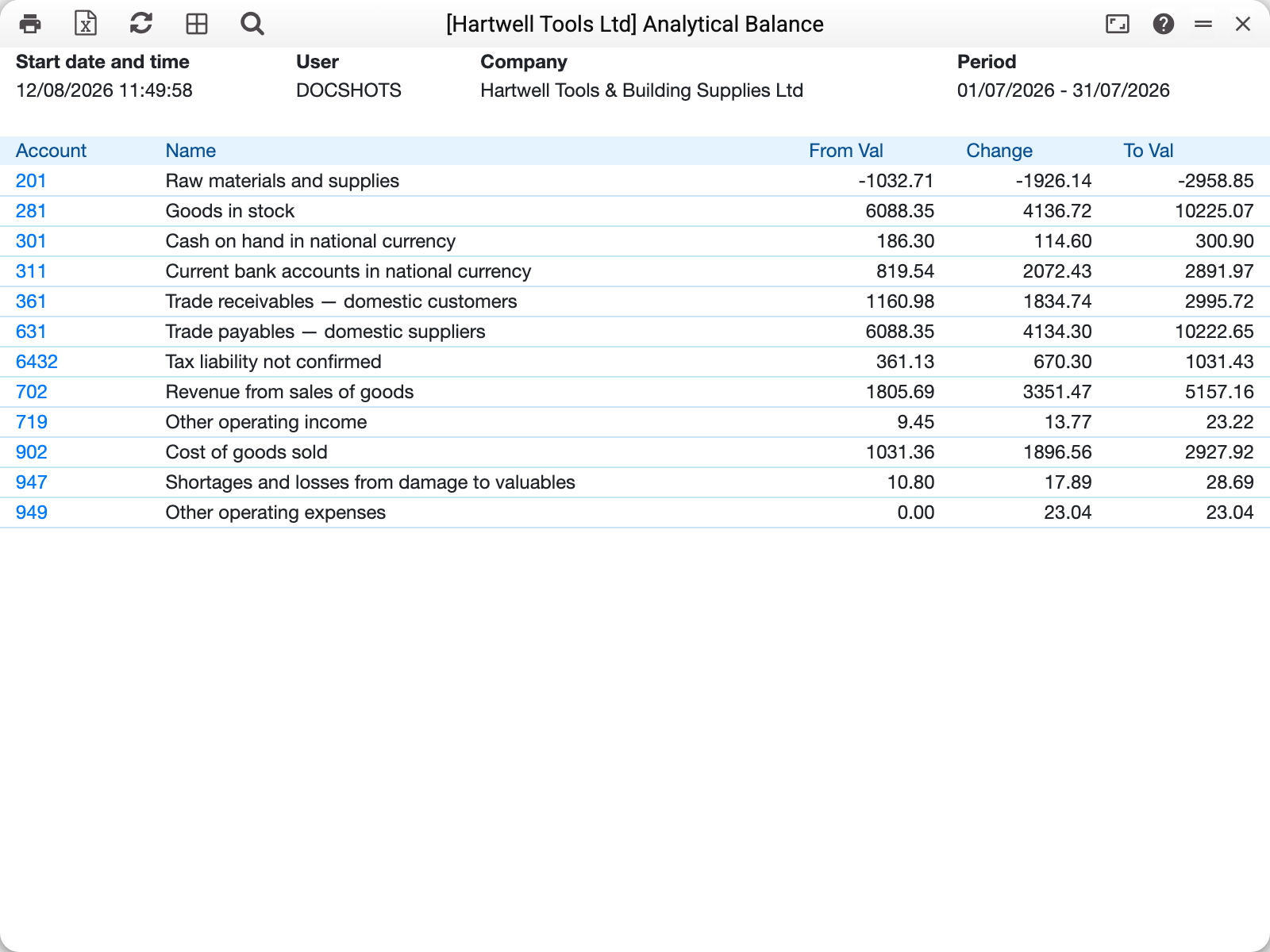
- 361 Trade receivables: 1,160.98 → 2,995.72 — customers owe 1,834.74 more than a month ago.
- 281 Goods in stock: 6,088.35 → 10,225.07 — the warehouse grew by 4,136.72.
- 702 Revenue: 1,805.69 → 5,157.16 — income accounts accumulate credit from the start of the year until closing.
The boundary balances match the trial balance — the two reports read the same ledger.
Where the data comes from
The report runs on the fast-balance store: monthly aggregates of postings by account, object and currency that the system maintains automatically on every posting. A balance at a date = past months' aggregates + live postings of the current month. That is why the report stays fast even on a big database.
Consequences worth knowing:
- the source is the same as the trial balance's — postings (Transactions) and opening balances (Forward Balances); documents with no postings (drafts) are not counted — except forward balances: those count as soon as they are saved, with OK or without;
- both reports use one rounding rule: every entry row's amount is rounded by Rounding, then summed — so the balances agree to the cent even on rows with amounts finer than a cent;
- if the database was ever modified bypassing the system (manual DB edits) or the default rule in Rounding was changed, rebuild the store: the "Rebuild Object Values" maintenance in the Database Maintenance module.
Parameters
| Parameter | What it does |
|---|---|
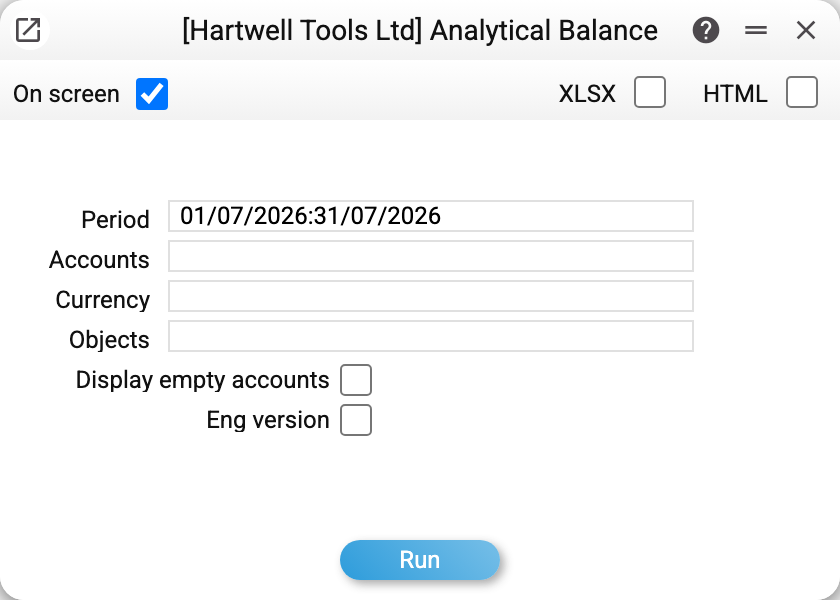
| Period | "From" gives the opening balance, "to" — the closing one |
| Accounts | One, a comma-separated list or a range 301:311; empty — all accounts |
| Currency | Only postings in this currency |
| Objects | Only postings with these objects |
| Display empty accounts | Also show accounts with zero balance on both boundaries |
| Eng version | English account names (the English-name column of the account card) |
Common situations
A minus where it cannot be. Negative cash or stock is a bookkeeping error: backdated or out-of-order operations. The report shows the sign honestly; chase the cause in the general ledger for that account.
A difference of a few cents from the trial balance. The store was written by another rule — by an older version or before Rounding was changed. Rebuild the store (see above) — after that the balances agree.
Income "did not reset". The 70x/90x accounts accumulate until the year-end closing — the report shows facts, not what "should have been".