Employees
An employee card is the "who is this": code, full name, contacts, personal details. The terms of employment — job title, salary, leave scheme — do not live here: that is the contract, which is precisely why they can change without rewriting the card.
Where to find it: Modules → Human Resource Management → Registers → Employees
A worked example
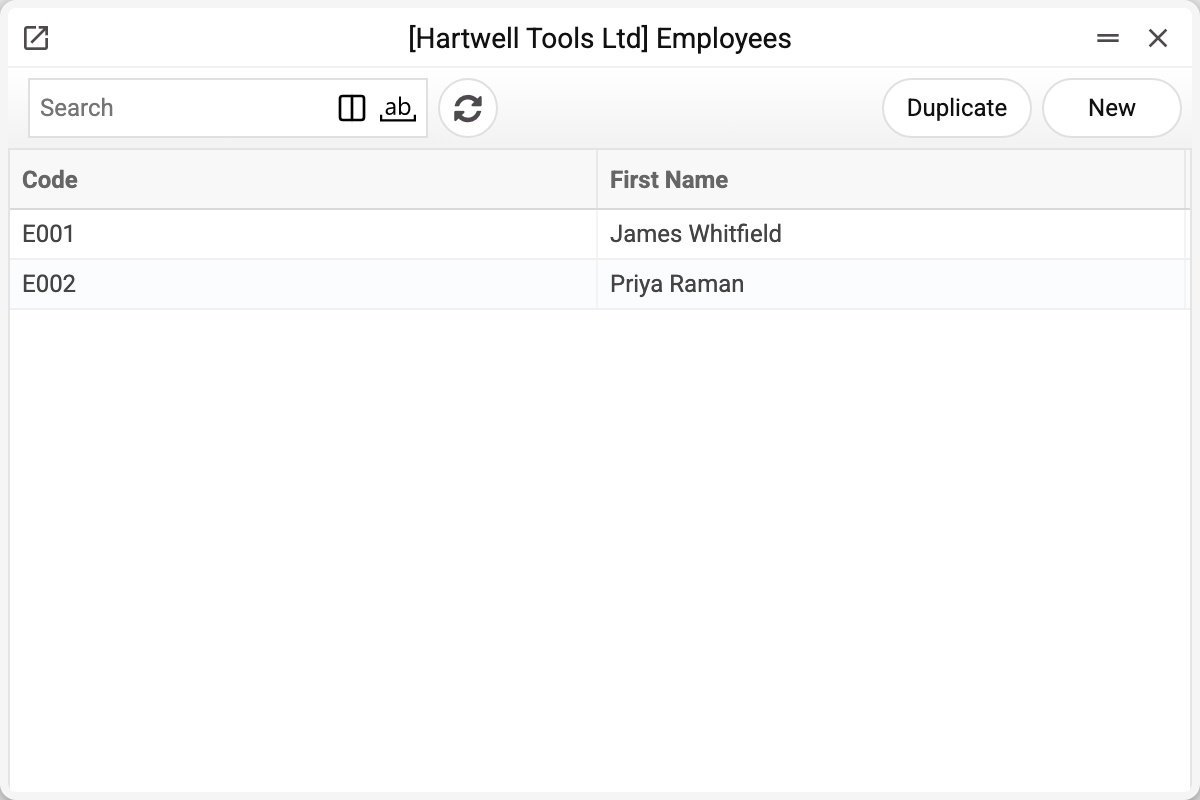
The journal shows the employee code and name. There are two here — E001 and E002; we will take E001.
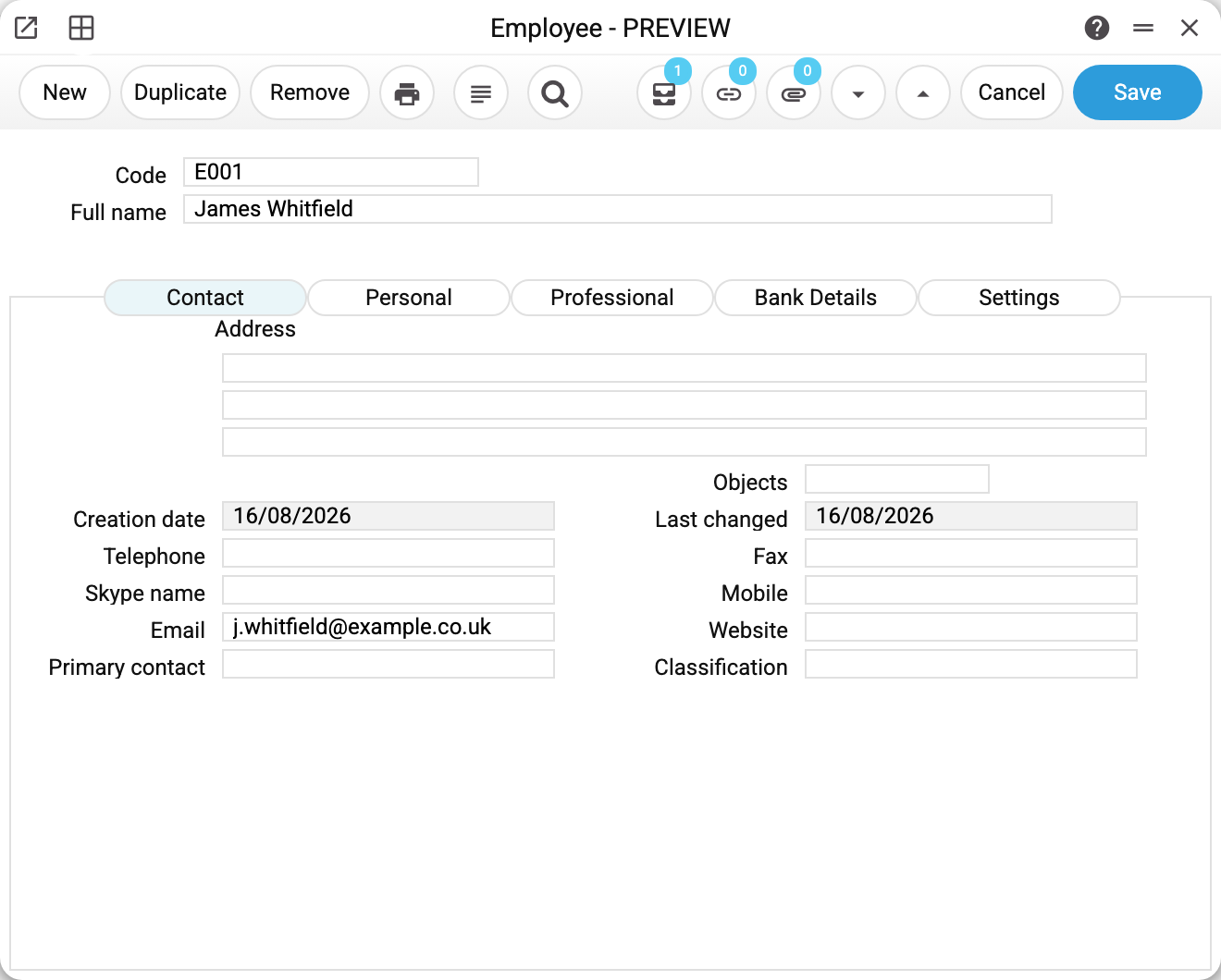
Employee E001 "James Whitfield". Two fields sit at the top — code and name — and the rest is spread over tabs:
- Contact — address, phones, e-mail, website;
- Personal — date of birth and other personal details;
- Professional — education, previous employer and job title, candidacy source (the current job title lives in the contract);
- Bank Details — bank accounts and IBAN, for reference only: payroll calculation and payment do not read them;
- Settings — notifications, including Telegram timesheet reminders.
The created and last-changed dates are filled in by the system.
The "birthday" action
One detail the card does not show: on save the system creates a linked "action" — the employee's birthday in this year's calendar. Its author and executor is the user who last saved the card, not the employee. If the "Birthday actions" service has already put a task on that day, the card takes it and creates no second one; actions of past years stay on their dates. For someone born on 29 February the action goes on 28 February in a non-leap year.
So there is no need to create an ERP user with the employee's code: the code can be anything, and the card saves without such a login. The employee code becomes the executor when the card is created by a service procedure rather than a user — then it must match an ERP user login or an executor group code, or the card will not save. The same goes for the next year's task that the daily Telegram mailing sets on the birthday (it is not enabled on every server): for an employee whose code is neither a login nor an executor group, that task does not appear.
Typical situations
Someone leaves. Do not delete the card — close the contract. The payroll and leave history has to stay.
The job title or salary changes. That is not the card but a contract change.
The card does not save: "Field "Date of birth" is required". The date of birth is mandatory along with the code and the full name: the system creates the birthday "action" from it. The «Birthday» field is on the «Personal» tab; the greetings service reads it from there too.
A card that documents point at cannot be deleted. While the employee is set in at least one contract, contract change, leave application, payroll row, customs declaration (as the responsible person) or Telegram chat link, the system refuses and names where, for example "A record of «Employees» is used in: Leave Application!". Otherwise the documents would keep a personnel number with nobody behind it, and a payroll run or contract with it could no longer be saved. For someone who has left, the right move is not deletion but a closed contract: the history stays where it is.
Where to look next
- Contract — this employee's terms.
- Employee classes — grouping for accounting (the class is set in the contract).
- Leave application — the employee's absences.
Print variables
Values available in this document's printed form templates. How to write a variable in a template — see Print Forms.
Header fields:
Main
| Variable | What it holds |
|---|---|
| Employees_Code | Code |
| Employees_Fullname | Full name |
| Employees_Gender | Gender |
| Employees_MaritalStatus | Marital Status |
| Employees_Graduated | Studies: ongoing or completed |
Contact
| Variable | What it holds |
|---|---|
| Employees_Address1 | Address 1 |
| Employees_Address2 | Address 2 |
| Employees_Address3 | Address 3 |
| Employees_Objects | Objects |
| Employees_CreationDate | Creation date |
| Employees_LastChanged | Last changed |
| Employees_Telephone | Telephone |
| Employees_Fax | Fax |
| Employees_SkypeName | Skype name |
| Employees_Mobile | Mobile |
| Employees_Email | |
| Employees_Website | Website |
| Employees_PrimaryContact | Primary contact |
| Employees_Classification | Classification |
Personal
| Variable | What it holds |
|---|---|
| Employees_DocType | Doc. Type |
| Employees_DocNo | Doc. No. |
| Employees_NameInDoc | Name in Document |
| Employees_NationalInsNo | National Insur. No. |
| Employees_MilitaryDocNo | Military document No. |
| Employees_Birthday | Birthday |
| Employees_CountryOfBirth | Countr. of Birth |
| Employees_PlaceOfBirth | Place of Birth |
| Employees_Nationality | Nationality |
| Employees_Ethnisity | Ethnisity |
| Employees_TIN | TIN |
| Employees_VisaType | Visa Type |
| Employees_VisaExpiryDate | Visa expiry date |
| Employees_VisaNumber | Visa No. |
| Employees_DietRemarks | Diet Remarks |
| Employees_RequirenmentRemarks | Requir. Remarks |
| Employees_DriverLicence | Driver Licence |
| Employees_Disability | Disability |
| Employees_HealthStatus | Health Status |
| Employees_HealthIssues | Health Issues |
| Employees_Smoker | Smoker flag |
| Employees_Blacklisted | Blacklisted |
Professional
| Variable | What it holds |
|---|---|
| Employees_SchoolName | School Name |
| Employees_EducationalDegree | Educational Degree |
| Employees_Subject | Subject |
| Employees_PreviousEmployer | Previous Employer |
| Employees_PreviousJobTitle | Previous Job Title |
| Employees_CandidacySource | Candidacy Source |
Bank Details
| Variable | What it holds |
|---|---|
| Employees_BankAccount | Bank Account |
| Employees_BankAccount2 | Bank Account 2 |
| Employees_SortCode | Sort Code |
| Employees_IBANCode | IBAN Code |
| Employees_AccountOperator | Account Operator |
Settings
| Variable | What it holds |
|---|---|
| Employees_EnableTimesheetTelegramNotif | Timesheet notification in Telegram |
| Employees_EnableAddBirthdayNotif | Birthday reminder |