Sales report
What was sold, day by day — line by line, straight from the invoices. The report lays sales out by date, groups each day by item, and shows quantity, amount, cost and profit for every invoice line. Think of it as the sales ledger tape: it answers "what went out to customers this week and what did we make on it".
Where to find it: Modules → Sales Orders → Reports → Sales report
Its sibling is the Sales Report Detail — the same source lines as one flat list, with extra filters (brand, classification). Both reports show amounts and profit net of VAT.
A worked example
Company sales for June–July 2026:
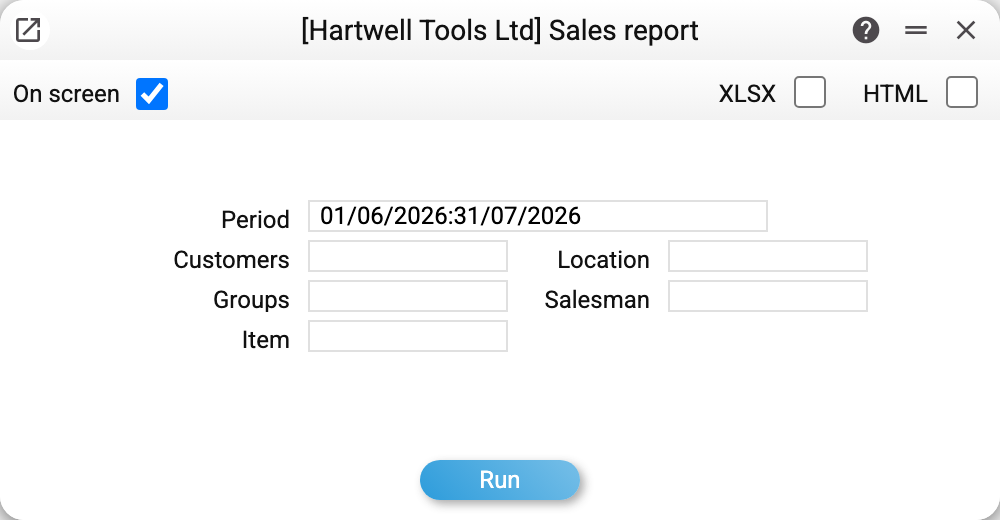
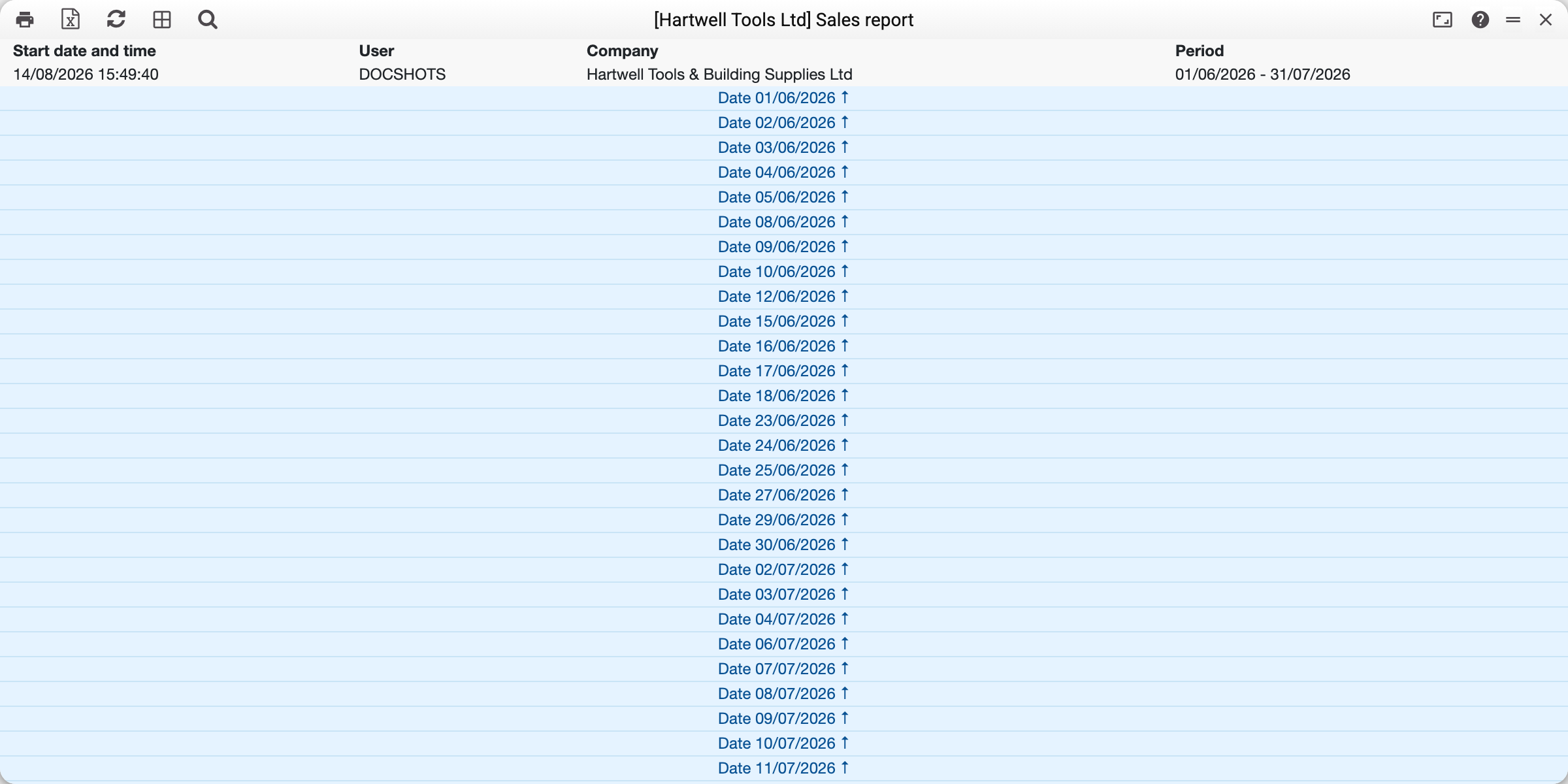
Over a multi-day period the report opens folded: each day is a header row, a click unfolds its sales. Here is 1 June unfolded:
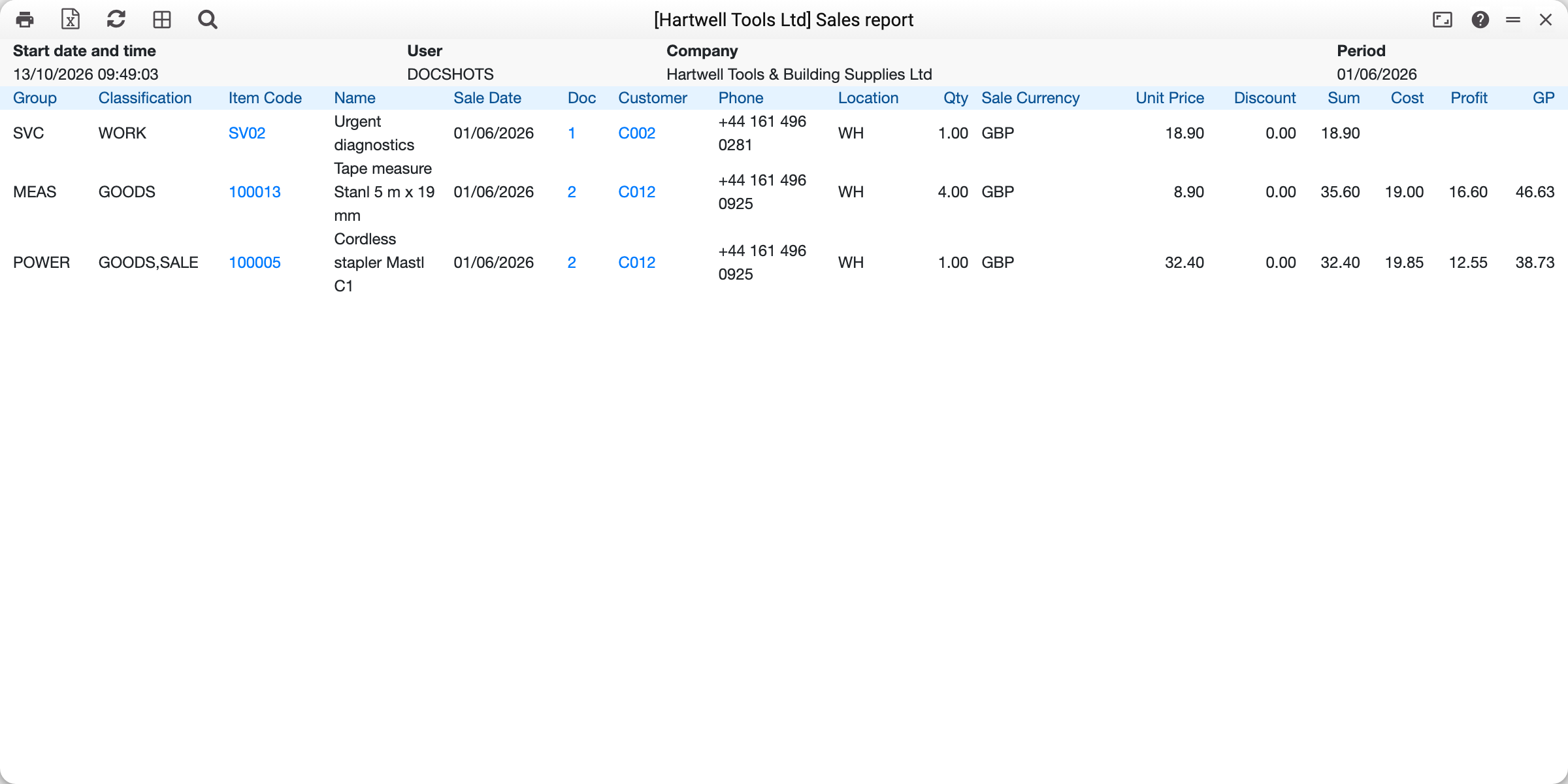
Take the line: Cordless stapler, 1 pc on invoice No. 2:
- Unit Price 32.40 — the price from the invoice line in the base currency, as it was entered: on an invoice priced with VAT it includes the tax (the line sum below is always stripped of VAT);
- Sum 32.40 — the line amount net of VAT. On the invoice the line costs 38.88, but 6.48 of that is tax, not the company's revenue;
- Cost 19.85 — what the stapler cost on the stock (FIFO);
- Profit 12.55 — Sum minus Cost, i.e. 32.40 − 19.85;
- GP 38.73 — profit as a percentage of the sum: 12.55 / 32.40 × 100.
Until October 2026 "Sum" in this report included VAT, and the tax ended up in "Profit": this same line showed a profit of 19.03. Excel files exported earlier contain the old figures.
The number in the "Act" column links to the invoice, the customer code opens the customer card, the item code opens the item card.
Where the numbers come from
The report reads lines of confirmed invoices (Invoices, OK flag set) selected by the operation date — the "Oper. Date" field of the invoice header (not the invoice date); the days of the report are laid out by it too. Unpaid invoices are included — payment status does not matter here (for commission "by payment date" there is the Bonus Report).
Credit notes enter with a minus: quantity, amount and cost are negative, so a day with a return honestly shows lower revenue. The profit of a return is the line's profit with the sign reversed: returning a profitable item reduces profit, while returning an item sold at a loss shows a plus (amount −100 at a cost of −150 — profit +50). "Sum minus Cost equals Profit" holds for returns too.
Cost is taken wherever the line "touched the stock":
- the invoice was created from a shipment — the FIFO cost of the shipment line is used;
- the invoice updated the stock itself (the "Update stock" flag) — the FIFO of the invoice line is used;
- the invoice caused no stock movement (services, advance invoices) — cost, profit and margin are empty: there is no cost, and a zero would tell a falsehood (sold at no profit).
If the shipment line carried a serial number, it is printed under the report line.
The "Show cost price" permission
All money columns — from "Sale Currency" to "GP" — are visible only to users whose role allows the "Show cost price" action (an action row on the "General permissions" tab of the role: the pick list calls the action "Show cost price", while the row shows its code, viewCost, once chosen). Without it the report shows quantities only, so a manager can watch goods move without seeing purchase prices.
Parameters
| Parameter | What it does |
|---|---|
| Period | Operation dates of the invoices to include |
| Customers | One customer (code from Contacts) |
| Groups | One item group |
| Item | One item |
| Location | Invoices with this stock in the header |
| Salesman | The "Salesman" field of the invoice header |
Common situations
"Profit" looks higher than expected. See the example above: "Sum" here includes VAT, so "Profit" carries the tax as well. For the clean margin use the Sales Report Detail.
Empty cost and profit in a line. Most often the invoice did not move stock: either it is a service, or the invoice was issued without a shipment and without the "Update stock" flag. Not an error — the system simply has no purchase price to take. If stock did move (there is a shipment or the flag is on) and the cost is still empty, the line has no write-off cost (FIFO) recorded: that is a reason to check how the shipment or invoice was approved.
POS sales are not separated. Till receipts become ordinary invoices, so they mix with the rest. The receipt's customer is the one the cashier picked or, if they picked none, the "Client by default" of the till's card in users (usually a cash customer such as CASH). So filtering by that customer shows only the receipts where the cashier did not change the customer, plus ordinary invoices to that customer; there is no "till only" or "no till" option.