Encrypt / Decrypt Files
A housekeeping operation that puts an encrypted copy next to every file in the store — attachments and print form templates — or a decrypted one, back to plain form. The originals stay where they are; the direction is set by a server setting.
Where to find it: Modules → System → Maintenances → Encrypt / Decrypt Files
A worked example
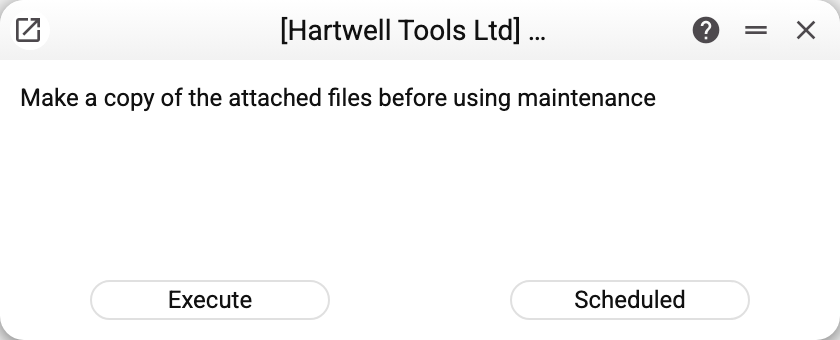
The window carries a warning worth taking literally: "Make a copy of the attached files before using maintenance". The operation walks the server's whole file folder, one file at a time, and cannot be stopped from the window. An error on any file breaks off the run ("MAINTENANCE ERROR!"): copies made before it stay, the remaining files are left unprocessed. The file the failure happened on is not left truncated: a copy gets its name only when complete (before 30.10.2026 a break left a truncated file under that name, and it opened as the attachment). Running it again walks the whole folder from the start and overwrites the copies already made.
Why encrypt attachments
Attachments hold contracts, acceptance certificates, scans of passports and payment orders. If the store is cloud-based or shared, their contents must stay closed: access to the store should not mean access to the documents.
The reverse direction matters for migration: before moving files to another system or handing them to a client, they are returned to plain form.
What to know before running it
- local storage only: attachment encryption is not implemented for S3 — with encryption on and S3 storage the server will not start ("Not implemented s3 encryption!"). Files in S3 are kept closed by the storage's own means;
- it covers the whole database: the service takes every file in the folder — of all companies, not just the current one;
- a copy is mandatory — the window's own main message;
- the run is long — there are usually many files; do it out of hours;
- the encryption key is part of the server configuration: without it, encrypted files will not open even for you;
- the direction is set by the server configuration too: with attachment encryption on, the operation encrypts; with it off, it decrypts. The server opens files by the same setting: with encryption on it looks for the encrypted copy, with it off for the plain one. So from the moment the setting changes until the run finishes, files the service has not yet copied into the needed form do not open;
- the original files stay: the operation puts an encrypted (or decrypted) copy next to each file and does not delete the original — so the switch can be rolled back. While the plain originals sit in the store, access to the store still means access to the documents: delete them separately once you have checked that the copies open. They will not go away by themselves: deleting an attachment and Cleanup attachments remove only the copy of the current form.
Typical situations
Files will not open after a server move. The sign of a lost key, or of an encryption setting that was not carried over — which is why the copy is made beforehand, not after.
A document archive has to go to a client. Decrypt the attachments first, then export.
Where to look next
- Cleanup deleted attachments — an operation on the same store.