Fixed assets status
A service register of the fixed assets module: how many units of each asset there are — in total and in its department.
Where to find it: Modules → Database Maintenance → Registers → Fixed assets status
Worked example
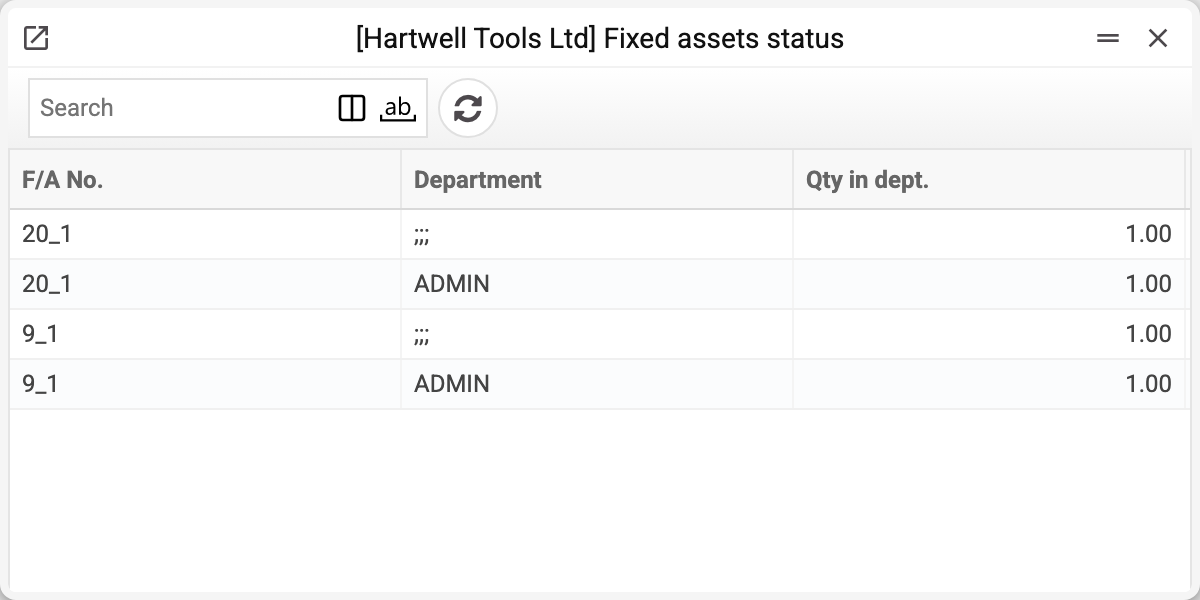
Three columns — F/A No., Department and Qty in dept. Each asset has two rows here: the row with department ;;; is the total quantity, and the other is the department set on the card; a card without a department has only the ;;; row. The system maintains the rows; nobody edits them by hand. The fixed asset card creates and changes them — when it is created or its quantity or department changes — and an approved disposal reduces the quantity.
Why it matters
Disposal checks the quantity here. When a disposal document is approved, the system checks that there are that many units in the card's department (for a card without a department — in the ;;; row); if the same asset appears in the document in several rows, the sum of those rows is checked. If not, it refuses: "This quantity of fixed assets (… : …) is not in department …".
This is where the card is closed. When the total (the ;;; row) reaches zero — the asset was sold or written off in full — the card is marked "Closed" and depreciation is no longer charged on it. If the quantity comes back, the card is open again.
Typical situations
The asset moved to another department. There is no separate document for this: change "Department" on the fixed asset card — the quantity moves to the new department by itself.
After a full disposal the asset is still in the register. That is expected: the rows stay with quantity 0 and the card is closed. Rows disappear only when the card itself is deleted, and a card with an approved disposal cannot be deleted: the disposal is written to its history, and the system refuses "This fixed asset cannot be deleted".
The quantity here does not match the card and the disposals. The "Recalculate Fixed Assets Statuses" service rebuilds the register: card quantity minus approved disposals. It does not touch the cards' "Closed" mark — even if the total is zero after the recalculation.
Where to look next
- Fixed assets — the asset cards.
- Disposal of fixed assets — the document that reduces the quantity.