Offline Sync Settings
What the server fills in on till receipts that are missing something: the customer and the payment terms. One setting per company. The exchange endpoint, interval and timeout are here too, but a till does not read them at present — it takes them from its own application configuration.
Where to find it: Modules → Offline → Settings → Offline Sync Settings
A worked example
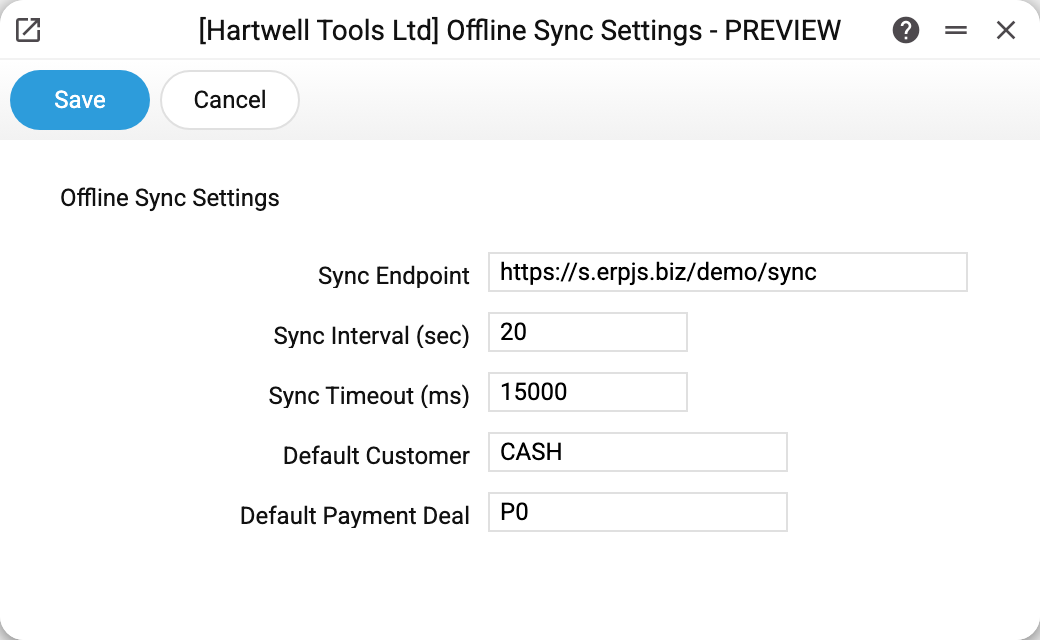
- Sync Endpoint, Sync Interval (sec) (20 seconds) and Sync Timeout (ms) (15000 milliseconds) — a till does not receive these values at present, and they do not affect the exchange. The endpoint and the interval are set in the till application's configuration at installation (the interval defaults to 60 seconds); a till waits up to 30 seconds for the server to answer;
- Default Customer and Default Payment Deal — what the server uses to complete a receipt when turning it into an invoice.
The two bottom lines matter most
A retail receipt almost always arrives without a buyer: no cashier asks for company details over a box of screws. Yet an invoice without a customer and without payment terms cannot be posted. Hence the two values:
- no customer on the receipt → the default customer is used;
- the invoice's payment terms are the default terms, just as for an online till receipt: the receipt's customer does not change them. The customer card's terms are used only when this field is empty, and the invoice setting's never.
If there is no customer to take or no payment terms anywhere, the receipt stays unprocessed and says so plainly in its own card. For POS work, cash-style terms make sense — payment happens on the spot.
About interval and timeout
The interval is a trade-off: calling more often keeps the till's data fresher and gets receipts to the server sooner, at the cost of more idle traffic. The timeout protects the till from hanging when the network is up but the server is not answering: the attempt is dropped and the till keeps selling until the next round. Both values live on the till itself: the interval in the application configuration (60 seconds by default), the timeout at 30 seconds; the fields of this setting do not change them.
The exchange itself is enabled on the server by an administrator. While it is off, terminals cannot connect.
Typical situations
The till connects but its data is stale. Check the interval in the till application's configuration — it may simply be too long. The interval field of this setting does not act on the till.
Receipts are not becoming invoices. Usually it is these two bottom fields that are empty.
You moved to another domain. A till takes the server address from its own application configuration, so changing the endpoint here does not move it: enter the new address in the configuration of every till. While the old address still answers, the till keeps exchanging with it.
Where to look next
- Offline terminals — the tills and the exchange rules for each.
- Offline sales — receipts and their processing status.
- Offline till — step-by-step setup from scratch.