Items Receipts Report
The question this report answers is what exactly arrived at the warehouse during a period, and from whom. Not balances, not movements — a list of goods receipts broken down into lines, with the quantity, price and amount of every position.
Where to find it: Modules → Stock → Reports → Items Receipts Report
!!! note "This is a journal of incoming GOODS, not money" The «Cash Book» module has a report with an almost identical name — Cash In Journal; that one is about money, this one about goods in the warehouse.
A worked example
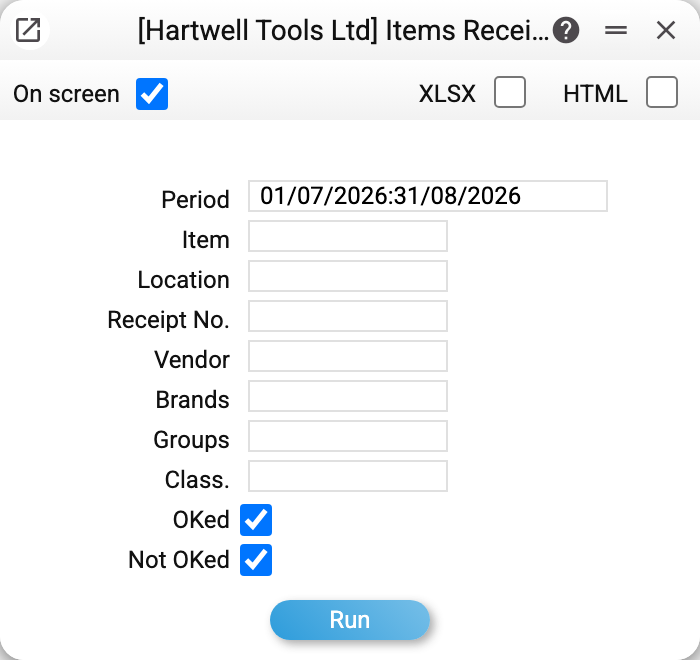
Only the period is mandatory. The rest narrow the selection: item, location, receipt number, vendor, brands, groups, classification, and two checkboxes — OKed and Not OKed, both ticked by default.
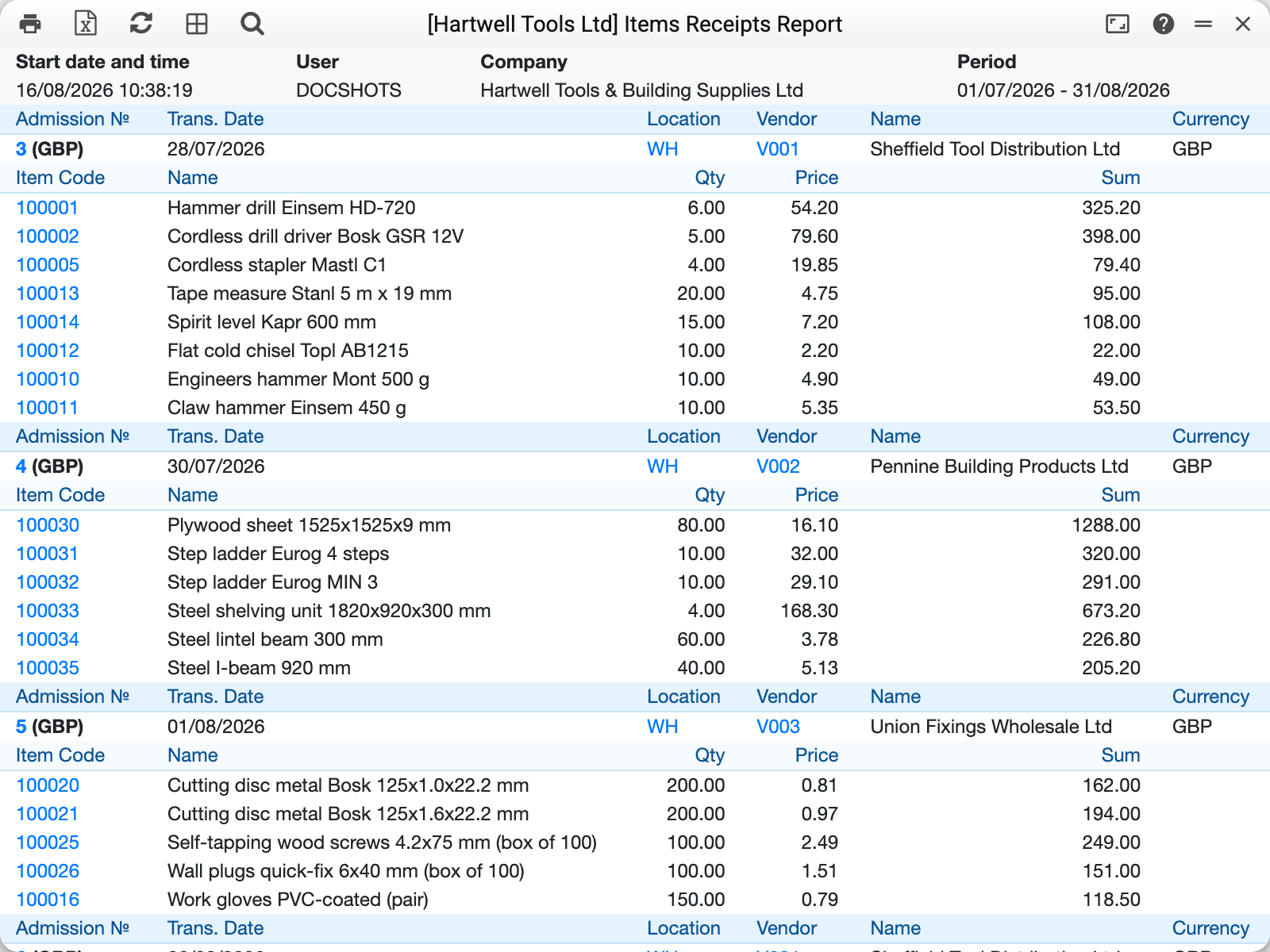
For July–August 2026 the demo company shows every receipt in sequence. Each starts with its own header — number, date, location, vendor, currency — followed by the document lines: item code, description, quantity, price, amount.
At the end of the report comes the total per location: how many units arrived and at what cost, in the base currency.
How the filters behave
- Item, location, vendor, number — exact match;
- Brands, groups, classification — accept several values separated by commas;
- OKed / Not OKed — the filter only bites when one box is ticked. Both (as in the demo company) or neither means "show everything";
- item filters apply to LINES: a receipt enters the report if at least one line matches, and only those lines are shown in it.
An item card may carry several classifications as a comma-separated list, and the filter takes that into account: an item labelled GOODS,SALE is found both by GOODS and by SALE. Several values in the filter itself mean "any of them".
About the cost figures
The price in a line is the vendor unit price, in the document currency. The amount is the line cost in the base currency: the price converted to the base currency plus freight and additional costs. So in a receipt in a foreign currency price × quantity does not equal the amount; the base currency code is in the column heading — "Sum, UAH". Not everyone sees the price and amount: access is granted by a separate «Show cost price» right in the user's role. Without it the report still opens, but without the price and amount columns, and the per-location total at the end is not shown at all — quantity included.
Typical situations
The report is empty. Check the period — it works on the receipt's transaction date, and documents dated in the future will not appear.
An unwanted receipt appears. Item filters keep a document in the report when a single line matches. To see only the positions you need, read the lines rather than counting documents.
The total does not match the document amount in a foreign currency. The per-location total is the cost in the base currency, one line per location whatever the document currencies. The amount in the document currency is shown by the document itself.
Where to look next
- Goods receipts — the document itself.
- Cost price difference — where the receipt price diverged from the supplier's invoice.
- Item history — every movement of one position, not only arrivals.