Revised Budgets
A mid-year revision of an approved budget. The original plan stays untouched — the history of "what we planned at the start" survives, while the adjusted version lives as a separate record. The report builder has a dedicated comparison mode for it, "Revised budget": you can track completion against the original plan or against the adjusted one.
Where to find it: Modules → Nominal Ledger → Registers → Revised Budgets
Walkthrough
A revision of the annual revenue budget (702) in the demo database — the plan was raised by 10%:
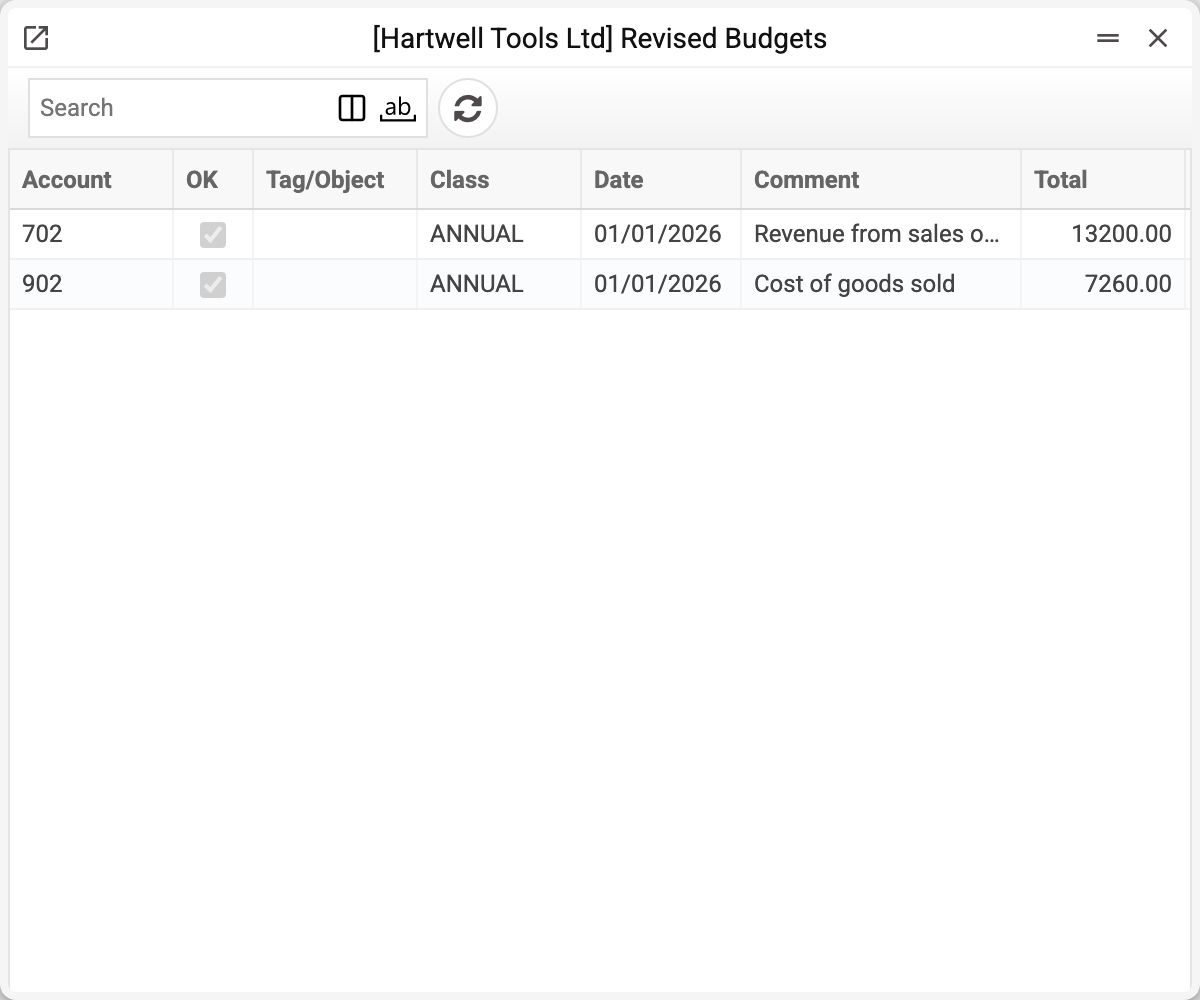
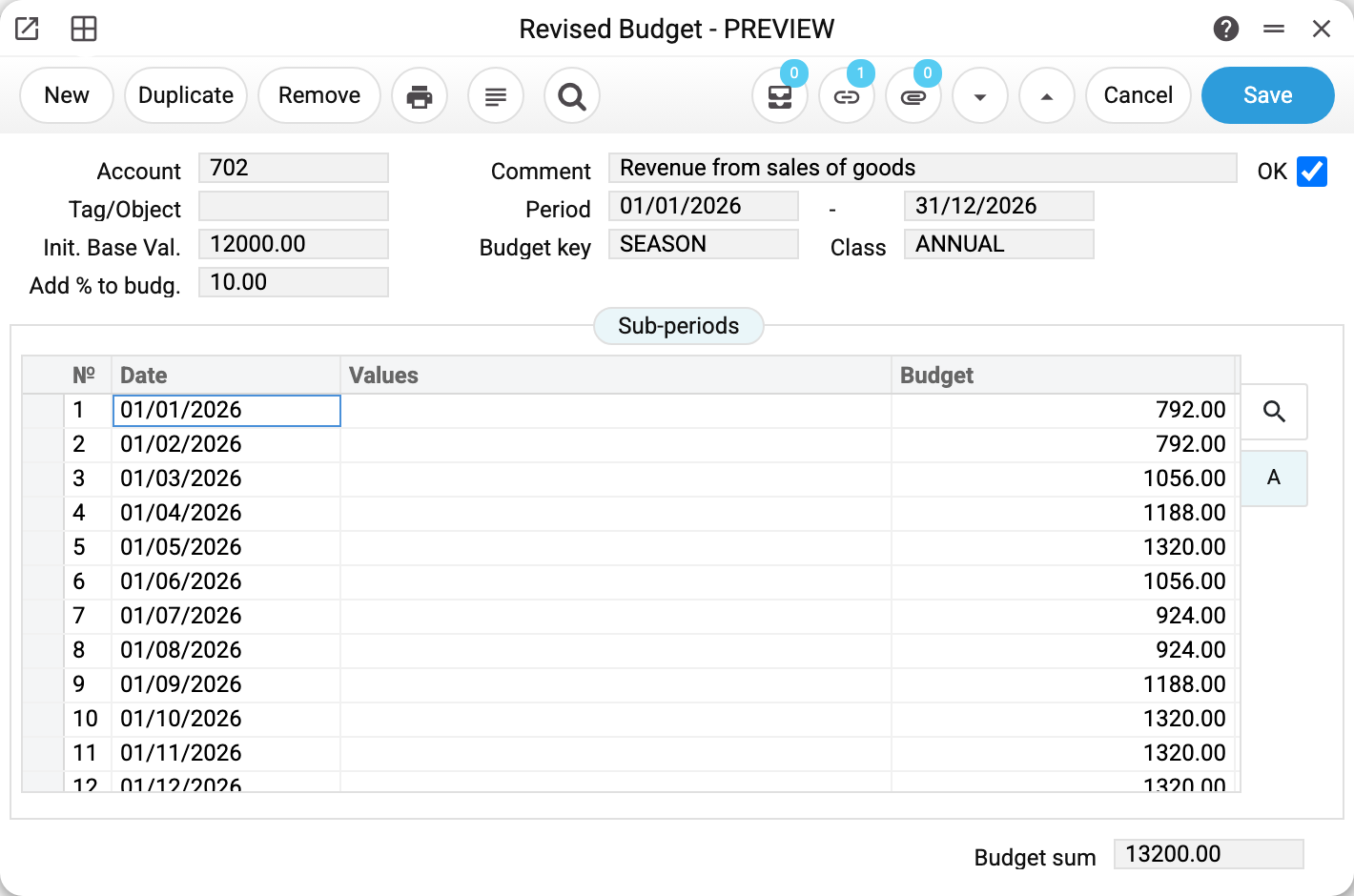
- The record was created from budget 702 via the "Create revised budget" menu item — account, class, period and the breakdown were copied from there.
- Init. Base Val. — 12,000, the original's base value. Add % to budg. — 10: "Recalculate" took 12,000 + 10% = 13,200 and spread that sum over the sub-periods by the budget key.
- The OK flag works the same as for budgets: without it, reports do not see the revision.
"Recalculate" rebuilds the breakdown from scratch every time: each sub-period gets its share of the sum by its row of the key, and a "Values" entry in the row, if set, is added on top. Amounts corrected by hand in the "Budget" column are overwritten. Recalculation refuses if the card has no "Budget key" — "Enter budget key!" — and if the key does not have as many rows as there are sub-periods: "Rows count of Sub-periods and Budget key matrix must match".
How revisions work in reports
The "Revised budget" mode reads only this register — under the same rules as the "Budget" mode (details): matching account, literal class match, sub-period dates inside the report period, approved records only. There is no fallback: if an account has a budget but no revision, the "Revised budget" mode shows zero for that row — the system will not substitute the original plan for a missing revision.
The original ↔ revision link is written both ways — you can see it in the Documents tree.
Fields
| Field | Purpose |
|---|---|
| Account, Tag/Object, Class, Period | Copied from the original budget — together they define WHAT is being revised |
| Comment | Account name |
| OK | Approval: the revision becomes visible to reports and locked from edits |
| Init. Base Val. | The original budget's base value at the moment the revision was created |
| Add % to budg. | Adjustment percentage: "Recalculate" applies it to the initial base value |
| Budget key | Distribution key — inherited from the original |
| Sub-periods: Date, Values, Budget | The revision's breakdown; "Values" is a manual per-row addition on recalculation |
| Budget sum | Total of the rows, read-only |
Common situations
"Revised budget" mode shows zeros everywhere. There are simply no revisions — the mode does not fall back to regular budgets. Create revisions for the accounts you need, or stay in "Budget" mode.
"Create revised budget" complains. Two causes: the original budget is not approved (OK it first), or a revision for this account + class + object + period start date combination already exists — a second one cannot be created, edit the existing one.
Need a second adjustment within the year. There is no separate "third level": clear OK on the existing revision, set a new percentage, recalculate and approve again — or run scenarios under different classes from the start.
Changed the original budget — the revision did not update. And it will not: the copy is made at creation time, and "Recalculate" works from the "Init. Base Val." fixed at that same moment — it will not pick up changes to the original. Correct the revision's breakdown by hand, or create the revision anew: clear OK on the existing one (an approved revision cannot be deleted), delete it and choose "Create revised budget" again in the approved original. While the old revision exists, a new one will not be created.