Disposal of fixed assets
The document by which an object leaves the balance sheet — through a sale or a write-off (accident, wear, liquidation). One document removes the original value from the balance account, closes the accumulated depreciation and charges the residual value to the account you specify. It is the only document of the Fixed Assets module: everything else is done by services.
Where to find it: Modules → Fixed Assets → Registers → Disposal of fixed assets
Walkthrough
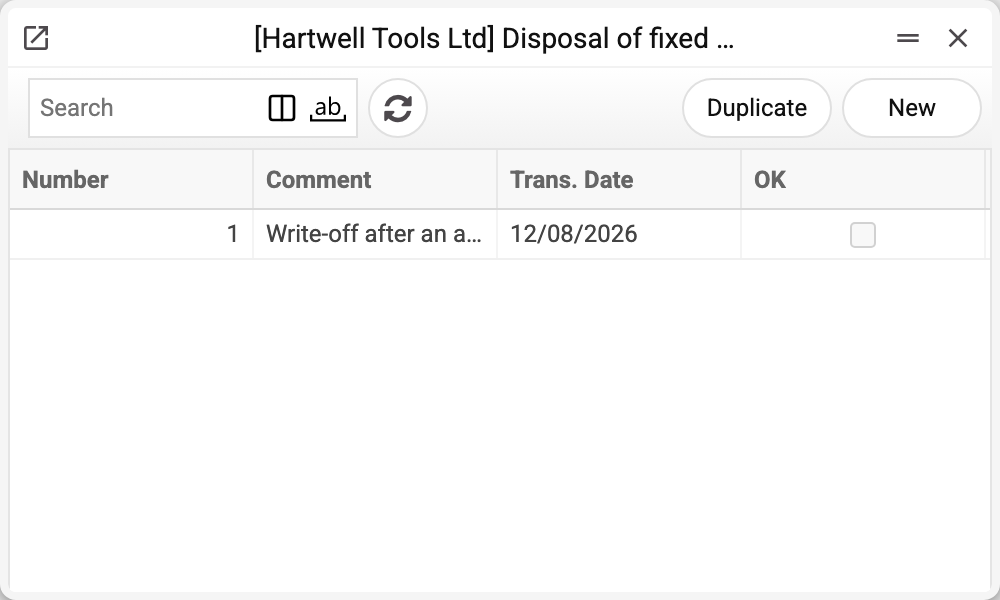
A draft write-off of the demo vehicle 9_1 after an accident:
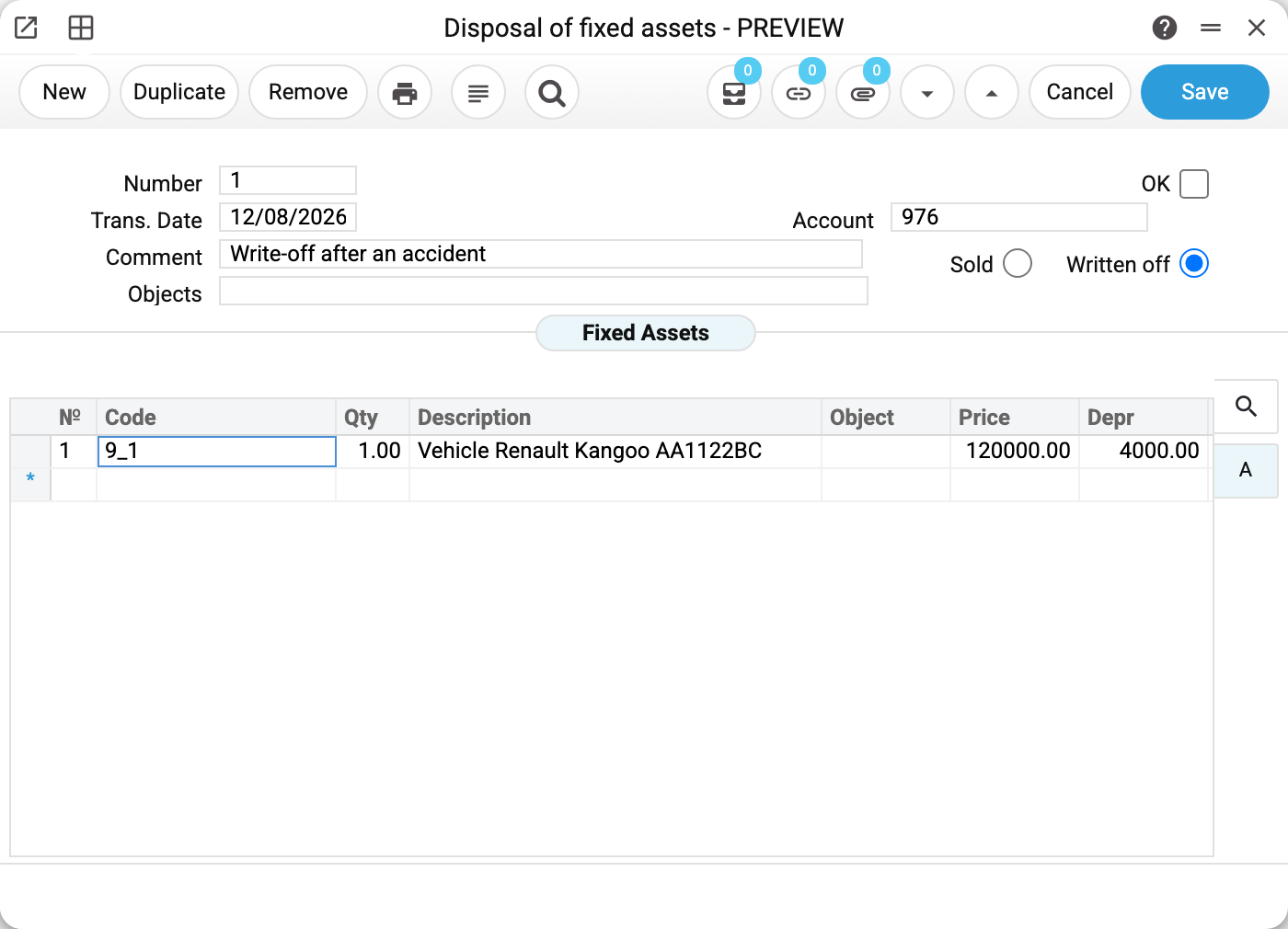
- Type — "Written off" (the alternative is "Sold"): the difference is not in the postings but in how the event is recorded in the history and in which block the "FA status" report shows it.
- Account in the header — where the residual value goes. For a write-off in the demo — 976; for a sale you would put the cost-of-sale account here.
- The matrix row fills in by itself once the object is picked: "Price" = the original value (quantity × purchase value), "Depr" = accumulated depreciation (original minus residual; 0 for an object that was never put into operation — nothing was charged). The "Price" label is misleading: it is NOT the selling price — the buyer's money is handled by a separate sales document.
Postings on OK
For the 9_1 row (original 120,000, depreciation 4,000) the document creates one transaction:
| Dr | Cr | Amount | Meaning |
|---|---|---|---|
| 131 (the type's depreciation account) | 105 (the type's balance account) | 4,000 | close the accumulated depreciation |
| 976 (the header account) | 105 | 116,000 | residual value — to expenses |
Total credit on 105 = 120,000: the object has fully left the balance sheet. The depreciation and balance accounts come from the type, by the model chosen in the Assets Setting ("Model for Disposals").
What else posting does
- The transaction date is the one entered in the document. Posting does not change it: the ledger transaction and the history row carry the act date. So a disposal can be posted into a past period, unless that period is closed in Closing changes; then approval is refused.
- A row is written into the asset history; the object's department stock is reduced.
- The card's quantity and residual value do not change. Once the whole quantity is gone, the card becomes "Closed" by itself and the depreciation run no longer charges it; a partly disposed object stays open. Charge the disposal month's depreciation BEFORE posting the document: "Depr" is taken from the residual at the moment the object is picked, and a charge made after the document is not included in it.
- Removing OK is a full reversal: the transaction, the history row and the stock come back as if the posting never happened.
Print variables
Values available in this document's printed form templates. How to write a variable in a template — see Print Forms.
Header fields:
| Variable | What it holds |
|---|---|
| No | Number |
| Ok | OK |
| Cost_Acc | Account |
| Trans_Date | Trans. Date |
| Comment | Comment |
| Objects | Objects |
Row fields:
| Variable | What it holds |
|---|---|
| No | Row position number |
| Item_Code | Code |
| Qty | Qty |
| Description | Description |
| MObjects | Object |
| Price | Price |
| Depr | Depr |
| Serial_No | Inventory No. |
The records the document refers to through its form fields (location, customer, currency…) also expose the rest of their variables — code and name are already listed in the tables above, the rest is described in the register's article:
- Company details — name, addresses, bank accounts, officers, the printing user: Main Company
Common situations
A disposal has to be posted into last month. Set the date before approving — posting will not change it. If the month is already closed in Closing changes (the «Transactions, Forward balances» row on the «Cash and Other» tab, or the date for all documents when that row is empty), approval is refused; the same page explains how to open the period for yourself.
The object is written off, yet depreciation keeps charging. Only a posted disposal closes the card. Once posted disposals have written off its whole quantity, the card becomes "Closed", and from the next period of its depreciation model (month, quarter, year or day — as the model sets) the service does not charge it even if "Closed" was cleared by hand. If charging goes on, check that the disposal is posted and that it wrote off the whole quantity: a partial disposal does not close the card, and depreciation runs on the card's whole quantity.
A sale: where is the buyer's price? Not here. This document only removes the object from the balance sheet; the invoice to the buyer with the selling price is a separate sales document.
"Price" in the row is not what I expected. It is the original value, not the selling one: the row computes "Price" − "Depr" = residual, and that is what goes to the header account.
Approval refuses: "The row «Price» must be the original cost of the disposed units: 1 × 120000 = 120000". The row takes the original cost of exactly the disposed units off the balance sheet — the quantity × the card's "Purchase cost (unit)"; that is how the window sets "Price". The refusal comes with a document written past the window (import, MCP) with a different "Price" — say, the value of all 4 units when one is disposed of — or when the cost on the card was changed after the row had been filled. Pick the asset or the quantity in the row again — the window recalculates "Price" and "Depr" — and approve again.
Approval refuses: "Quantity must be positive". The row has no quantity — this happens to a document written past the window (import, MCP). The window fills the quantity itself when you pick the object; enter it in the row and approve again.
Approval refuses: "Duplicate rows are not allowed". The same object stands in two rows of the act — the refusal points to the later one. An object is disposed of in one row: delete the repeat and enter the total quantity in the first row. A draft with the repeat can be saved; only approval is refused.