Xlsx Export
The universal dump of any register to Excel. Pick a register — get an .xlsx with its records: exchange rates, the chart of accounts, contacts, items. The fastest way to hand data out — to an auditor, to another system, or just to eyeball a large directory as a table.
Where to find it: Modules → System (the item is present in other modules too) → Maintenances → Xlsx Export
Walkthrough
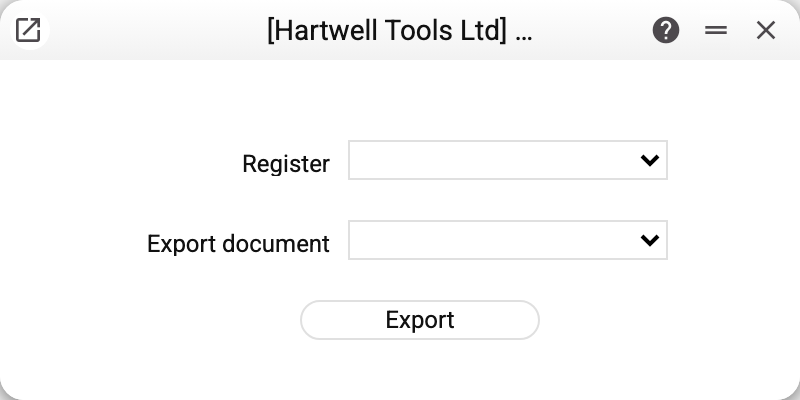
Two fields:
- Register — what to dump; the list shows the registers of the ACTIVE MODULE (those you may view): open the maintenance from Finance and you see the finance registers; need a stock register — switch the module first;
- Export document — an optional "export definition" from the Imports register: it decides which columns land in the file and under which headers. Leave it empty and all public register columns are dumped under their technical field names.
The "Export" button builds the file and hands it to the browser as a normal download.
The demo ships the EXCHANGERATES definition for the "Exchange Rates" register: the file comes out with human headers Currency / Date / ToRate1… — exactly the format the Xlsx import will understand later. Without a definition the same register dumps "raw": every public field under its technical name.
What never reaches the file, with a definition or without: hidden fields (passwords, integration keys and the like), columns your role cannot see, and — in registers such as chat, attachments or links — rows of records you cannot open.
Worth knowing
- Export and import work as a pair. The same definition drives both formats: dump a register with a definition → fix it up in Excel → load it back with the import. That is the standard way to mass-edit a directory.
- Only the record header goes to the file. Document rows (the items of a sales order, the rows of a goods receipt) are not exported: dumping "Sales Orders" gives one row per order, without its items.
- Dates come out as text in the user's date format (DD/MM/YYYY, for instance); date-and-time fields do not get that format. Amounts and quantities come out as numbers, document numbers as text. The exception is fields the database keeps in an exact decimal type (budget amounts, POS receipt and shift amounts, gross salary in employee contracts): they go into the file as text.
- Settings (the main company card and the like) are not in the list: the service dumps registers only.
- The server reads the register in chunks of a thousand records but hands the file over only once it is complete: on a large register the download does not start at once.
Common situations
The register I need is not in the list. The list shows only the active module's registers — switch to the module the register lives in and open the maintenance from there (see The desktop: windows, search and bookmarks). Still absent — you lack the view permission.
"Select register!" You pressed "Export" with the "Register" field empty.
"Permissions denied!" instead of a file. Your role has no list right on this register.
"Empty data". The register holds no record you can see — no file is produced.
The file has technical column names (fCode, fComment…). You exported without a definition — either create one with human headers, or keep it as is: for a round-trip through the import, technical names are actually easier.
Need a file with only some of the columns. That is precisely what an export definition is for: it lists exactly the columns that go to the file.