Contact Change History
Who changed what and when on a customer card, in its addresses and links. The report is what you reach for when the numbers in documents stop matching expectations: «why do they have 30 days of credit now instead of 10?» or «who changed the delivery address right before the shipment?»
Where to find it: Modules → CRM (also in modules: System) → Reports → Contact Change History
The report also opens from the contact card: its menu item «Contact Change History» builds the report for that contact straight away.
Example walkthrough
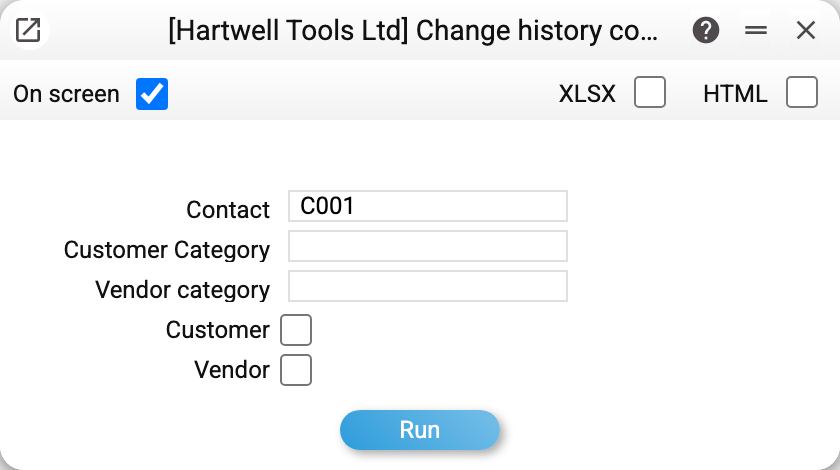
Selection is by contact, customer or vendor category, and by type (customer / vendor). Every parameter is optional: with none of them the report lists changes across all contacts.
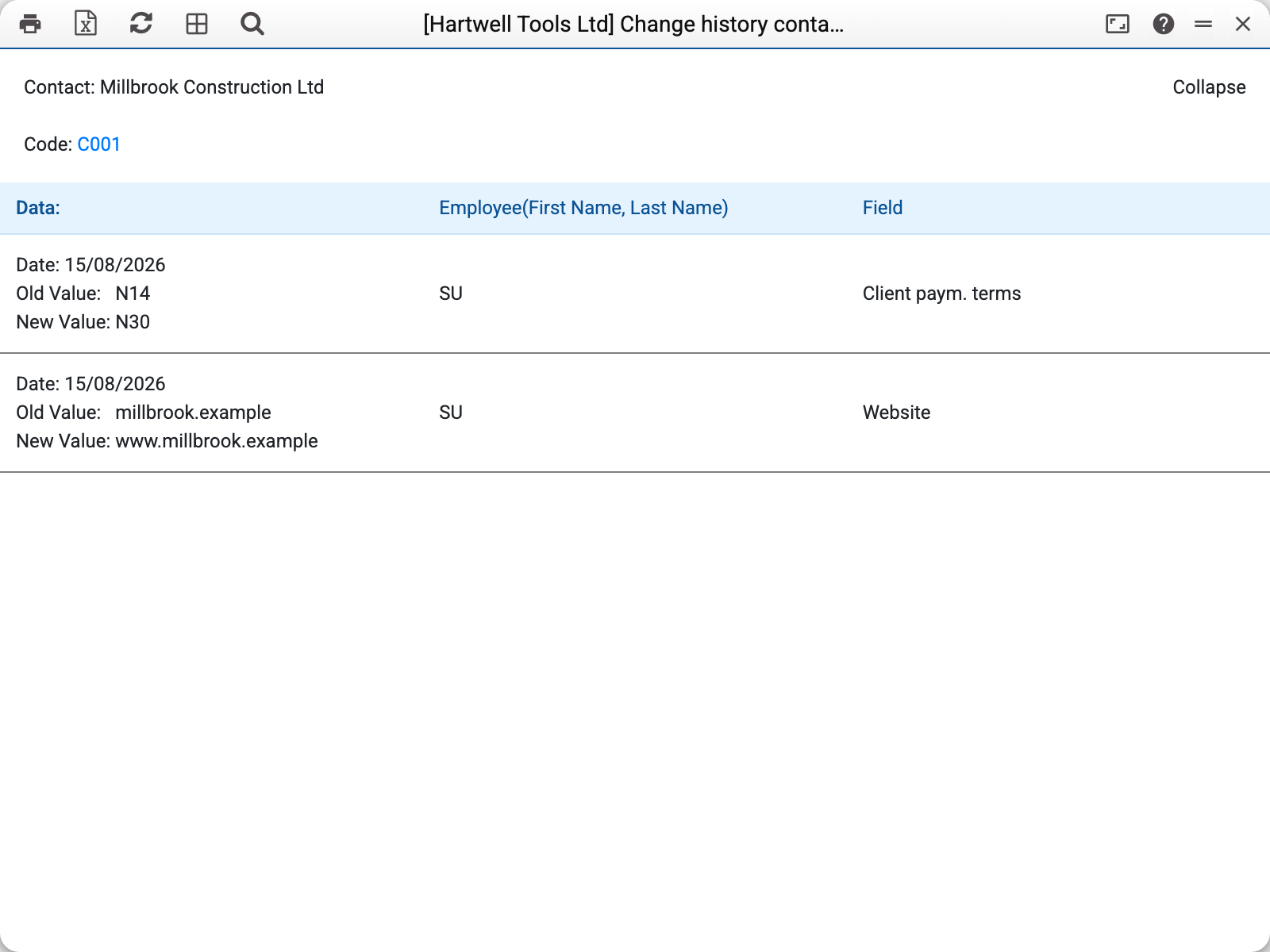
For Millbrook Construction Ltd two changes on the same day are visible: the payment terms went from N14 to N30 and the website from millbrook.example to www.millbrook.example. Each row shows the date, the old and the new value, the user's login (with first and last name in brackets next to it) and the field name in the interface language.
What the report covers
Three registers at once: the contact card, its addresses and the links between contacts. There are no separate blocks for addresses and links: their changes come as rows of the same contact table, mixed in with the card edits by time, newest first. The «Field» column tells them apart: the field name carries «(Addresses)» or «(Contact Links)», for example «City(Addresses)».
Values are translated into plain words. Checkboxes («Customer», «Vendor», «VIP», «Closed») show as marks, and radio buttons as words: «Resident» / «Non-resident», «Post office» / «Address», «Cash» / «Non Cash».
The report shows transitions, not snapshots: every row is an «old → new» pair assembled from two consecutive versions of the record. It follows that:
- the very first save of the contact card after history was switched on gives no row — there is nothing to compare it with;
- for an address or a link, on the contrary, the earliest version is shown in full: one «- → value» row for every filled field (a ticked «Default» checkbox shows «✅ → ✅»);
- a deleted link is a row with the linked contact's code as the old value and «-» as the new one;
- a deleted address is a «Represent(Addresses)» row: the old value is the deleted address itself, as the card showed it, the new one is «-».
What has to be switched on first
⚠️ History is kept only for the registers ticked in the records-history setting. Until «Contacts», «Addresses» and «ContactLinks» are listed there, nothing is remembered — and the report stays empty even if the card was edited daily. Recording starts the moment it is enabled: nothing can be reconstructed retroactively.
Address and link changes are shown even if the contact card itself was not edited: a contact gets into the report when any of the three changed.
Who can see it. The report shows the history of every contact of the company to anyone the report itself is open to: it does not check rights on contact cards, addresses or links. Grant it only to roles that may see the data of all contacts.
Typical situations
The report will not run. With a contact selected that has no history, the report refuses: «This contact has no change history». If no contact matches the selected categories and type — «Not found contacts with filters».
The report is empty. Most likely history for contacts, addresses and links is not enabled (see above), or none of them was edited since it was enabled.
An edit surely happened, but there is no row for it. Possible reasons: it was the first save of the card after history was switched on (see above); the field is a service one with no name in the interface — such fields never appear in the report.
Find out who changed a customer's prices. Enter the customer code and look at the «Price List» field — the row carries the login. If the employee has since been removed from the users, the row stays — with the login but no name.
History for a document is needed, not for a customer. That is a different mechanism: documents have their own record history, opened from the document itself.