Companies
The list of legal entities keeping their books in one database. Each record is a separate company with its own documents, balances and reporting.
Where to find it: Modules → System → Registers → Companies
A worked example
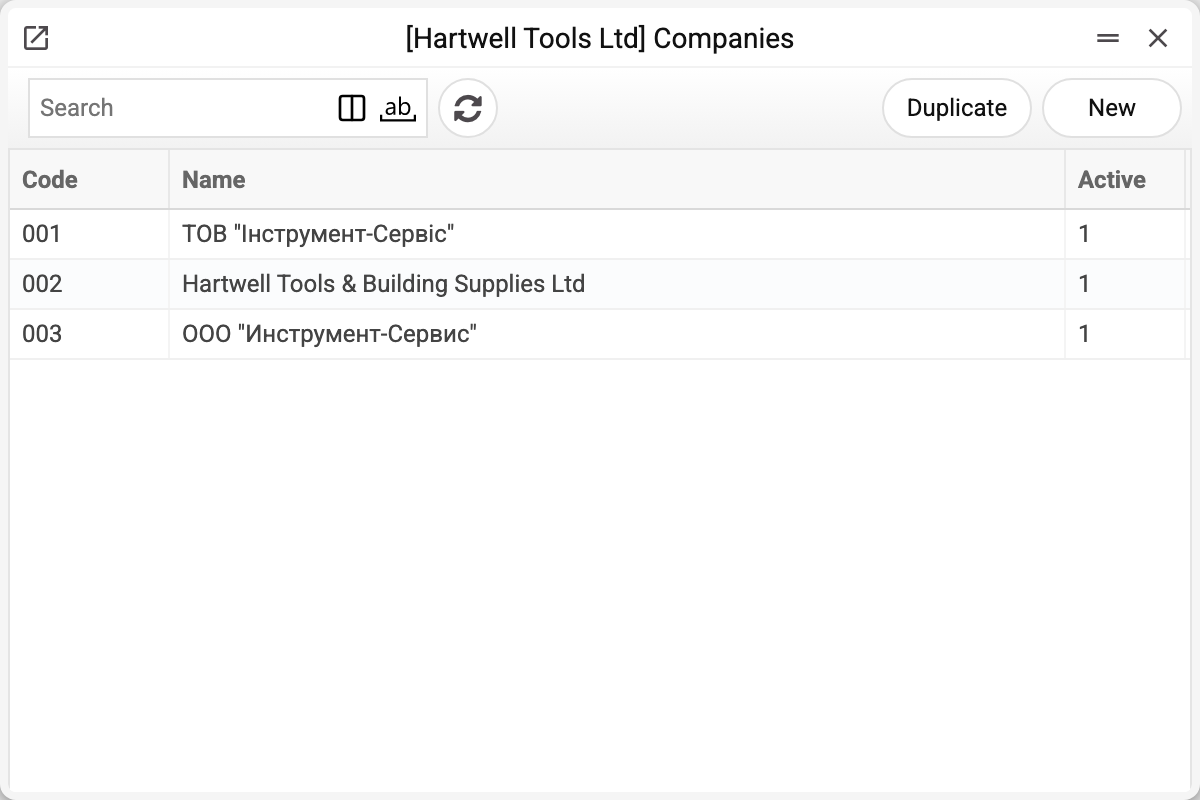
The list shows the code, the name and the active flag (1 means the company is in use). These are not the company's registration details — those live in the main company setting; here you get the list with the activity flag. The company window has no "Active" field: the flag shows only as a column of the list.
The screenshot shows three companies of one demo database: Ukrainian, English and Russian. They are not three different firms but one set of books in three language variants — that is how the demo stand is built.
What "one database, several companies" means
Company data is separated: documents, reference data, balances, numbering. There are two exceptions: a register shared with another company through company sharing is common (with "create" or "full" access, new records in it land in the source company), and users and roles are the same for the whole database. A user works in one company at a time and switches if they have the right.
That is why so many housekeeping operations say "within the current company": clearing the print queue, recalculating FIFO or rebuilding payment history never touch the neighbours.
The active flag retires a company without deleting anything: nobody can switch into it, but the reporting for past periods remains. Sessions already open in the company end at the person's next action: the system answers "Company is inactive, please sign in again".
Typical situations
A user cannot see the company they need. That is an access-rights question, not this register.
A company has to be closed. Clear the active flag — the data stays. This cannot be done from the company window (it has no "Active" field): the flag is changed only by a write through the API.
A company has to be removed entirely. That is a separate housekeeping operation, and it cannot be undone.
Where to look next
- Company information — the current company's details.
- Company sharing — what need not be duplicated.