Serial Number Range for Contacts
The rules the system follows when issuing a code to a new contact whose «Code» field was left empty. Customers get their own series, vendors another, and a particular category may get its own as well.
Where to find it: Modules → Sales Ledger → Settings → Serial Number Range for Contacts
The point is not tidy codes but that the code tells you who you are dealing with, and that two salespeople creating customers at the same time never get the same number.
Example walkthrough
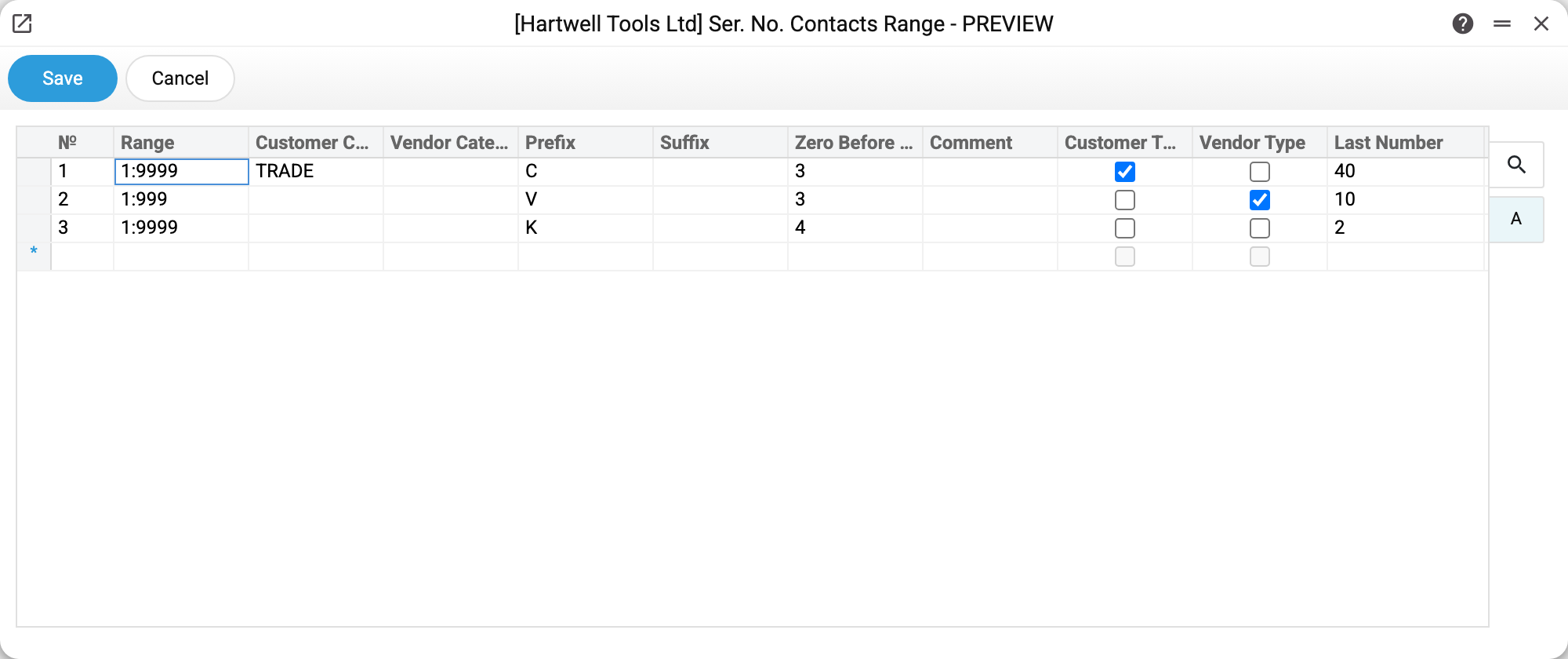
Three rows — three rules:
| # | Range | Category | Prefix | Zeros | Type | Last |
|---|---|---|---|---|---|---|
| 1 | 1:9999 | TRADE | C | 3 | client | 40 |
| 2 | 1:999 | V | 3 | vendor | 10 | |
| 3 | 1:9999 | K | 4 | — | 2 |
The first row gives customers of category TRADE the codes C041, C042 and so on; the second gives vendors V011; the third is tied neither to a type nor to a category and acts as the generic one — it produced the codes of the contact person K0001 and the lead K0002, who are neither customers nor vendors.
How the system picks a row
The system does not take the first matching row — it takes the most specific one:
- the type matches (client/vendor) — the row gets the highest weight. The type must match exactly: a contact that is both a customer and a vendor fits only a row with both ticks (or the generic one);
- the category matches as well — more weight is added;
- a row with no types and no categories counts as generic and carries the lowest weight, so it is used only when no dedicated row fits;
- a row that requires a category the contact does not have is not considered at all.
Having picked the row, the system takes «Last number», adds one, pads it with zeros to the required length, glues on the prefix and suffix — and checks whether that code is free. Taken codes are skipped until a free one is found within the range. The last number in the row is updated immediately.
Fields
| Field | Meaning |
|---|---|
| Range | The «from:to» bounds, e.g. 1:9999 |
| Customer Category / Vendor Category | The rule applies only to contacts of that category |
| Prefix / Suffix | What to put before and after the number |
| Zero before char | How many digits to pad to (4 → 0041) |
| Customer Type / Vendor Type | Which role the series serves |
| Last number | The last number issued; maintained by the system |
Typical situations
No code is issued, the field stays empty. No row matched, or the range is exhausted — the contact will not save until a code is typed in. If no row matched, check whether a generic row without types exists. An exhausted range does not fall over to another row: widen its bounds.
A new customer got a code from the wrong series. Look at the category on their card: the series is chosen by type and category, not by who creates the contact.
Numbering must start over. Change «Last number» in the row — the next code continues from it. Codes already taken are skipped anyway.
Codes are needed per branch. Create a dedicated customer category and a row for it with its own prefix.