Mail Text
When a document is e-mailed to a customer, the message should read the same whoever sent it. This register holds that template: the subject line, the opening text and the closing text.
Where to find it: Modules → System → Registers → Mail Text
A worked example
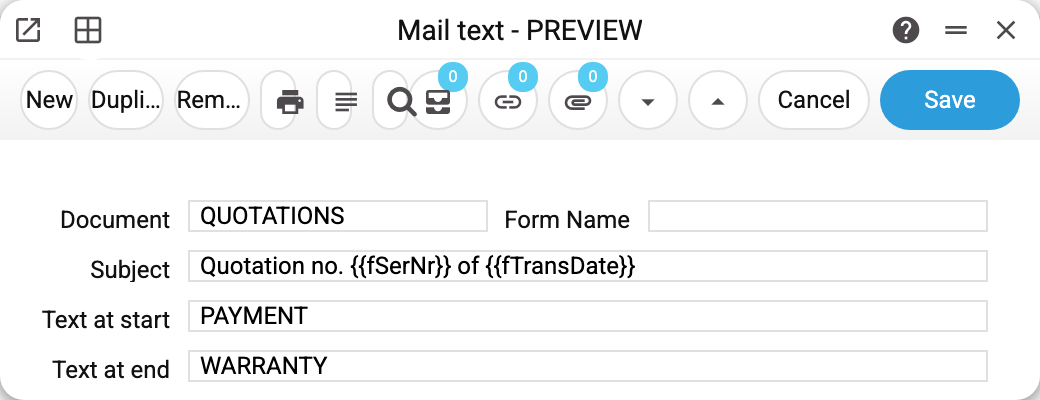
A template for QUOTATIONS: subject "Quotation no. {{fSerNr}} of {{fTransDate}}", opening text PAYMENT, closing text WARRANTY.
Two things are worth noticing:
- the subject carries variables in double braces:
{{fSerNr}}inserts the document number,{{fTransDate}}the value of the document's field of that name. A quotation keeps its date infQTDateand has nofTransDate, so in this template the date comes out empty — a variable must name a field the register really has; - the text fields carry codes, not paragraphs: they reference standard texts.
One template per document register. That is why the demo companies keep templates on different registers: invoices, sales orders, quotations.
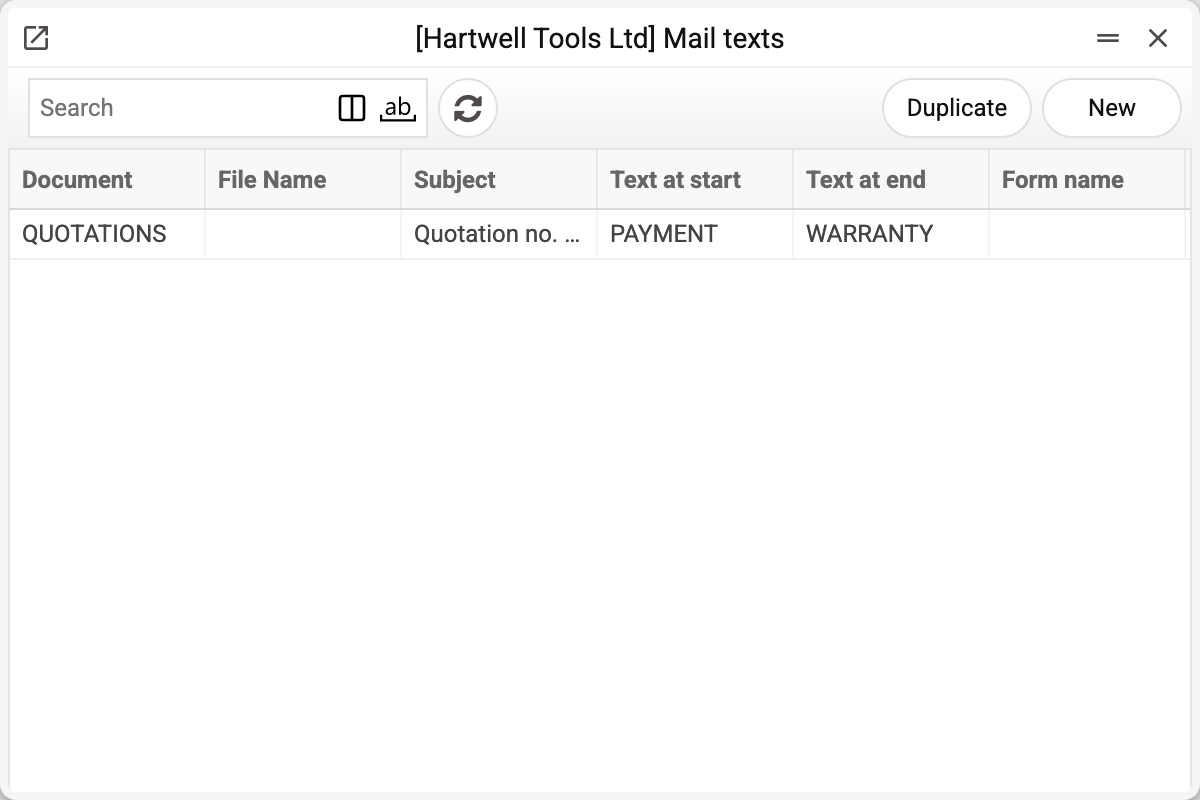
One template per register in a company
A company can have only one template per register: a second one is not saved — "An entry with this document is already registered in the system". Another company of the same database sets up its own template for the same register independently.
Typical situations
How to send an e-mail. The "Mail Sender" service does it: register, document number and addresses (one per line). In "Sales Orders" the "Send email" command opens it with the register, number and the customer's e-mail already filled in.
The e-mail goes out with no body. Check the codes in the "Text at start" and "Text at end" fields. A code that is not among the standard texts will not let the template save; but if the sender finds no standard text with that code when sending, it quietly sends the e-mail without it. That happens to a code with lowercase letters (only the API can create one): the template stores codes in capitals.
The document should be attached. The "Form Name" field covers that: the attachment is the print form filled with the document's data, in its template's format (.doc, .docx, .xls or .xlsx), not a PDF. If a form is named but cannot be built, the e-mail is not sent at all — the service names the reason. The template stores the form name in capitals while "Print Forms" keeps it as typed, so the form is looked up by name ignoring case: "Invoice" is found as "INVOICE" too. If there is no form with that name or it is disabled, the service does not send the e-mail: "Print form «…» of the mail template was not found: the email was not sent".
The subject should carry the customer's name. Use document variables exactly as the number and date are used.
Where to look next
- Standard texts — where the paragraphs come from.
- Approval rules — the other mechanism keyed to a document register.