Project Budget
A budget is the project plan in lines and money: how many hours of labour, how much material, at what prices. The customer's quotation, the worksheet and the purchase order are created from it; the system does not yet stop costs above it.
Where to find it: Modules → Project Management → Registers → Project Budget
A worked example
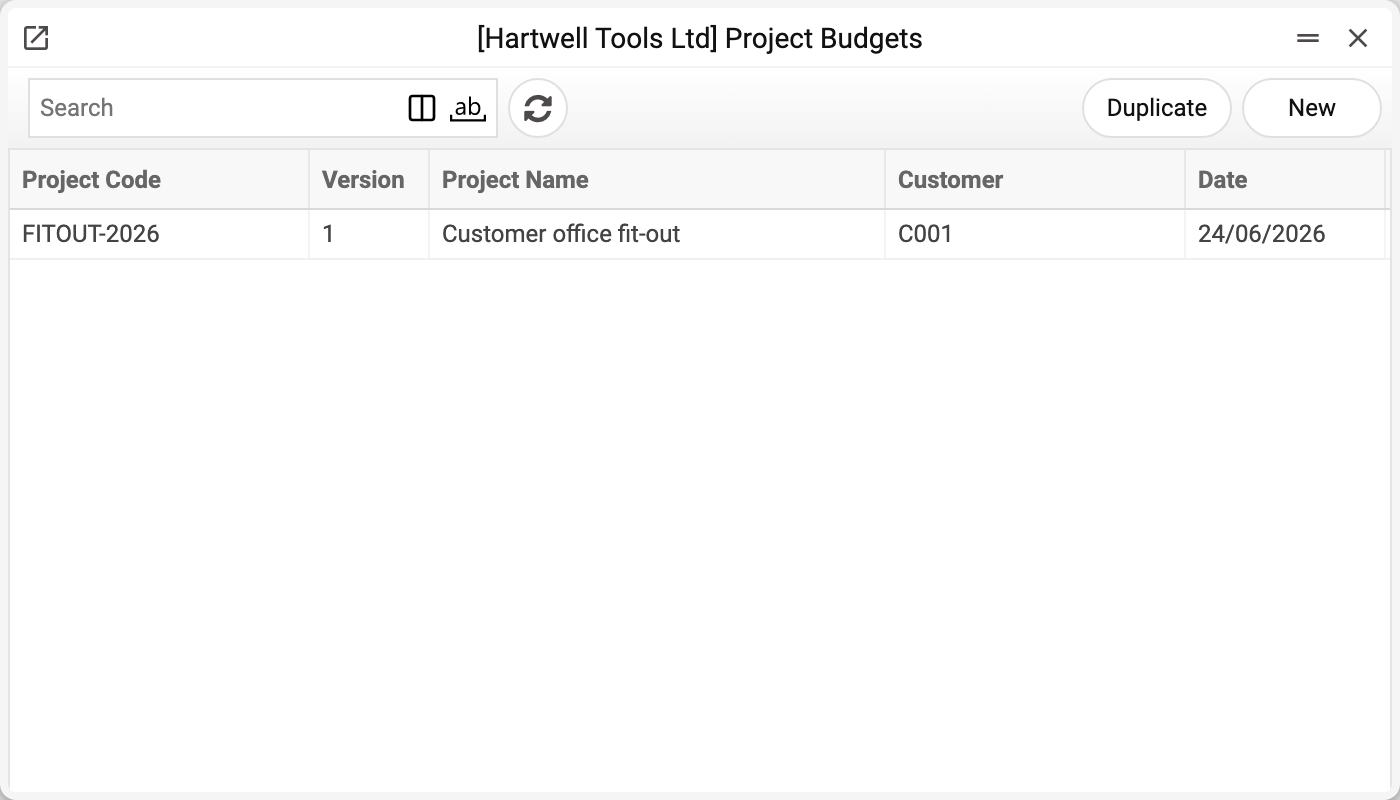
The demo company's budget list holds one row — FITOUT-2026 «Customer office fit-out», customer C001, version 1, dated 24/06/2026. The Date is today's when a budget is created and can be changed.
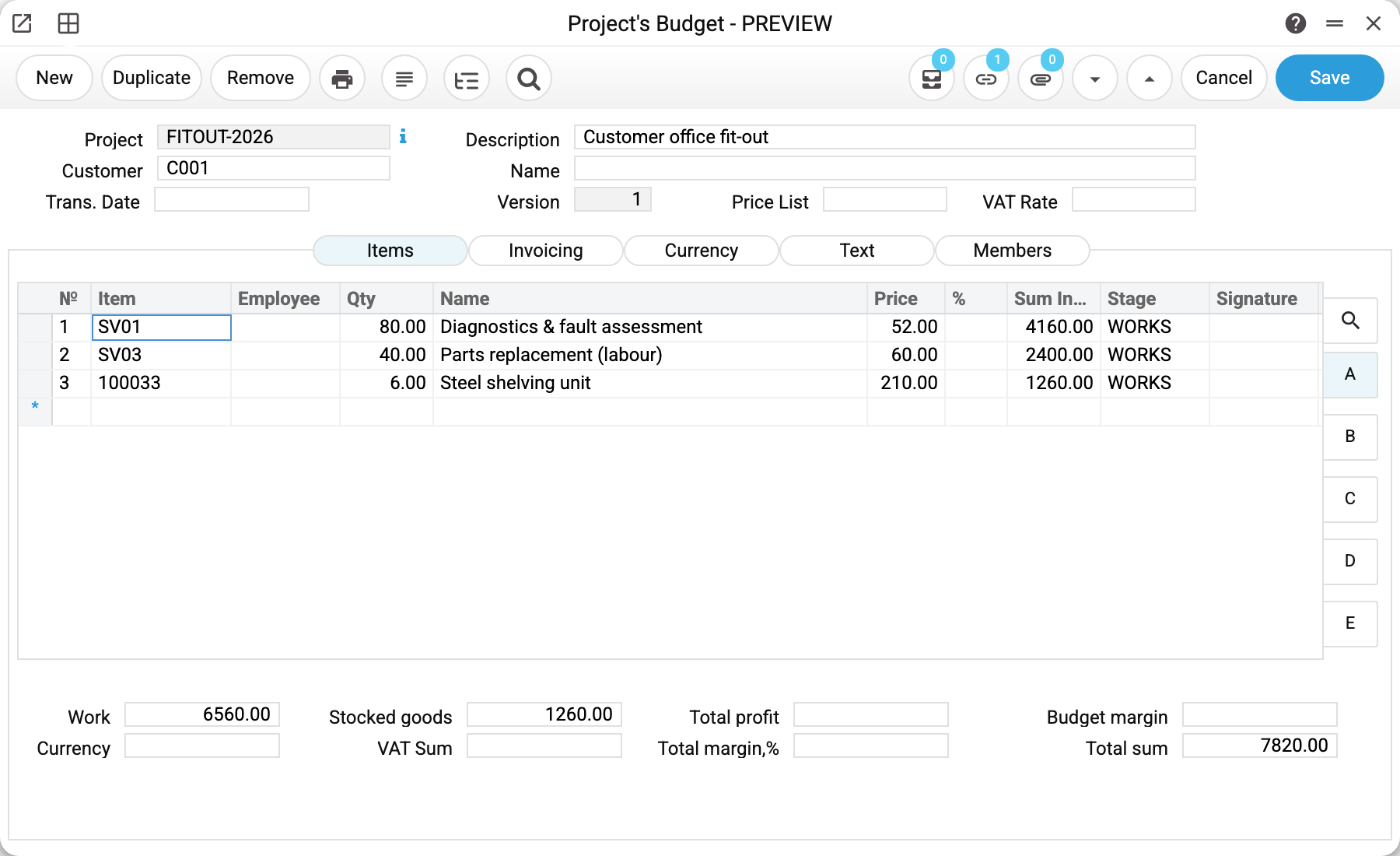
Budget for FITOUT-2026, customer C001, version 1.
| № | Item | Qty | Price | Sum | Stage |
|---|---|---|---|---|---|
| 1 | SV01 Diagnostics & fault assessment | 80.00 | 52.00 | 4 160.00 | WORKS |
| 2 | SV03 Parts replacement (labour) | 40.00 | 60.00 | 2 400.00 | WORKS |
| 3 | 100033 Steel shelving unit | 6.00 | 210.00 | 1 260.00 | WORKS |
The footer splits the totals by nature of spend: Work 6 560.00, stocked goods 1 260.00, total sum 7 820.00. Beside them, "Total profit" and "Total margin,%" show what the project should return above cost, and "Budget margin" is the markup the system copies into every line (more on markup below).
The Stage column ties a line to a project phase, so you can see what preparation costs, what the main works cost and what handover costs.
The remaining tabs
The rows discussed above live on the «Items» tab, together with the totals and the markup. Four more sit next to it:
- «Members» — who runs the budget: participants, leader and salesman. Time sheets and the by-login project lookup read the participants of the project itself, not of the budget: whoever must see the project in a time sheet is added on the project card. Below it is the approval status («Not approved», «Approved», «Closed»). It is set by hand, and by the system when a project quotation is accepted: that quotation's budget becomes approved, the project's other budgets are closed. Documents (quotation, worksheet, purchase order) are not created from a closed budget — the system refuses. The «Budget» field of the quotation itself does not offer a closed budget either, and one typed in by hand is not accepted: «Project budget '…' is closed!». A quotation whose budget was closed after it was made is edited as before;
- «Currency» — the main currency rate used to convert the budget amounts. The budget takes it by itself, for the budget date: when a project is chosen (the currency of the project or its customer; none — the base currency, 1:1), when a customer with a currency in the card is chosen, and when the date changes. No rate for that currency on that date — refusal "Exchange rates are not filled in!" with the currency code and date: enter the rate for that date and repeat the choice. The VAT code comes from the customer card — on choosing the project, and on choosing a customer whose card has a price list, together with the price list; the code goes into the header and every row;
- «Text» — one large field for the description: the brief, the terms, everything that did not fit into rows;
- «Invoicing» — two switches, «Works in invoices» and «Stored goods in inv.», each set to the actual value or «On budget». Today they change nothing: the value is stored, but no procedure reads it. Project invoices take the actual amounts regardless of what is chosen here.
Budget versions
The "Version" field exists because budgets get revised: a first cut for the quote, a second after the scope is agreed. The old version is not deleted — a new one is created, and the trail of what was agreed survives.
The system numbers a new budget's version itself — the next after the latest version among the project's budgets (the project's first budget gets 1); the window shows it as soon as the project is chosen. The version is not changed by hand — in the window the "Version" field is read-only.
Typical situations
Costs exceed the budget. There is no overspend control in the system at the moment: the item-use switch on the project card ("Warning" / "Disallow") is saved, but no document is checked against it. Compare costs with the budget yourself.
Labour and goods lines are mixed together. That is fine: what separates them is the product type on the item card, not the order — "Work/Service" goes to "Work", "Stockable" to "Stocked goods", and "Free" only to "Total sum".
The markup did not change the price. By design: a line's markup is an amount for the whole line. It is added to the line sum after the discount and is part of the VAT base: the line's VAT is charged on it too, while the price stays the item's price. A line "1 × 50, markup 10" without a VAT code has a sum of 60; with 20 % VAT and prices excluding VAT the line's VAT is 12 and the sum 72, and with prices including VAT the markup counts as an amount including VAT: the sum is 60, of which VAT is 10. The header markup is copied into every line. The quotation calculates the same way, so a budget created from a quotation carries over the line's price, markup and sum unchanged. A Worksheet has no separate markup, so a worksheet created from the budget carries the markup in the line price, and the line sum stays the same as in the budget.
The totals are empty. They are calculated as lines are entered in the window; simply opening and saving does not recalculate them. If the budget was filled by import, change any line in the window and the totals are recalculated.
Where to look next
- Project — the budget's owner.
- Project phases — the stages the lines are split across.
- Project information report — plan against fact.