Item Classifications
An item group answers the question "what is it" and a card carries exactly one. But goods need more labels than that: whether an item is on promotion, whether it belongs in the customer price list, whether it is a spare part for the service department. Classifications provide those labels, and a card may carry several of them.
Where to find it: Modules → Stock → Registers → Item Classifications
A classification is assigned to a type, and the type is what keeps things unambiguous: in the picker — one label from each type, no more. The type is optional: labels without a type are not limited by this rule.
A worked example
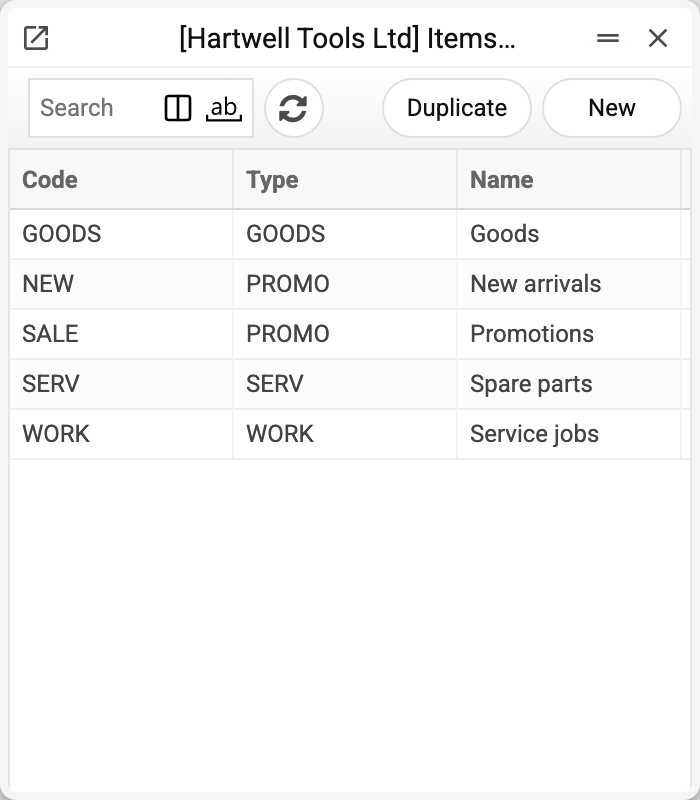
The demo company has five classifications of four types:
| Code | Name | Type |
|---|---|---|
| GOODS | Goods | GOODS |
| SERV | Spare parts | SERV |
| WORK | Service jobs | WORK |
| SALE | Promotions | PROMO |
| NEW | New arrivals | PROMO |
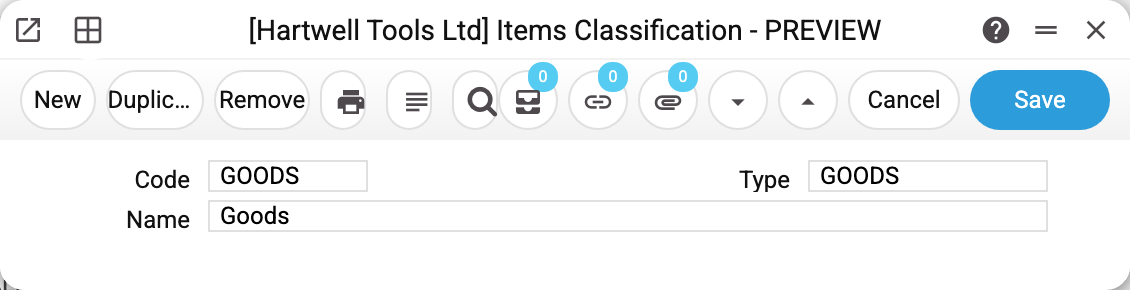
The card has three fields: code, name and type. The type is optional, but a type that is entered must exist in the types list: with a code that is not there the classification will not save — "Classification type '…' is not found!".
On the item card classifications live in the Classification field as one comma-separated line. The cement mixer 100005 carries GOODS,SALE — "goods" and "promotion"; 100006 carries GOODS,NEW.
One label from each type
Try adding NEW in the classification picker to a card that already carries SALE and the picker will not take it:
Classification with type "PROMO" already listed: NEW
Both labels are of type PROMO, and that is a single "column": an item is either a new arrival or a promotion. Labels of different types coexist freely — which is why GOODS,SALE is accepted. Labels without a type are outside this rule: an item can carry any number of them.
This is a rule of the picker, as in SERP. Saving the card does not check how many labels of one type it has: codes typed into the field with commas, import or the API will save GOODS,SALE,NEW too.
The same check catches a code that does not exist: "The entered classification … is not in the list of classifications!".
Where classifications are used
- Inventory worksheet builder — count only the items of a given classification instead of the whole warehouse;
- Quotation price lists — three independent filters: «Classification filter type» keeps items with any label of that type, «Item classifications» — items with at least one of the listed labels (of any type), «Exclude classifications» removes items with any of the named labels;
- the customer's price list page — when the price list's «Grouping 1» is «Classification Type», items are grouped by the labels of that type and the label name becomes the group heading;
- stocktaking comparison — the «Class.» filter, but of several listed tags it requires all of them: an item gets in only if it has every one of them (the worksheet builder takes an item with at least one);
- reports on stock, sales, purchases, returns and production — the «Class.» filter (in some of them «Classification» or «Classifications») selects items with at least one of the listed tags; the exception is the «Stocktaking comparison» report: there, as in the comparison service, all of them are required.
Typical situations
The label does not show up on items. A classification has to be set on each card — it is not applied in bulk. For mass edits use the XLSX import.
Two labels of similar meaning are needed. Give them different types, otherwise the second one will not be saved.
A classification is no longer used. It can only be deleted once it is listed on no item card and in no quotation price list — neither among the selected classifications nor among the excluded ones. Otherwise the system refuses and names where the classification is listed: «A record of «Item Classifications» is used in: Items!». Remove the code from there first.
Where to look next
- Classification types — the register that groups the labels.
- Item card — the "Classification" field.
- Item groups — the single mandatory membership of an item, not to be confused with labels.
Print variables
Values available in this document's printed form templates. How to write a variable in a template — see Print Forms.
Header fields:
| Variable | What it holds |
|---|---|
| ItemClass_No | Code |
| ClassTyp_No | Type (code) |
| ClassTyp_Comment | Type (name) |
| ItemClass_Comment | Name |