Payroll tax
This register answers the question "what percentage, and to which account" for every payroll tax. Rates change by legislation, so each record carries a start date — and a calculation picks the one in force on its own date.
Where to find it: Modules → Human Resource Management → Registers → Payroll tax
A worked example
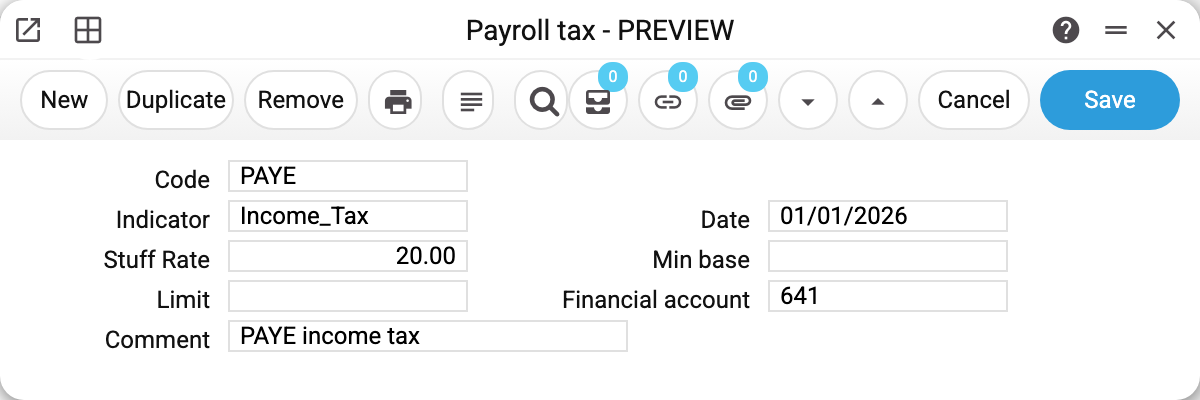
Record PAYE: indicator Income_Tax, rate 20.00, effective from 01/01/2026, financial account 641, comment "PAYE income tax".
"Min base" and "Limit" are stored with the rate and appear in print, but the payroll calculation does not apply them: the tax is computed from the whole accrued amount at the rate.
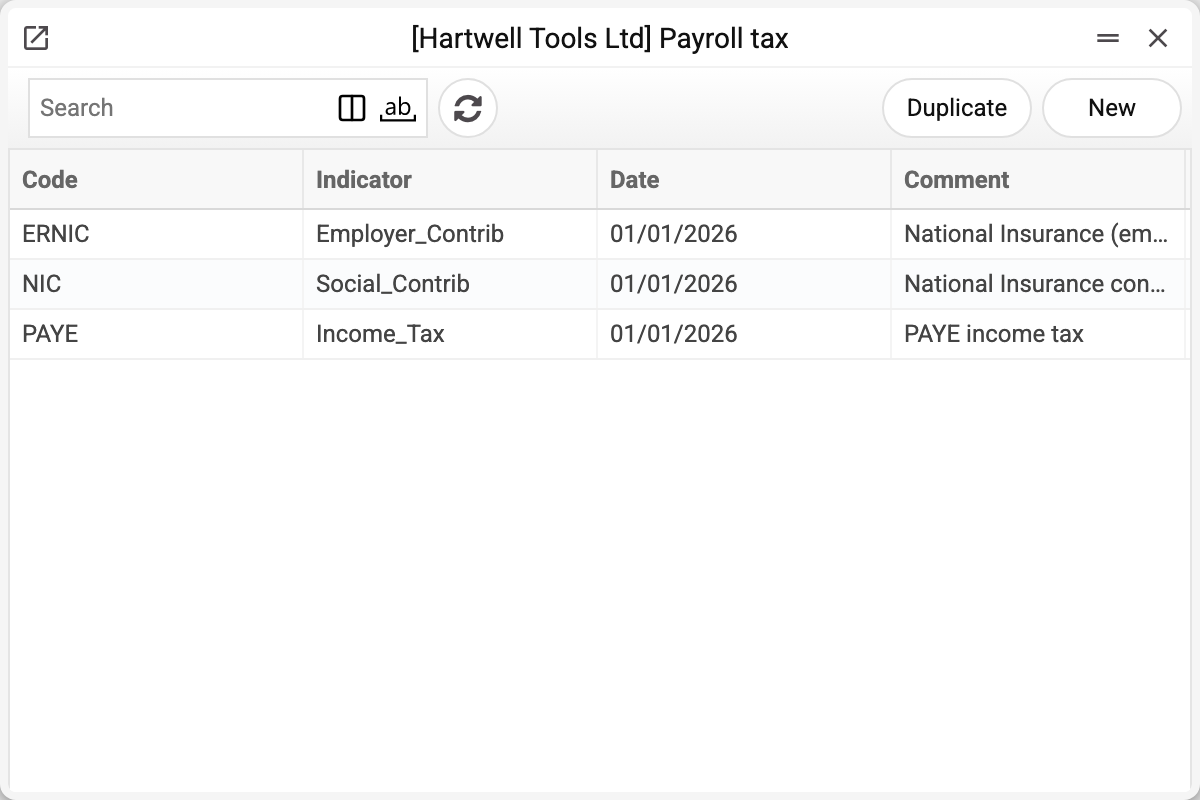
The demo company defines three: PAYE at 20 %, employee National Insurance at 8 % and employer's National Insurance at 13.8 %.
The date is the version
Records are not edited when the law changes: a new row is added with the same code and a new date. The system takes the most recent record whose date is not later than the calculation date.
That way last year's payroll stays calculated at last year's rate — and does not drift if the document is reopened.
Typical situations
The rate changes in April. Create a new record with the same code and that date; leave the old one alone.
A tax is missing from the calculation. Check the payroll setting: that is what says which code plays income tax, which the second withholding and which the employer's contribution. If the code in the setting is empty, the code has no record dated on or before the calculation date, or the record's "Staff Rate" is empty, the tax is calculated as zero; in the first two cases posting the payroll is refused, and the refusal says what is wrong.
A tax is not posted: no account. The rate's "Financial account" is the account the payroll posting puts this tax on. If it is empty, a payroll with a non-zero tax will not post: the refusal names the rate without an account.
A tax needs different logic. The register only carries a percentage and an account ("Min base" and "Limit" are not applied by the calculation); anything more elaborate needs development.
A rate cannot be deleted: «A record of «Payroll tax» is used in: Payroll Calculation Setting!» A rate can be deleted while its code keeps other records — the setting still finds the code. The last record of a code that the setting applies as income tax, the second withholding or the employer's contribution cannot be deleted: without it the setting could no longer be saved, and payroll would calculate that tax as zero. If a rate no longer applies, don't delete it — add a new record with a new date.
Where to look next
- Payroll calculation — where rates turn into amounts.
- Payroll setting — which codes to apply.
Print variables
Values available in this document's printed form templates. How to write a variable in a template — see Print Forms.
Header fields:
| Variable | What it holds |
|---|---|
| PayrollTax_Code | Code |
| PayrollTax_Indicator | Indicator |
| PayrollTax_Date | Date |
| PayrollTax_StuffRate | Staff Rate |
| PayrollTax_MinBase | Min base |
| PayrollTax_Limit | Limit |
| PayrollTax_FinancialAccount | Financial account |
| PayrollTax_Comment | Comment |