Currency Codes
The register of currencies the system works with: the base one (defined in the base currency setting) and all foreign ones. Every foreign-currency document — an invoice in EUR, a payment in USD — starts with its currency existing here, and with a rate for the date in Exchange Rates.
Where to find it: Modules → Nominal Ledger → Registers → Currency Codes
Walkthrough
EUR in the demo:
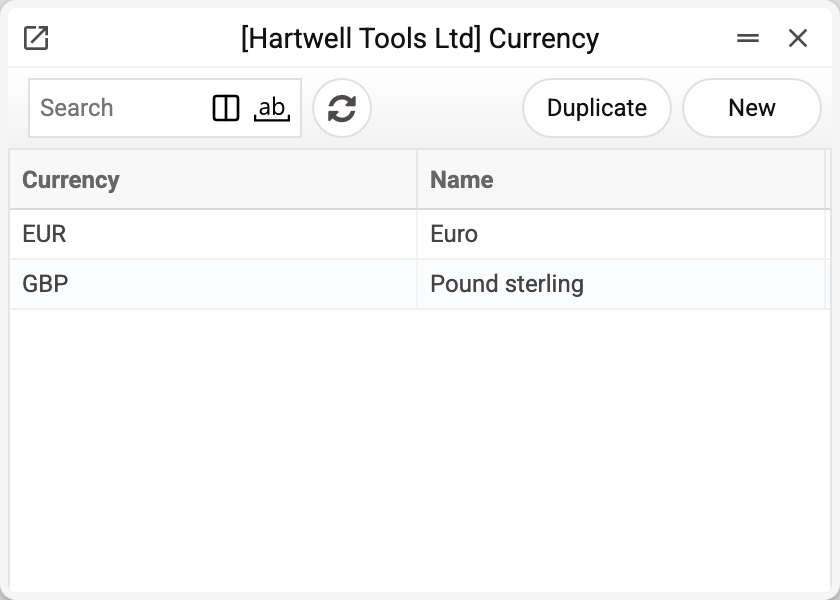
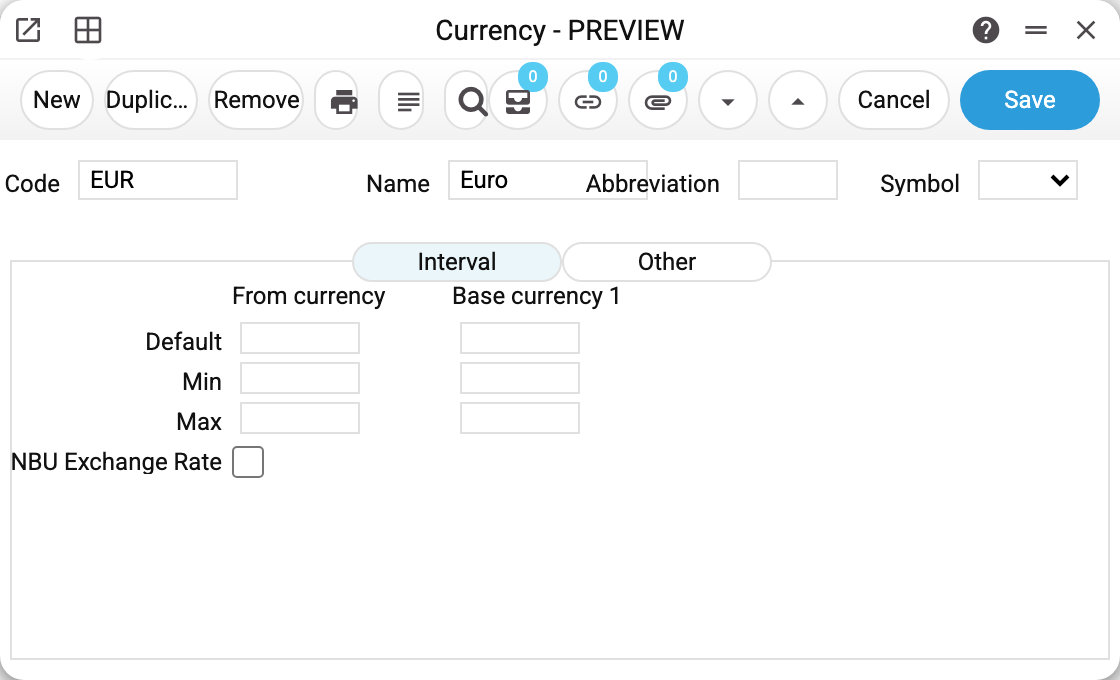
The header — code, name, abbreviation and symbol. Below are three tabs; day-to-day work usually needs only the header:
- Interval — rate corridors "Default / Min / Max" in the "From currency : Base currency 1" pair (for reference only: documents neither take their rate from here nor check it against the limits), and beneath them the "NBU Exchange Rate" flag: this currency's rate is controlled by the National Bank — in a company with base currency UAH the rate window fills in the official rate, and a manual rate that differs from it is blocked (see Exchange Rates); with another base currency the flag has no effect, and the rates are filled by the "Central bank exchange rates" service. The service does not depend on the flag: run without a currency selected, it loads NBU rates for every non-base currency in the register.
- Other — the currency's tax code and "Currency type": the major and minor unit names for spelling amounts in print forms (hryvnia/kopiyka, euro/cent) with the declension forms "for values from 2 to 4" and "from 5".
- Text — the grammatical gender of the numeral in Ukrainian and Russian amounts in words: "Major unit gender" and "Minor unit gender", each "Male" or "Female". The hryvnia and the kopiyka are feminine; the dollar, the euro and the cent are masculine.
Print variables
Values available in this document's printed form templates. How to write a variable in a template — see Print Forms.
Header fields:
| Variable | What it holds |
|---|---|
| CurCode_No | Code |
| CurCode_Comment | Name |
| CurCode_Symb | same as CurCode_Comment |
| CurCode_Abbr | Abbreviation |
| CurCode_DefFrom | Default |
| CurCode_DefTo | To default |
| CurCode_MinFrom | Min |
| CurCode_MinTo | To min |
| CurCode_MaxFrom | Max |
| CurCode_MaxTo | To max |
| CurCode_TaxCode | Tax Code |
| CurCode_MajCurT | Major currency text |
| CurCode_MajValF2T4 | for values from 2 to 4 |
| CurCode_MajValF5 | for values from 5 |
| CurCode_MinCurT | Minor currency text |
| CurCode_MinValF2T4 | for values from 2 to 4 1 |
| CurCode_MinValF5 | for values from 5 2 |
Common situations
A document will not post: "Exchange rates are not filled in!" The currency exists, but there is no rate on (or before) the document date — enter one in Exchange Rates or pull it with the NBU service.
"Currency '…' is not set!" or "THIS CURRENCY IS NOT SET". A currency code that is missing from this register was entered: the first is what a document says, the second — an exchange rate record.
How many currencies to create? Only the working ones: each requires maintaining rates. The base currency needs no rates — it is always 1:1.
The spelled-out amount prints wrong. The major/minor unit texts and declension forms for this currency live on the "Other" tab. A numeral of the wrong gender in a Ukrainian or Russian amount — the "Text" tab.
A currency code will not change. Once saved, the code cannot be changed: documents, transactions and exchange rates find the currency by its code, and renaming it would cut them off. The system refuses: "Can't change code". Mistyped the code of a new currency that nothing uses yet — delete it and create it again.
A currency will not delete. While at least one document, transaction, exchange rate or setting names it (the base currency is set in every company), the system refuses and says where — for example "A record of «Currency Codes» is used in: Exchange Rates!". Otherwise documents in this currency could no longer be saved (see "Currency '…' is not set!" above). Simply stop choosing an unneeded currency on new documents.