Prom: update prices
The price export to the Prom shop. The maintenance takes prices from ERPJS and pushes them to the marketplace — so the storefront always shows what the books say, not what someone once typed into the cabinet.
Where to find it: Modules → Prom → Maintenances → Prom: update prices
Walkthrough
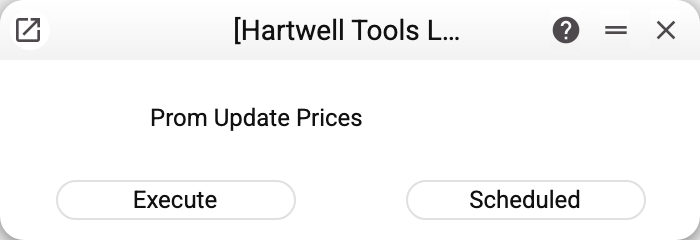
No parameters: "Execute" for a one-off, "Scheduled" for regularity. What exactly gets exported is decided by "Prom Options".
Where the price comes from and who gets exported
- The product price — from the price list named in the options; a product missing from that list, or priced at zero there, falls back to the "Price" of its card. With no price list in the options the price comes from some price list that has the product, and which one is not defined, so it is better to name one. If the product has several rows in the price list (personal customer prices, for example), which of them goes out is not defined either. A product without a price (zero or empty) is not sent.
- The price list code in the options is not checked against the register: a typo in the code and the whole catalogue silently goes at the card "Price".
- A price list price in another currency goes in the base currency: the maintenance converts it at the current rate of the price list currency and rounds it by the company's money rule. A price list without a currency counts as base. No rate — the maintenance does not send this product's price (the card "Price" does not replace it) and warns: «Not sent to Prom.ua: … items, the price list currency has no exchange rate (item codes: …). «Last update» was not moved, the next run will send them». The price list's "VAT" ("Includes" / "Excludes") and "Period" are ignored. For Prom, name the price list that holds exactly the price the buyer should see.
- Only products stitched to Prom ("Code Prom" filled on the "Sync." tab of the card — set by "Prom: update item keys" or typed by hand), without the "Closed" mark and with "Synchronization with Prom.ua" ticked on the same tab travel. "Code Prom" is the numeric product number on Prom: a product whose code is not digits alone (
12abc,abc) is not sent, and the maintenance names its item code in the warning «Not sent to Prom.ua: … items whose «Code Prom» is not a number (item codes: …)». One Prom product — one card: when the same "Code Prom" stands in several cards (typed by hand —68and068— or in a copy of a card made outside the window), whose price it is cannot be told, so none is sent, and the maintenance names them in the warning «Not sent to Prom.ua: … items whose «Code Prom» is also in another item card (item codes: …)». Keep the code only in the right card and save it — the next run sends the price. Products with the box cleared are skipped, and the maintenance reports how many: "Not sent to Prom.ua: … items with «Synchronization with Prom.ua» turned off in the item card". - With "Enable synchronization with Prom.ua" cleared in the items settings the maintenance sends nothing: "Synchronization with Prom.ua is turned off in Items settings: nothing was sent to Prom.ua". The "Last update" stamp stays where it was, so once synchronization is back on, everything changed in the meantime goes out.
- The maintenance is incremental: only products whose price (in any price list) or card changed after the "Last update" stamp are sent. A deleted price list row triggers no export. After the export the stamp moves to now, provided every product has a rate — even when Prom rejected some positions. The maintenance warns about such positions: «Prom.ua rejected … items (Prom codes: …): their prices were not updated on Prom.ua» (up to ten codes). A rejected position is about the product's data, so sending it again will not help: fix the product, and the changed card or price goes with the next run.
- If Prom did not accept a packet at all (wrong token, a failure on Prom's side, a page instead of data in reply), the stamp stays where it was and the maintenance warns: «Prom.ua did not accept the price update (HTTP …): «Last update» was not moved, the next run will send these items again». The brackets hold the HTTP status of the reply. Sending again does no harm: Prom simply overwrites the same price.
- Packets of 100 positions go to Prom — a large catalogue exports in one run.
Common situations
Changed a price, Prom shows the old one. The maintenance has not run since — run it or wait for the schedule. If it did run, check the product is stitched ("Code Prom" filled and "Synchronization with Prom.ua" ticked on the card) and that the change happened in the price list named in the options.
«Prom.ua did not accept the price update (HTTP …)…». HTTP 401 or 403 — a wrong or expired "Token", 5xx — a failure on Prom's side; with any other status check the "Host" as well. Fix "Prom Options" or wait until Prom is back, and run the maintenance again: the stamp did not move, so the same products go out.
"MAINTENANCE ERROR!" with no reason. Prom did not answer at all — check "Host" and "Port" in the options. The stamp did not move, so the next run sends the same products; the packets sent before the failure are already applied on Prom.
Need to re-export ALL prices. Clear "Last update" in "Prom Options" — the next run sends the whole catalogue. When typing the stamp by hand, keep to DD/MM/YYYY HH:MM (the maintenance also understands the date formats from user settings, say 2026-10-05 10:00). Text the maintenance cannot parse does not stop the run: the whole catalogue goes out, and the maintenance warns that the stamp was not recognised.
Some products updated, some did not. Prom returns per-position errors (say, the product was deleted in the cabinet) while the rest of the packet goes through; the maintenance names up to ten Prom codes of such positions, the details are in the server log. The "Last update" stamp has moved on regardless, so the next run will not retry those products until their price changes again: fix the cause and clear "Last update".