Service Items
When a customer brings a drill in for repair, the receptionist records on the service order not "a product from stock" but the model of the device — and it may be any model, including one you have never sold. This register holds those models.
Where to find it: Modules → Service Orders (also in modules: Stock) → Registers → Service Items
The interesting part is that it needs no preparation: it fills itself at the moment of intake.
A worked example
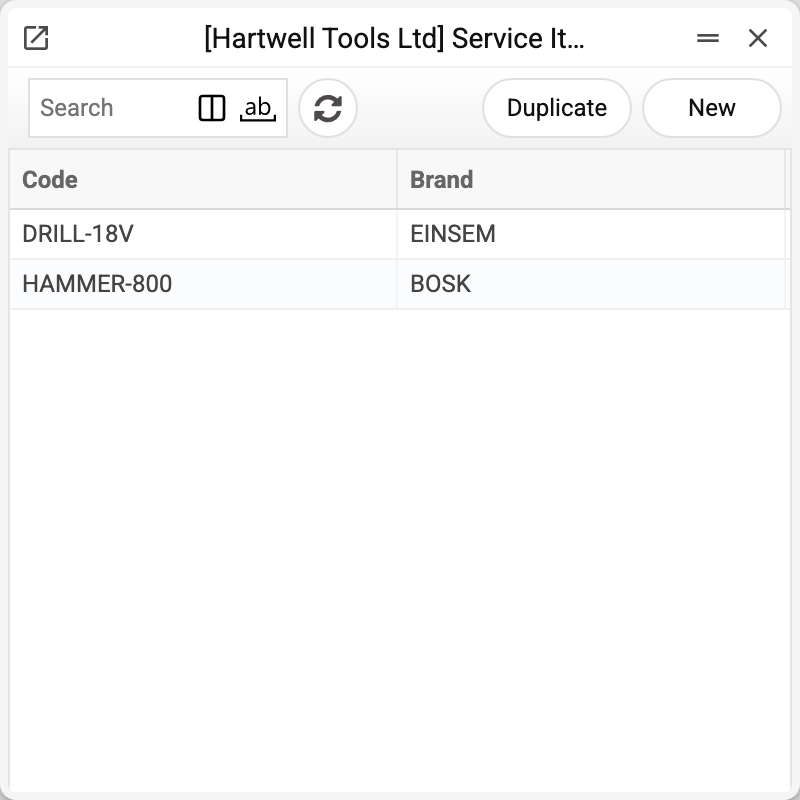
The demo company holds two models: DRILL-18V and HAMMER-800.
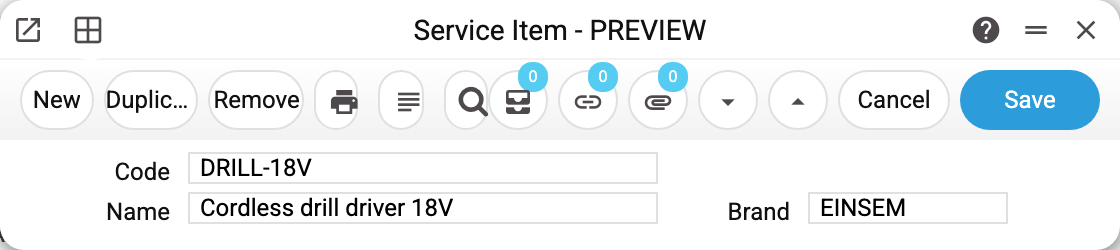
The card has just three fields: code, name and brand. All three are mandatory, the brand must exist in the brands register, and the code cannot be changed once saved: "You can't change code". The pair "code + brand" is unique — the same model from different manufacturers may coexist. The card's «Service Item Status» menu item opens the «Service Item Status Report» for this code.
The register fills itself
The service order has a "Device/code" field that looks up this register. Here is what the system does when the code entered is not found:
- if the device name is empty, it refuses to save: "Device name must be filled";
- if the manufacturer (the order's "Brand" field) is missing, it refuses as well — the manufacturer is mandatory precisely when a new device is being created, and it is picked from brands;
- and once both are present, it creates the service-item card itself from the code, the name and the brand.
The register therefore grows order by order, and the receptionist is never blocked by a model missing from the list.
The same path works when a rental item is sent to service: the system supplies the name and manufacturer from the rental card and the service item is created automatically.
Not to be confused with goods
An item card is what you sell and what sits in the warehouse. A service item is the customer's device temporarily in your hands; it has no balance, no price and no accounting account. Movements of such devices between service locations are tracked by service stock movements, and the balance key is assembled by the system from the service order number and the device code.
Typical situations
Junk codes in the register. That happens when receptionists invent codes on the spot. The system allows the deletion only while no service order refers to the device ("Cannot be deleted, there are documents with this item (Service Order …)") and while it has no balance left in the service locations ("It is not possible to delete a product that has leftovers in warehouses"). If either condition fails, all you can do is fix the name and the brand.
The same model twice. Uniqueness covers the pair "code + brand", so one code may sit on two cards with different brands. Such a second card is only ever created by hand in the register: the order looks the device up by code alone, without the brand, so it never creates one itself, and of two cards sharing a code it takes either — the order may get the name and brand of the wrong one.
The model cannot be found on an order. In the selection window of the "Device/code" field the search covers the code, brand and name. Text typed into the field itself is taken as a code: if no such code exists, saving creates a new card with that code.
Where to look next
- Service orders — where the device is named and where the card originates.
- Brands — the manufacturers register, mandatory when a device is created.
- Service stock movements — devices moving between service locations.
Print variables
Values available in this document's printed form templates. How to write a variable in a template — see Print Forms.
Header fields:
| Variable | What it holds |
|---|---|
| ServItem_Code | Code |
| Brand_Code | Brand (code) |
| Brand_Name | Brand (name) |
| ServItem_Name | Name |