Usage records
Hire equipment wears out from work, not from time. A generator that stood idle on site for a week and a generator that ran non-stop for that week are two different machines as far as servicing goes.
Where to find it: Modules → Rental → Registers → Usage records
This register collects meter readings and works out the usage between them.
A worked example
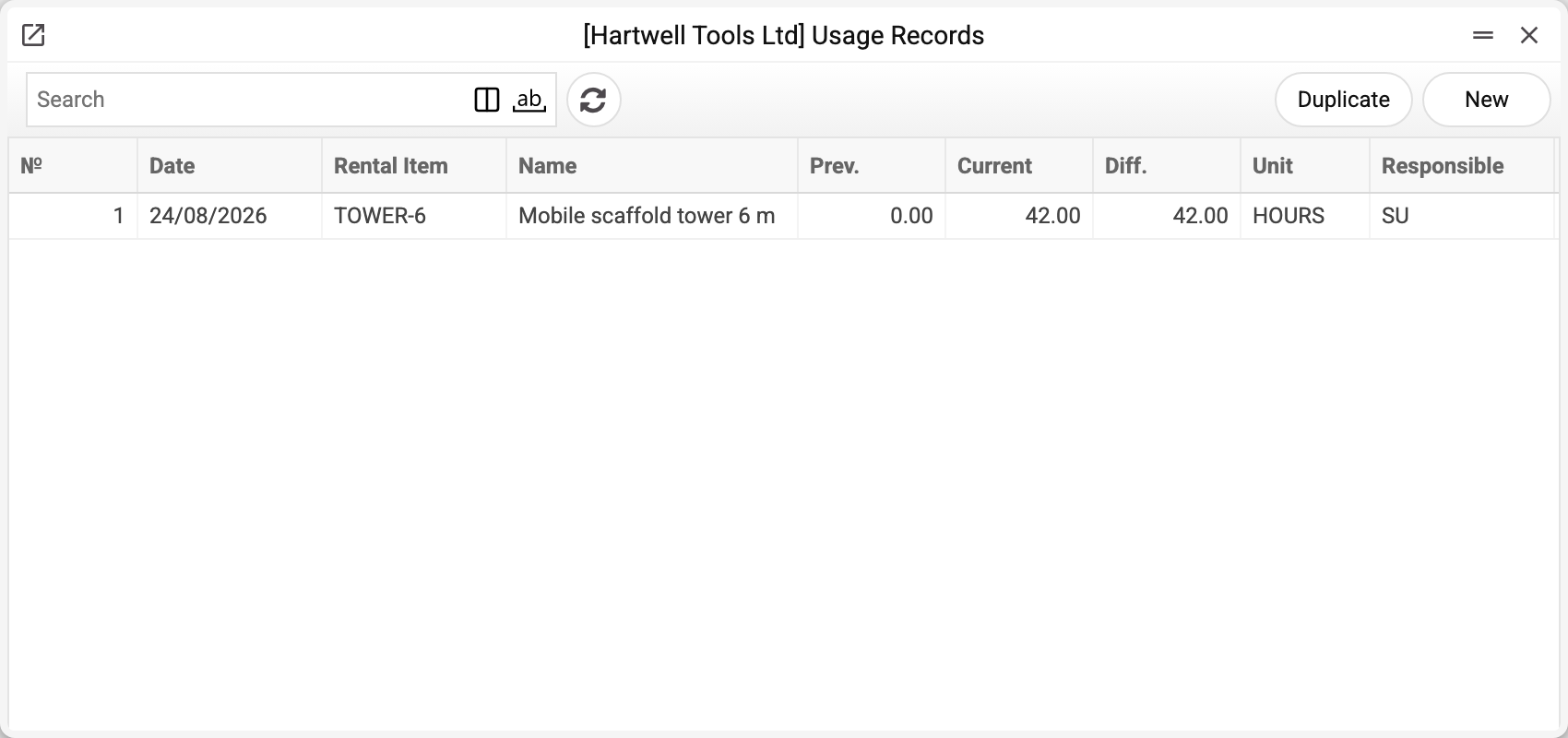
The demo company holds one record, created by the return act for the scaffold tower:
| № | Date | Rental Item | Name | Prev. | Current | Diff. | Unit |
|---|---|---|---|---|---|---|---|
| 1 | 24/08/2026 | TOWER-6 | Mobile scaffold tower 6 m | 0.00 | 42.00 | 42.00 | HOURS |
The tower went out at zero and came back at 42 hours — the system worked out the difference itself. The record card shows the agreement number ("Agreement No." — 1) and where the record came from: the comment names the source document.
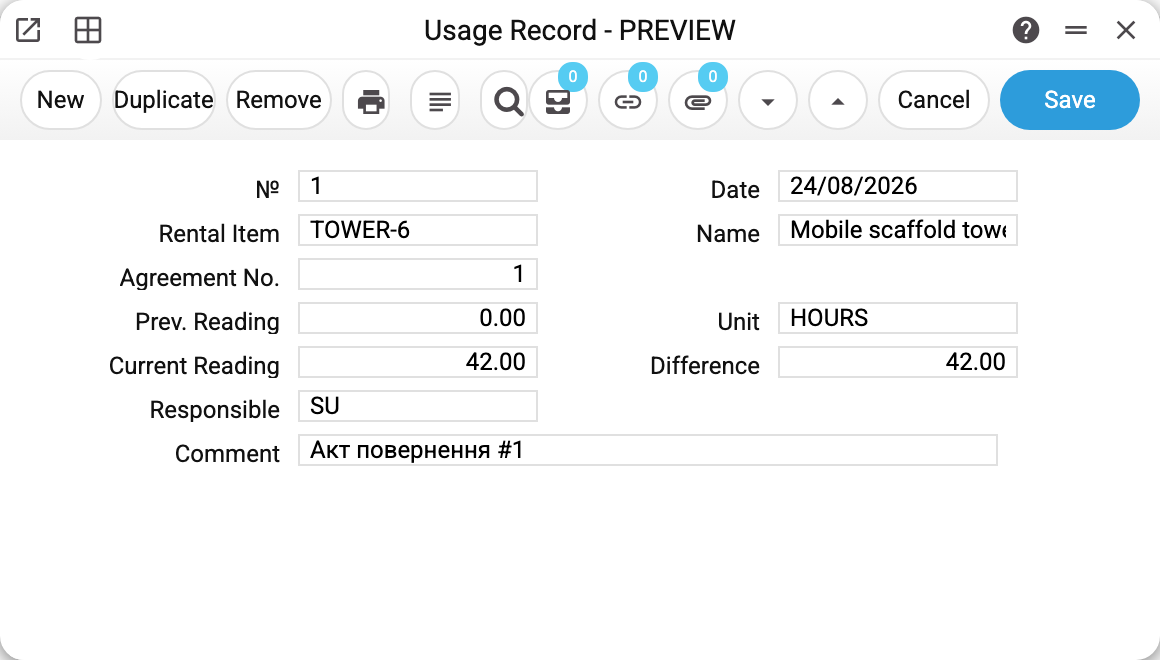
Documents create the records
Nobody normally types here: rows appear when an issue act or a return act is posted. Two conditions must hold: "Use Meters" is on in the rental settings, and the act row has a "Meter Reading" filled in (zero does not count). Each record remembers which act produced it, so removing the act's OK removes its records too — no duplicates, no orphaned figures.
The previous reading comes from the last record for that unit, and while there are no records yet — from "Meter Start" on the item card. If the meter moved in the workshop between hires, enter a usage record by hand — otherwise the next hire starts from the last recorded number.
The record's "Unit" is whatever stands in the "Meter Type" column of the act row; an act created from the agreement copies the item card's "Meter Type" there (HOURS in the example). If the column is empty, the card's "Meter Unit" is used.
What it is for
- Planned maintenance. The maintenance check compares the latest usage record with the item card's "Interval (meter)", but only when the card has "Last Meter" filled in. Nothing fills that field at the moment, so the meter check does not fire — the routine catches maintenance by days only. The "Meter" column of the agreement's maintenance plan has no effect on the check;
- Settling arguments. The customer says "we barely used it" — the register says how much exactly.
The system does not invoice by usage: a rental invoice is calculated from "Period Price" or "Price/Day" × rental days; usage records play no part in it.
Typical situations
The reading is lower than the previous one. The record is not saved: "Current meter reading cannot be less than previous reading". Likewise an act whose row holds a reading below the latest record for the unit is not posted. Check that the unit is not mixed up and the number is typed correctly. The system has no separate way to record a replaced or reset meter.
No records although there was a hire. Check the two conditions from the section above: "Use Meters" is on in the rental settings, and the act row has a "Meter Reading". The card's "Meter Type" does not matter here: a record appears even for a unit of type NONE if a reading was entered.
Total usage over the whole life is needed. The register shows individual stretches. Usage since the start of tracking is the reading of the latest record minus the "Meter Start" on the object card: the first record counts its difference from exactly that value.
"Specify the serial number: several rental objects share this code". A rental object is the pair "code + serial number": one code can have several cards. A code without a serial number is accepted only when there is a single card for it; otherwise fill in "Serial No." — the record has to know whose meter it is.
Where to look next
- Rental items — meter type, meter start and the service interval.
- Issue acts and return acts — the documents that create records.
- Rental settings — the switch for meter tracking.
- Maintenance check — the routine that compares these records with the service interval.