Production capabilities
This report answers a question the buyer and the salesperson share: how many units we could build right now without ordering anything. Not "what the plan is short of", but the reverse — "what current stock is enough for".
Where to find it: Modules → Production → Reports → Production capabilities
A worked example
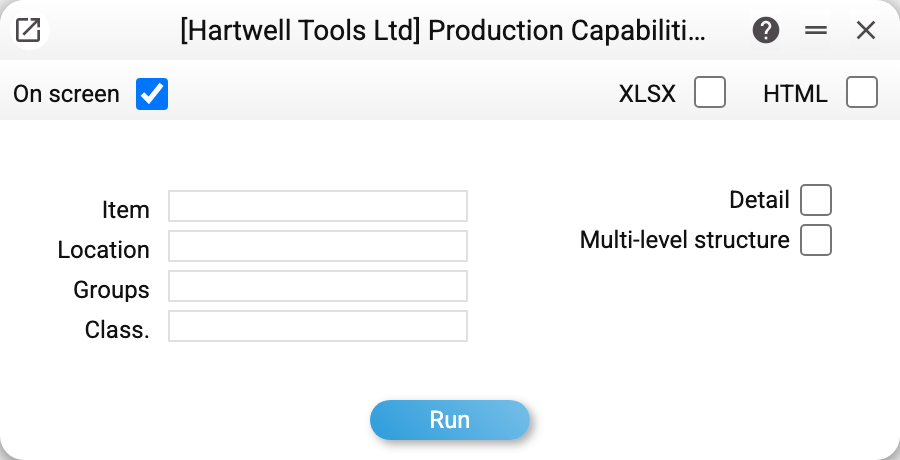
Parameters: item, groups and classification narrow the list of products (groups and classification take several codes separated by commas). «Location» (several codes allowed as well) does not narrow the list — it says whose stock «Production Capabilities» is computed from and what the «In Stock» column and the component breakdown show. Two view boxes: «Detail» — with the component breakdown, «Multi-level structure» — the breakdown of nested maps too.
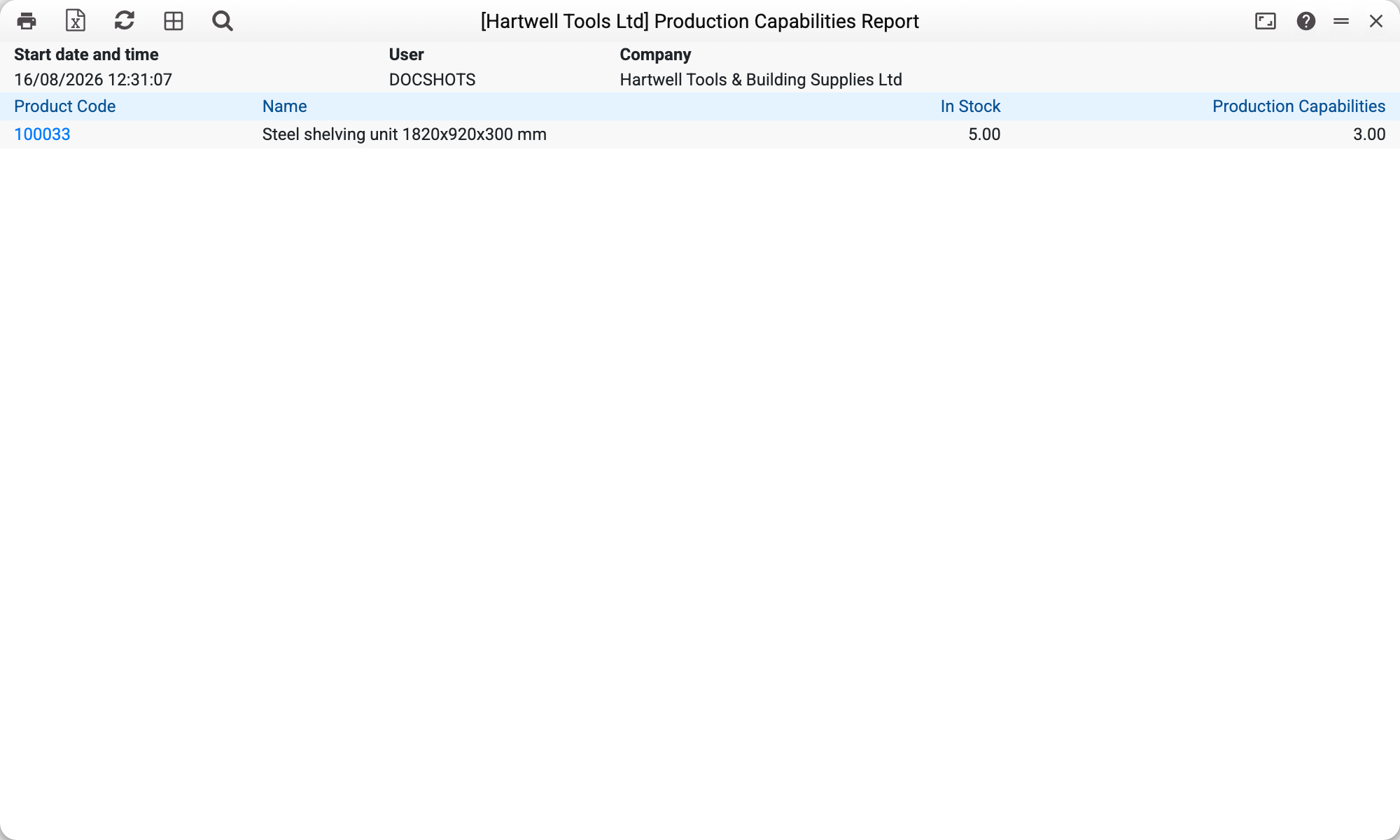
One line:
| Product code | Name | In stock | Production capabilities |
|---|---|---|---|
| 100033 | Steel shelving unit 1820x920x300 mm | 5.00 | 3.00 |
Read it as: five shelving units are on the shelf, and the components in stock are enough for three more.
The scarcest component always sets the figure: if the bolts cover ten units but the beams only three, the report says three.
Where the product list comes from
The report takes not every technological map, but the items whose card has the "Tech. map" field filled in. That is the usual reason for an empty report: the map exists, but it was never linked to the item.
The sequence is: create the technological map → open the finished item's card → name that map in the "Tech. map" field.
Typical situations
The report is empty. Most likely no item has the "Tech. map" field filled in.
The figure is lower than expected. Look at the component breakdown: one row is the constraint, and that is the one to buy.
The tech card has work or an item without stock accounting. Stock is required only for components of product type «Stockable» — those are what posting the production writes off. «Work/Service» and a «Free» item do not affect the figure, even when there is none in stock. A set counts as stockable: in the production it is expanded into its components.
Only one location should count. Enter it in the «Location» field: «Production Capabilities», the «In Stock» column and the component breakdown are then computed from that location's stock. Several locations separated by commas — from the sum of their stock; no location — from all locations together. Reservations are not deducted from the stock.
Sub-assemblies should count too. «Detail» shows the direct components and, for a component with its own map, how many of it could be made. «Multi-level structure» shows such a sub-assembly's components instead, down to the lowest level; the sub-assembly's own line is not there.
Reservations are not deducted. «Production Capabilities» is computed from the full stock: what is reserved for other documents also counts as available.
Where to look next
- Technological map — what the capability is calculated from.
- Deficit in production orders — the mirror view: what a given plan is short of.
- Product orders — where the decision "let's build this many" ends up.