General ledger with correspondence
An account decoded down to individual postings: the opening balance, every posting with its date, document and corresponding account, the running balance after each operation, and the closing balance. It is the next step after the trial balance: that one tells you how much went through an account — the general ledger shows what exactly and where from.
Where to find it: Modules → Nominal Ledger → Reports → General ledger with correspondence
Worked example
Account 361 (trade receivables) for July 2026:
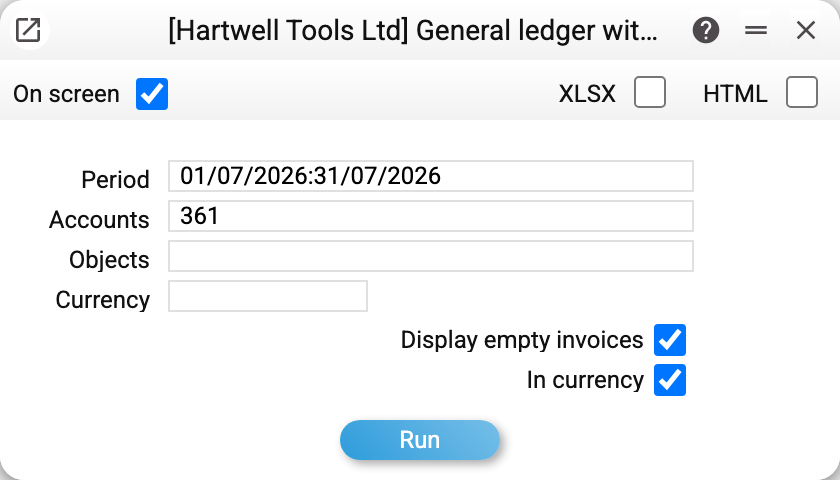
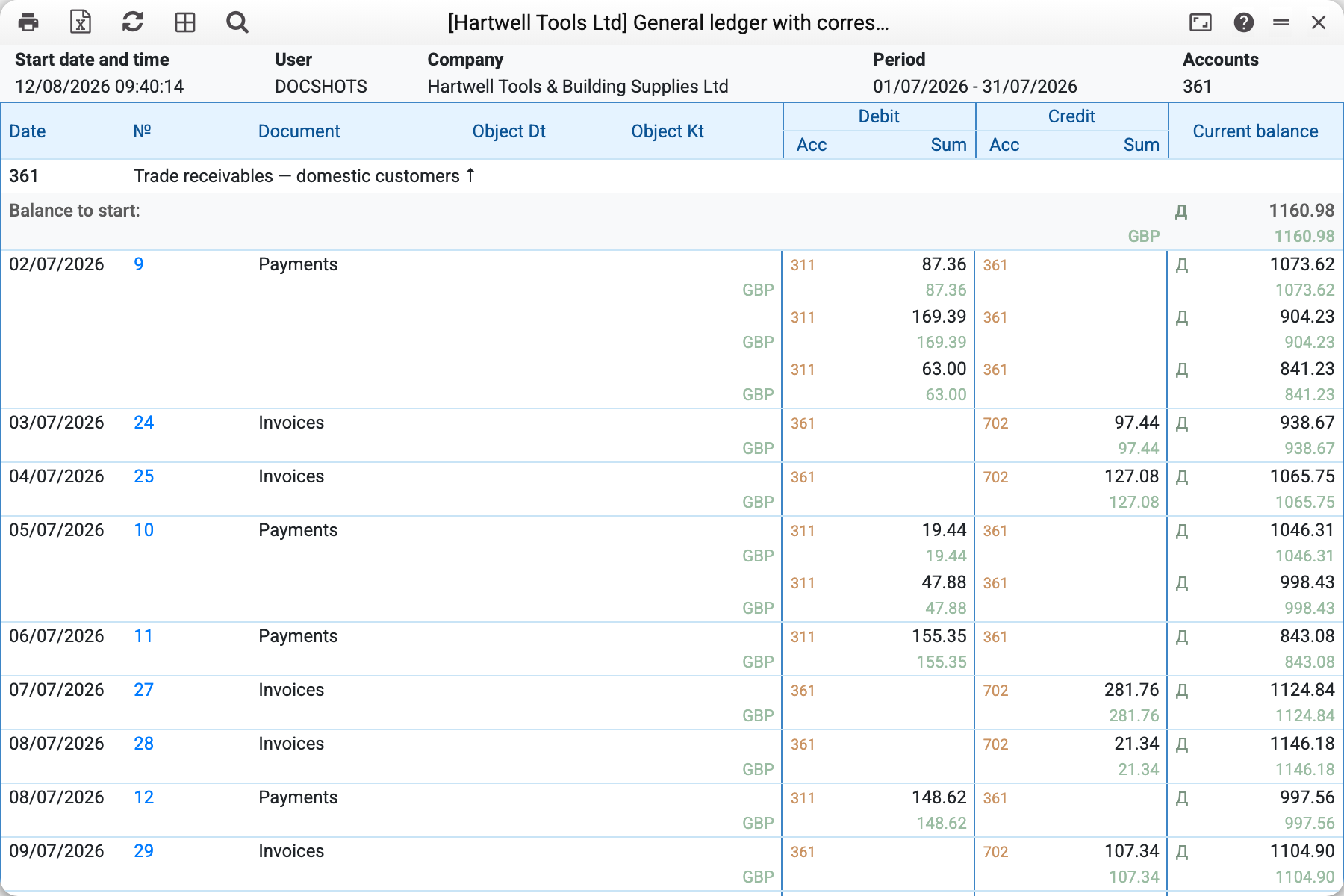
- On July 1 customers owe 1,160.98.
- Then the month's postings: shipments debit the account against 702 (revenue), payments credit it against 311 (bank). Each row shows the posting in full: the Debit and Credit columns carry both accounts of the correspondence with the amount. The running-balance column recalculates after every row — you watch the receivable grow and get settled.
- Month totals: debit 3,907.17, credit 2,072.43, closing balance 2,995.72. The same four numbers sit in row 361 of the trial balance — the two reports must agree.
That is how you chase a "strange" figure: spot an unexpected turnover in the trial balance — open the general ledger for that account — find the exact posting and the document it came from.
Where the data comes from
The report reads posting rows (Transactions) for the period and opening balances (Forward Balances) for the starting balance; a forward balance dated inside the period appears as a movement row, with the number of the Forward Balances document. A row's correspondent is determined within the same operation of the document. Postings exist only for approved (OK) documents — drafts never show up here. The currency breakdown of the balance (the EUR/UAH lines under the total) comes from the same postings' currency amounts.
Parameters
| Parameter | What it does |
|---|---|
| Accounts | One account, a colon range (371:377; both bounds must be accounts of the chart) or a comma-separated list; empty — all accounts |
| Period | The period whose postings to show |
| Objects | Only postings with these objects. An account that has nothing on these objects — no turnover in the period, no opening or closing balance, no currency amounts — is then not shown; with "Display empty accounts" such accounts are shown too |
| Currency | Only postings in this currency |
| Display empty accounts | Also show accounts with no movement in the period |
| In currency | Add the postings' foreign-currency amounts |
Common situations
The report spans the whole chart of accounts. Fill in "Accounts" — the general ledger is read one or two accounts at a time, not all at once. When the report holds several accounts, each is collapsed to its name line — a click on it unfolds the postings.
"Invalid range" on 631:2011. Range bounds are compared as text, not as numbers: 631 comes after 2011, so no account lies between them. Write bounds of the same length (631:685) or list the accounts separated by commas. A bound missing from the chart of accounts is refused with "Account … is not found".
The numbers disagree with the trial balance. Check that the period and filters (object, currency) match. Under identical conditions the totals always agree — both reports read the same postings.
A posting exists but no document is visible. Every row traces to a transaction; a transaction is created by a document (an invoice, a payment, a work sheet) or entered by hand in Transactions — the manual ones live there.