Paid Orders Report
Paid service orders for a period — and who earned on them. The upper part shows each order with the work done; below, the report totals revenue per engineer, per receiving clerk and per person in charge: labour cost, spare parts with their cost price, and the grand total. Monthly technician bonuses take their base from it — the report does not calculate the bonuses itself.
Where to find it: Modules → Service Orders → Reports → Paid Orders Report
The report lives in the Reports menu of the Service Orders module.
A worked example
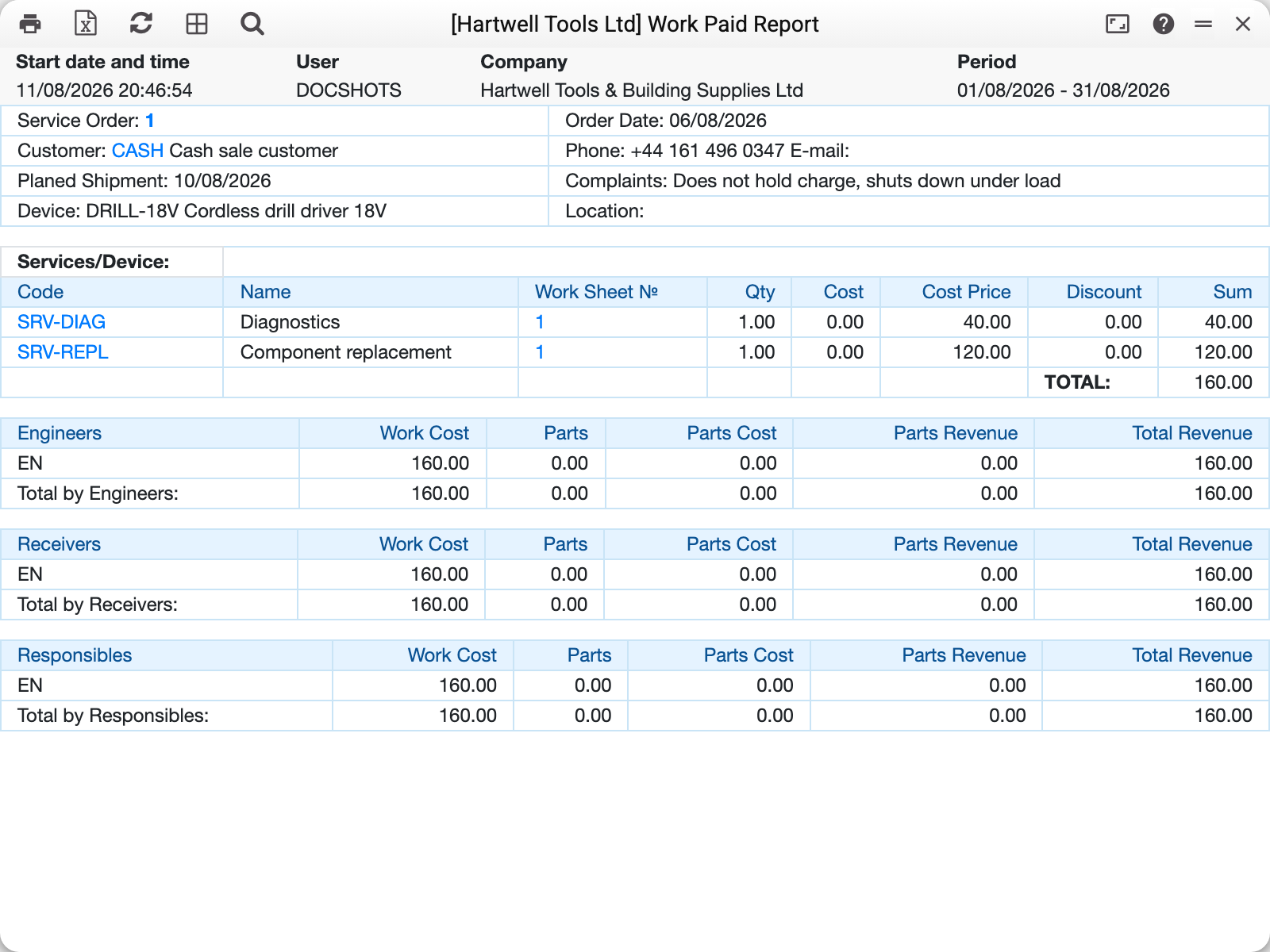
For every paid order — a header with the customer and the complaint, and the work lines from its worksheets.
The bottom is the point: totals per person. An engineer's revenue is the labour cost of their lines; spare parts are shown separately, with cost price and margin. The receiving clerk gets credited with the orders they registered.
Location and staff filters (receiving location, give-out location, receiver, responsible, brand) narrow the report down to one workshop or one technician.
Common situations
A closed order is missing. The report takes only paid orders — check that a payment was actually posted, not just the amount set on the card. The period judges the payment date, not the order date. An order fully covered by a prepayment counts as paid on the date of the work sheet that closed it.
Per-engineer totals feel wrong. Revenue is split not by lines but by the «Serv. Master» field in the work sheet header: the whole sheet goes to one master. A sheet with no master lands in the totals under a blank engineer.
Parameters
| Parameter | What it does |
|---|---|
| Period | Payment dates: an order gets in if at least one of its payments falls in the period |
| Accept. location / Giving location | Device location filters |
| Receiver / Responsible / Serv. Master | Who registered, who repaired and who was in charge |
| Brand | One manufacturer's equipment |