Account correspondence
The "chessboard": an account's turnover broken down by corresponding accounts. It answers "where money came onto the account from, and where it left to" — on one screen, without listing postings. If the trial balance says how much and the general ledger says by which postings, the chessboard says with whom.
Where to find it: Modules → Nominal Ledger → Reports → Account correspondence
Worked example
Account 702 "Revenue from sales of goods" for July 2026:
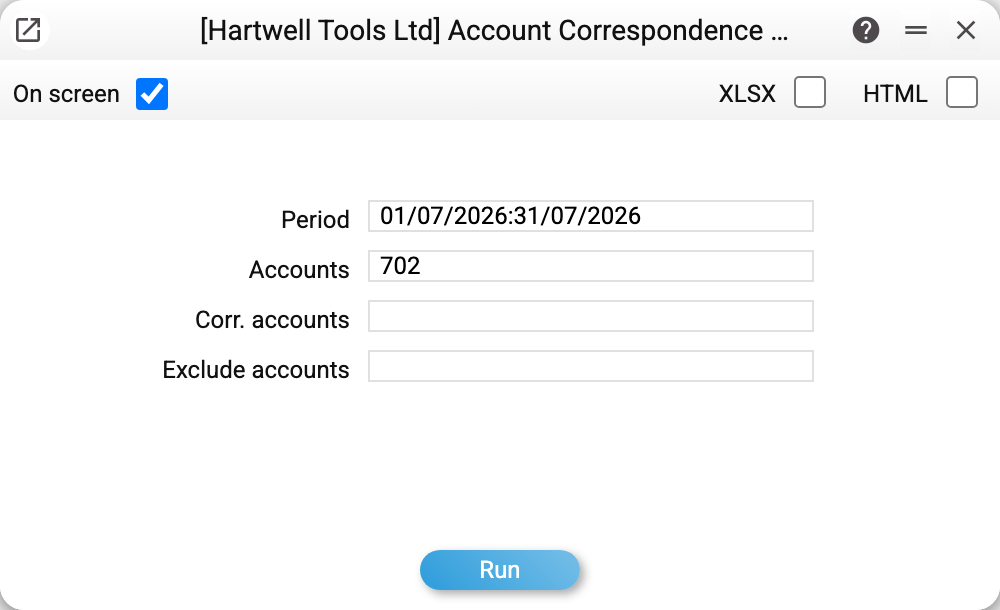
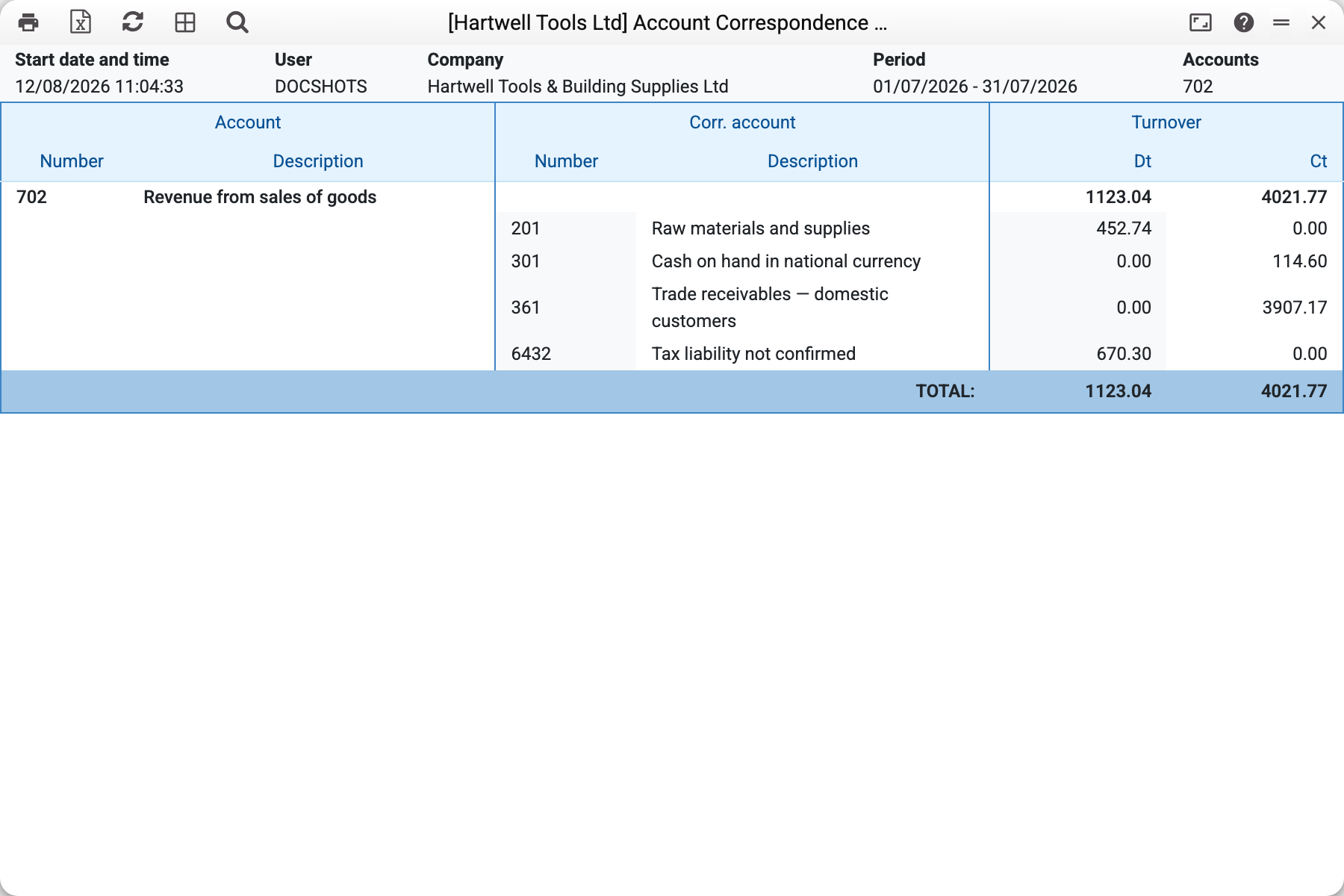
Reading the month's economy on the credit side (where the revenue came from):
- 361 — 3,907.17: shipments to customers on credit;
- 301 — 114.60: cash retail sales.
And on the debit side (what reduced revenue):
- 6432 — 670.30: VAT deducted from revenue;
- 201 — 452.74: adjustments from documents where revenue and cost write-off go in one operation (see "Common situations").
The row totals — Dt 1,123.04 / Ct 4,021.77 — match account 702's turnover in the trial balance for the same period: the chessboard invents nothing, it only splits the same turnover into pairs.
Where the data comes from
The report reads posting rows (the Transactions register) for the period — all of them, regardless of which document created them, — and the rows of forward balances dated within the period: they have no correspondent, so they stand in the "No correspondence" row. A row's correspondent is looked up within the same operation of the document: a debit row is matched with the credit rows of its group and vice versa. In multi-row operations (a receipt with a dozen items) the pair amount is capped by the smaller side — so an individual cell may differ from naive expectations. The part of a row that finds no pair in its group also goes to the "No correspondence" row (the last one of the account), so the account total agrees with the trial balance — as long as "Corr. accounts" and "Exclude accounts" are empty.
What the report does not consider: there are no currency or object filters (all rows are taken); no balances are shown — period turnover only.
Parameters
| Parameter | What it does |
|---|---|
| Period | Which period's postings to take |
| Accounts | Accounts to break down: one, a comma-separated list, a range 701:703; empty — every account with movement |
| Corr. accounts | Show only pairs with these correspondents (list/range); the "No correspondence" row is then absent |
| Exclude accounts | Drop these accounts from the report — both the pairs with them as correspondents and the accounts themselves as main accounts; e.g. hide technical closing accounts |
Common situations
A pair looks odd (Dt 702 ↔ Ct 201). In documents where revenue and cost write-off go in a single operation (a retail receipt), debit revenue adjustments are grouped with all rows of that operation — warehouse rows included. Not a posting error: the account total is correct, and the "odd" cell simply reveals a multi-row operation. For a cleaner picture, exclude the stock accounts via the parameter.
Cells do not match a manual per-pair calculation. The chessboard splits multi-row operations within a document's row group; it cannot reshuffle pairs between groups. Verify the account TOTALS against the trial balance — with "Corr. accounts" and "Exclude accounts" empty they always match.
An empty report. No postings on the chosen accounts in the period, a range in "Accounts" covered no account of the chart, or every correspondent was filtered out by "Corr. accounts" or "Exclude accounts".