Synthetic Accounts
The top floor of the chart of accounts: groups that sub-accounts roll up into. The account card has a "Synthetic Account" field naming the group an account belongs to: 104, 105 and 106 → synthetic 10 "Fixed assets". One report uses this — the Trial balance: it can show group totals instead of a hundred sub-accounts.
Where to find it: Modules → Nominal Ledger → Registers → Synthetic Accounts
Walkthrough
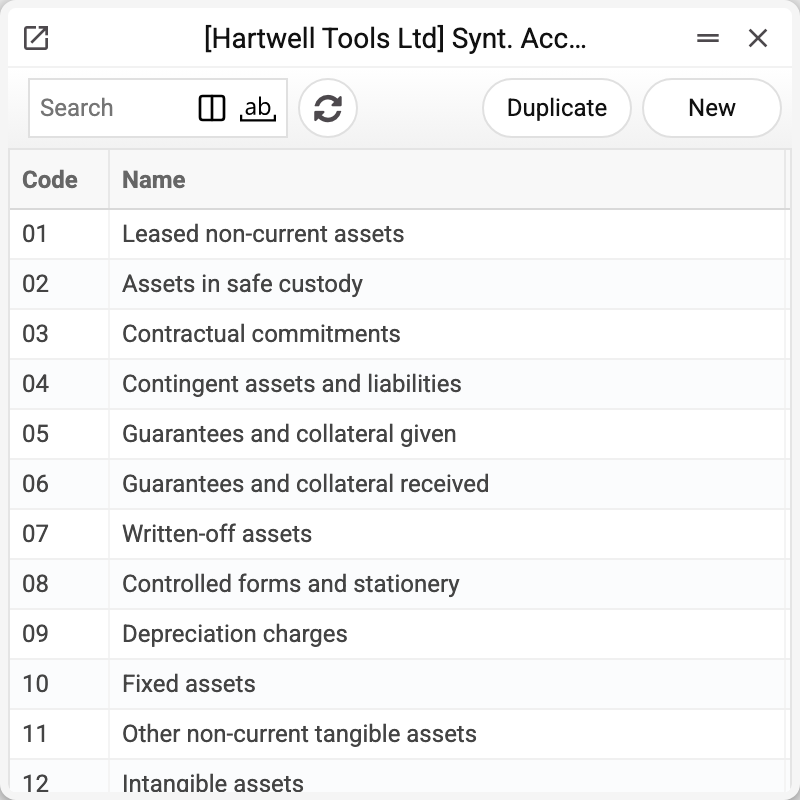
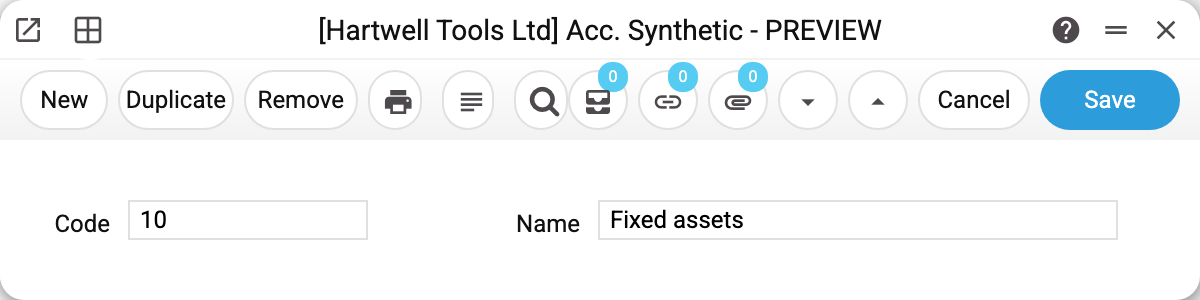
The catalog is just a code and a name:
In the Trial balance, synthetics are driven by two checkboxes:
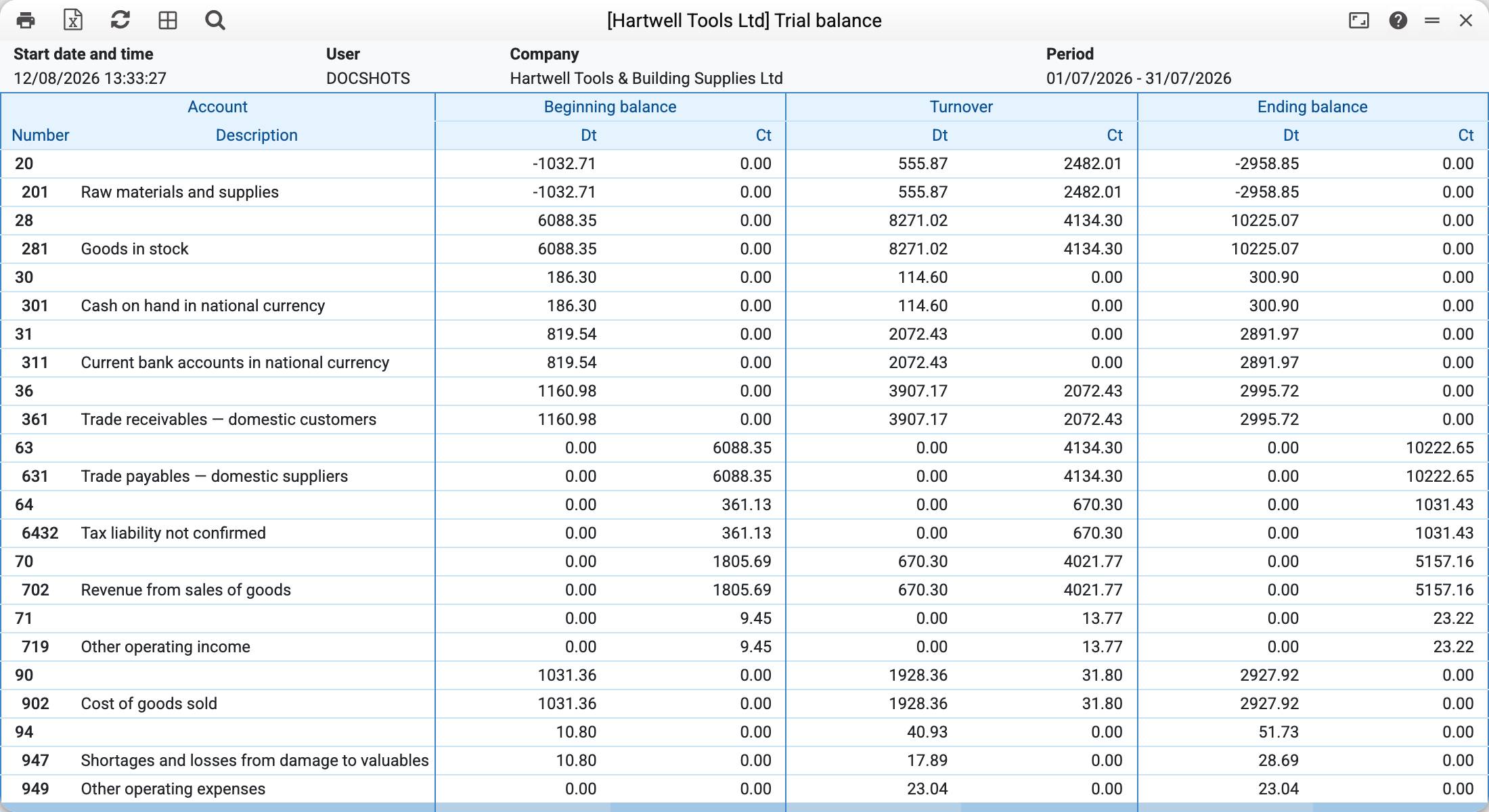
- "Synthetic Accounts" — group rows with totals and the name from this catalog appear among the sub-accounts: above 104/105/106 sits row "10 Fixed assets" with the sum of all three.
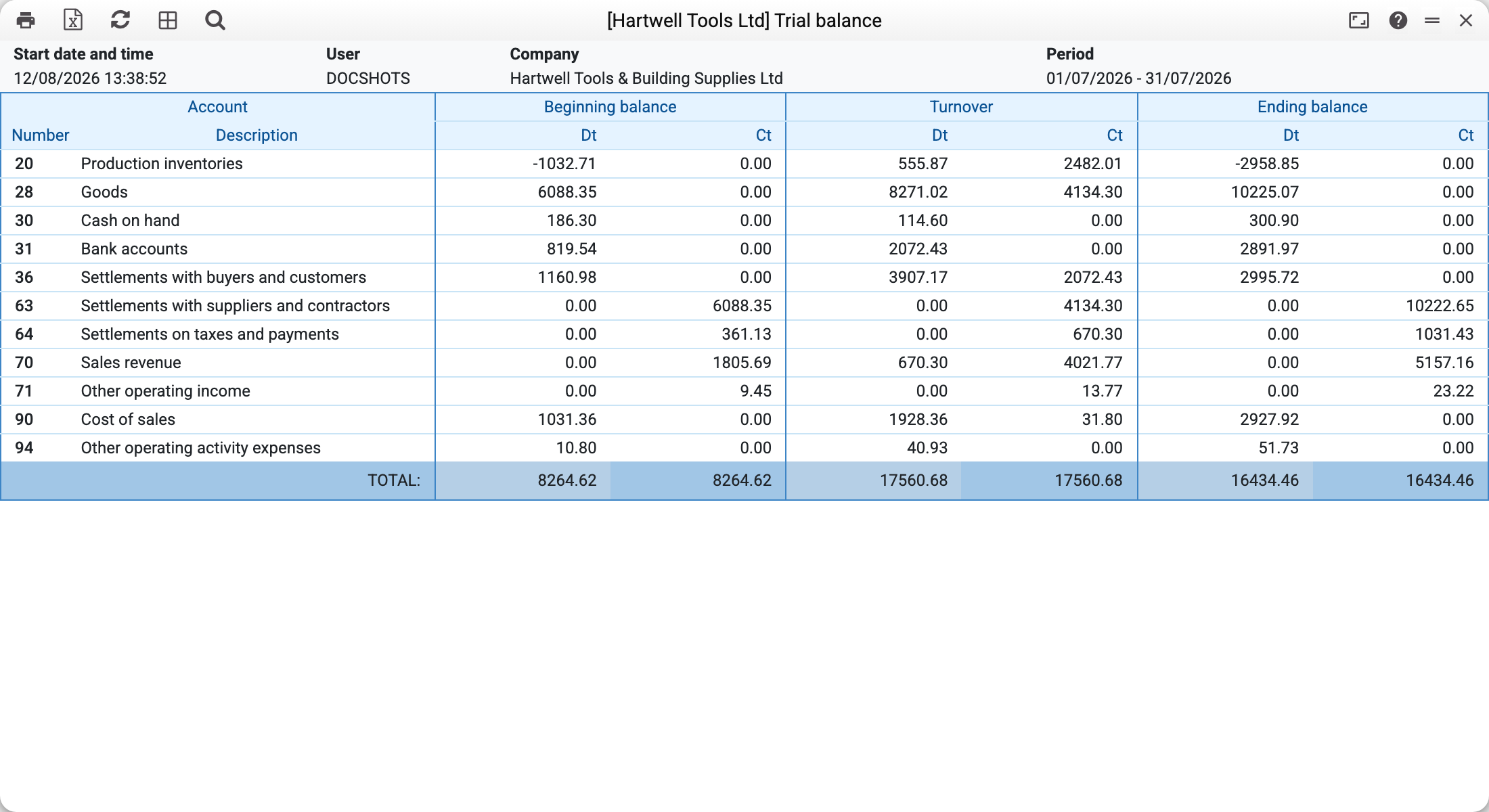
- "Show only synthetic acc." — sub-accounts disappear entirely, only groups with their code and name remain; an account without a synthetic account stays as its own row so that its amount does not drop out of the report. A one-page balance instead of three hundred rows.
You can also type a synthetic code straight into the report's "Accounts" field — it expands into the group's list of sub-accounts.
Where the group figures come from
A group row is a plain sum of its sub-accounts over the same transactions; there is no separate ledger for synthetic accounts. Membership is decided by the "Synthetic Account" field on each account's card — in the demo database it is filled for every account in the chart except account 39.
Print variables
Values available in this document's printed form templates. How to write a variable in a template — see Print Forms.
Header fields:
| Variable | What it holds |
|---|---|
| AccSyn_No | Code |
| AccSyn_Comment | Name |
Common situations
A group row with no name. A group row takes its name from this catalog in both modes (and if the same code is also an account in the chart — from that account's card). An empty name means the Name field of the synthetic account record is empty — fill it in.
An account missing from every group. Its card's "Synthetic Account" field is empty. Fill it in and the account shows up under its group.
A group total does not match expectations. A group = the sum of accounts linked to it, not "every account starting with 10". Check the links on the account cards.
A synthetic account will not delete. While at least one account card names it, the system refuses — "A record of «Synthetic Accounts» is used in: Accounts!". Otherwise those accounts would keep the code of a group that no longer exists and could no longer be saved. Move the accounts to another group or clear the field on them first.