Prom: update item keys
The catalogue stitcher — the first maintenance to run after connecting to Prom. It teaches the two systems to talk about the same product: pulls the shop's full product list from Prom, finds each one's card in ERPJS and writes Prom's internal identifier into it. Without this stitching there is nowhere to export prices and stock to.
Where to find it: Modules → Prom → Maintenances → Prom: update item keys
Walkthrough
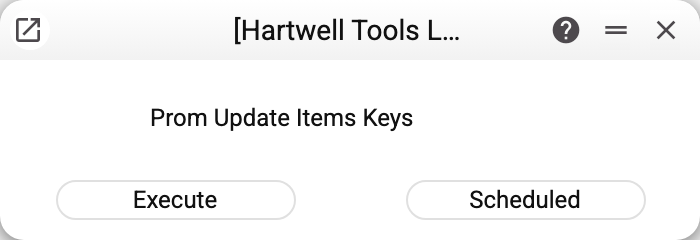
No parameters: "Execute" runs once, "Scheduled" puts it on the scheduler (see Cron Tasks).
How products are stitched
The matching key is the SKU: the product's sku on Prom must equal the item code in ERPJS ignoring letter case (ERPJS item codes are stored in capital letters, so abc-1 on Prom finds the item ABC-1; if Prom has an sku exactly equal to the code, that one is taken). The maintenance:
- pulls all the shop's products from Prom (in pages, however many there are);
- skips positions without an sku — nothing to match them by;
- finds the cards with those codes and writes Prom's internal id into each (the "Code Prom" field on the card's "Sync." tab; the previous value is replaced);
- an item bound for the first time (its "Code Prom" was empty) also gets the "Synchronization with Prom.ua" flag — without it the item's prices and stock are not exported to Prom. An already bound item with the flag cleared keeps it cleared: that is a person's decision.
Products absent from ERPJS are not created — the maintenance only stitches what exists. Keeping the catalogue is on you: the same position is entered in both systems under the same sku. All changes of one run are written in one transaction: an error (including Prom's error answer to the product list) changes no card.
Common situations
"Prom options are empty". No token or host in "Prom Options".
"The register Items is shared from another company: only that company runs this maintenance!" The item directory is shared and you work in a subscriber company: there is one "Code Prom" field per card, so only the main company runs the stitching.
Added new products to the shop. Run the maintenance again — it stitches the new ones, the old just get rewritten with the same value. Keeping it scheduled daily is sensible.
Prices/stock fail to export for some products. The first suspect is diverged skus: DRL-01 on Prom, DRL01 in the base. Align the code on one side and re-stitch. The second suspect: the card's "Synchronization with Prom.ua" flag is cleared, or "Enable synchronization with Prom.ua" is off in "Items Setting".