Vendor Payment Bank Responses
What the bank returned in reply to our payment orders: the details of the executed payment as the banking system sees them.
Where to find it: Modules → Database Maintenance → Registers → Vendor Payment Bank Responses
A worked example
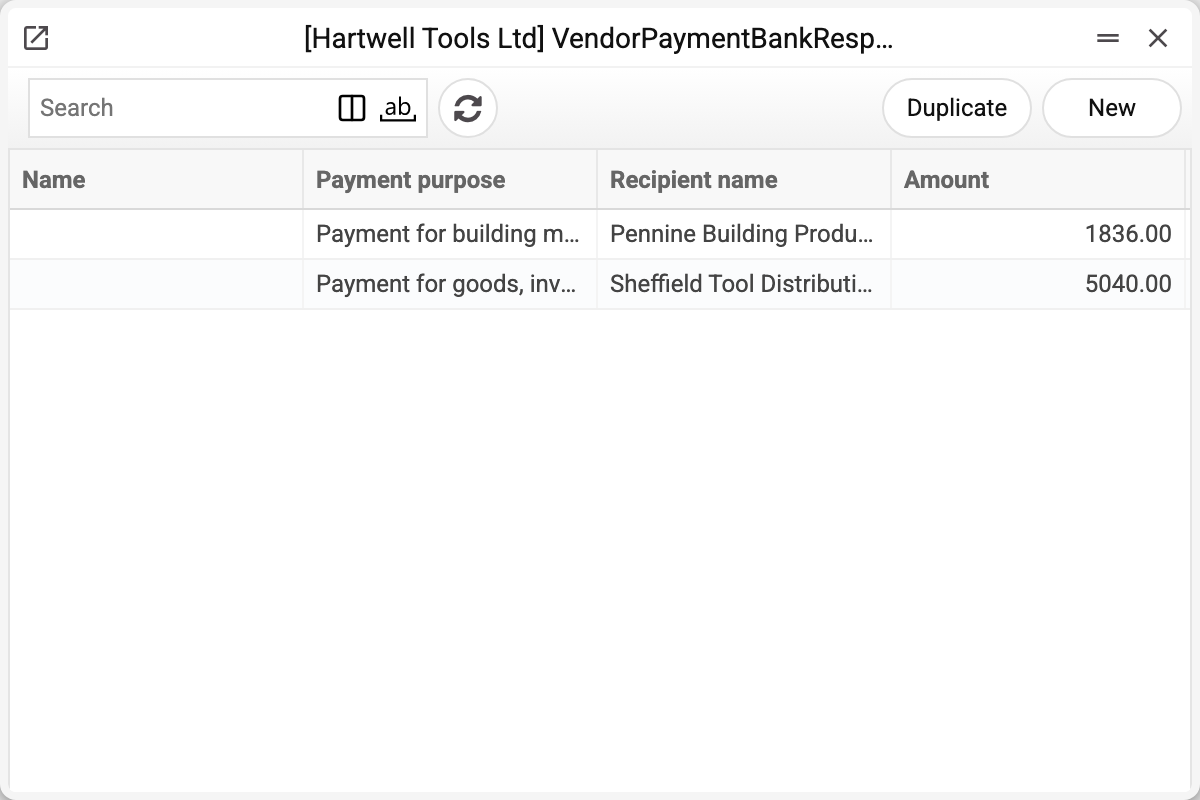
A row restates the payment through the bank's eyes: the payer's and the recipient's names, their IBANs, both banks' names and both parties' tax codes, the payment purpose, the amount, the bank document number, the invoice being paid, the vendor and the number of our vendor payment.
The list shows four columns — "Vendor payment" (our payment number), "Payment purpose", "Recipient name" and "Amount"; everything else opens inside the record itself.
Who fills it in. Nothing does automatically: the product has no bank integration that would write responses here. Nor can a record be filled in by hand in the window: all its fields are read-only. Records appear only through the API — from an external integration or the AI agent. Filling in the invoice and the vendor from the first row of the payment set in "Vendor payment" does not work in the window; only a write through the AI agent, which runs the window logic, does it.
Why store what we sent ourselves
Because this is not a copy of what was sent but confirmation of what was accepted. The bank may correct or complete details, return its own document number (the record shows no execution date). The difference between what went out and what came back is the most precise way to find an error in a payment.
The second use is reconciliation. When a supplier says the money never arrived, the recipient details in the bank's response show where the payment actually went.
Typical situations
The supplier cannot see the payment. Compare the recipient IBAN in the response with the correct one: a detail error shows immediately.
No response for a payment. It will not appear by itself: no process of the program loads bank responses here, and the window fields are read-only — only an integration through the API can add a record.
A second response for the same invoice is not saved. The invoice number is unique within a company: a second record with the same number is refused with "The record already exists!". Records without an invoice — any number.
A response exists but the payment is unposted. A discrepancy worth investigating: the money left, the books do not know.
Where to look next
- Vendor payments — our own documents.
- Open vendor invoices — what is still to be paid.