How to run a report
Reports are opened from the «Reports» section of the active module or from the «Search in system» panel (The desktop). A report is a window with parameters: period, filters, mode. You fill in the parameters, choose where the result goes, and press «Run» — Shift+Enter does the same.
Where the result goes
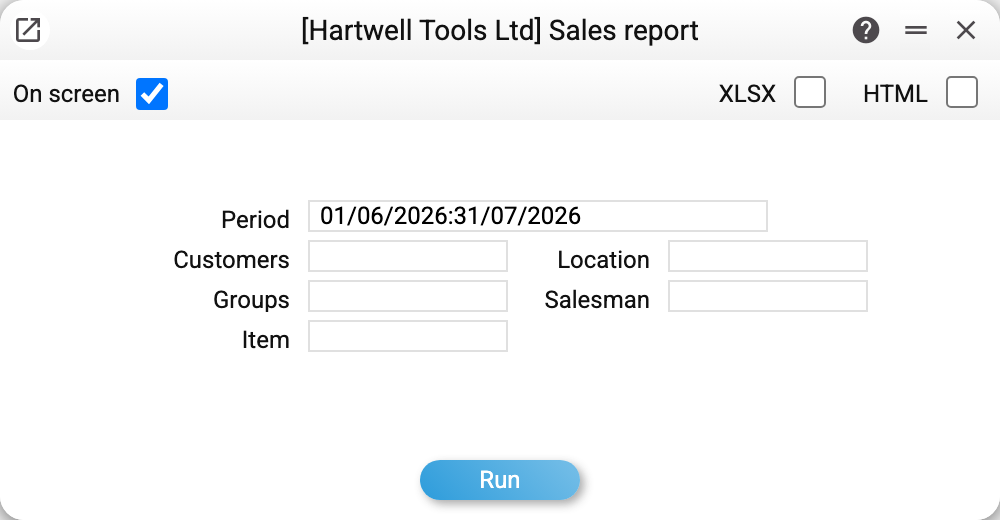
The header of the parameter window holds the output checkboxes. They can be combined: the report is calculated once and delivers everything you ticked.
| Checkbox | What you get |
|---|---|
| «On screen» | a result window on top of the desktop; the checkbox is ticked when the window opens |
| HTML | an .html file — the same page as on screen, to save or forward |
| XLSX | an Excel .xlsx file with numbers you can sum and filter |
Not every report has all three. If Excel export is not provided for a report, there is no XLSX checkbox in its window at all — for example, in «Deficit in production». There are also reports that live only in Excel, like «Bonus Report».
If you untick everything, «Run» calculates nothing and prompts: «Select where to output the report: On screen, HTML, XLSX». The prompt lists only the outputs this particular window has.
The result window
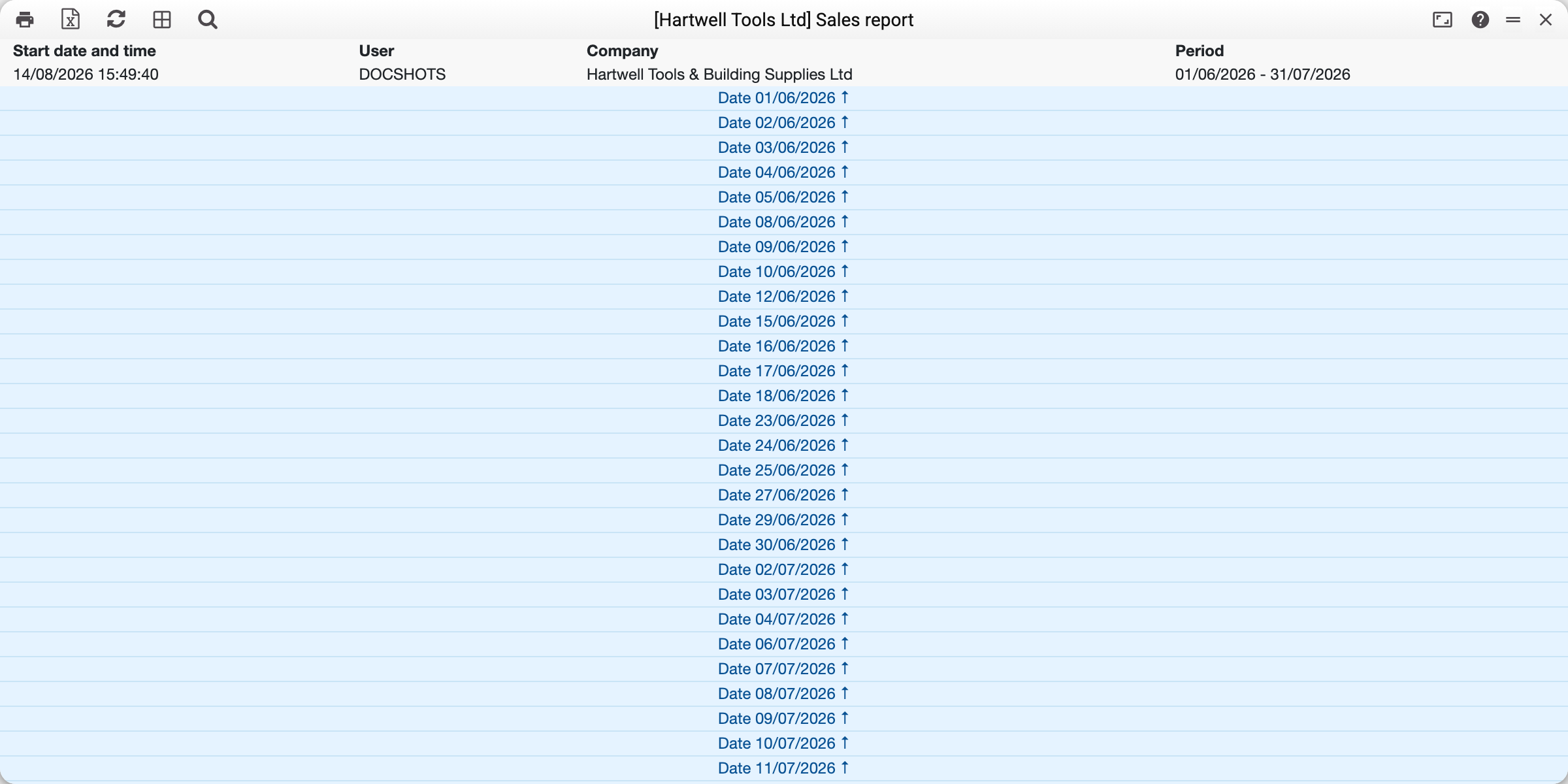
The result opens in a separate window. The buttons in its header, left to right:
- the printer button — prints the report through the browser's print dialog; collapsed rows are expanded for printing;
- «Download XLSX» — Excel from the same result, without calculating again; reports without an Excel view do not have it;
- «Refresh» — calculate the report again with the same parameters: the data may have changed while the window was open;
- «Open parent window» — go back to the parameter window with the same field values, to adjust something;
- «Search» — a «Search in report...» line with jumps to the previous and next match, case sensitivity and whole-word search;
- «Maximize/Restore» — full screen and back.
In many reports document numbers are links: a click opens the document card. If the document has since been deleted, you will see «The document referenced in the report was not found».
Messages that are not errors
An orange message without the «Send error report» button is a normal state of the report, not a failure. A red one with that button is a real error worth reporting.
| Message | What it means | What to do |
|---|---|---|
| «Excel export is not available for this report» | the report has no Excel view | look at it on screen or export HTML |
| «Select where to output the report: …» | no output is selected | tick at least one checkbox |
| «The report is too large to show on screen. Rows in the selection: …» | the result will not fit in a window; the message says how many rows it has | narrow the period or add a filter — or press «Download XLSX» in the message itself |
| «Report is outdated, run it again» | the result is kept on the server for a limited time, and the window has been open longer | press «Refresh» or run the report again |
The «Download XLSX» button in the too-large message does not calculate the report a second time: the file is built from the same calculation, and the button waits until it is ready. If the XLSX checkbox was already ticked, there is no button — the file arrives by itself. A report without Excel export has no button either. The HTML checkbox works too: the HTML file downloads even though the report is not shown on screen. The same message appears after «Refresh» if the period was widened in the parent window: the result window then keeps the previous result.
The red «Report unavailable: too much data, refine filters» means something else: the calculation hit the server's memory or time limit, and there is no result at all — neither on screen nor as a file. Reduce the selection: a shorter period, one warehouse, one customer.
Cost price in reports
Cost and profit columns are visible only to users whose role has the «Show cost price» right. Without it the report shows the remaining columns, and if the report makes no sense without cost price, it refuses with an explanation. The same applies to files: Excel without the right contains no cost price either.