Addresses
The address book of a contact: a customer may have a legal address for documents, a postal one for letters and one or more delivery addresses. Every address is a separate record tied to the contact code.
Where to find it: Modules → Sales Ledger → Registers → Addresses
A delivery address in ERPJS is not a line of text but a structure: region, city, carrier depot or street and building, the recipient and their phone. That is why a shipment takes one click: the system already knows where and to whom.
Example walkthrough
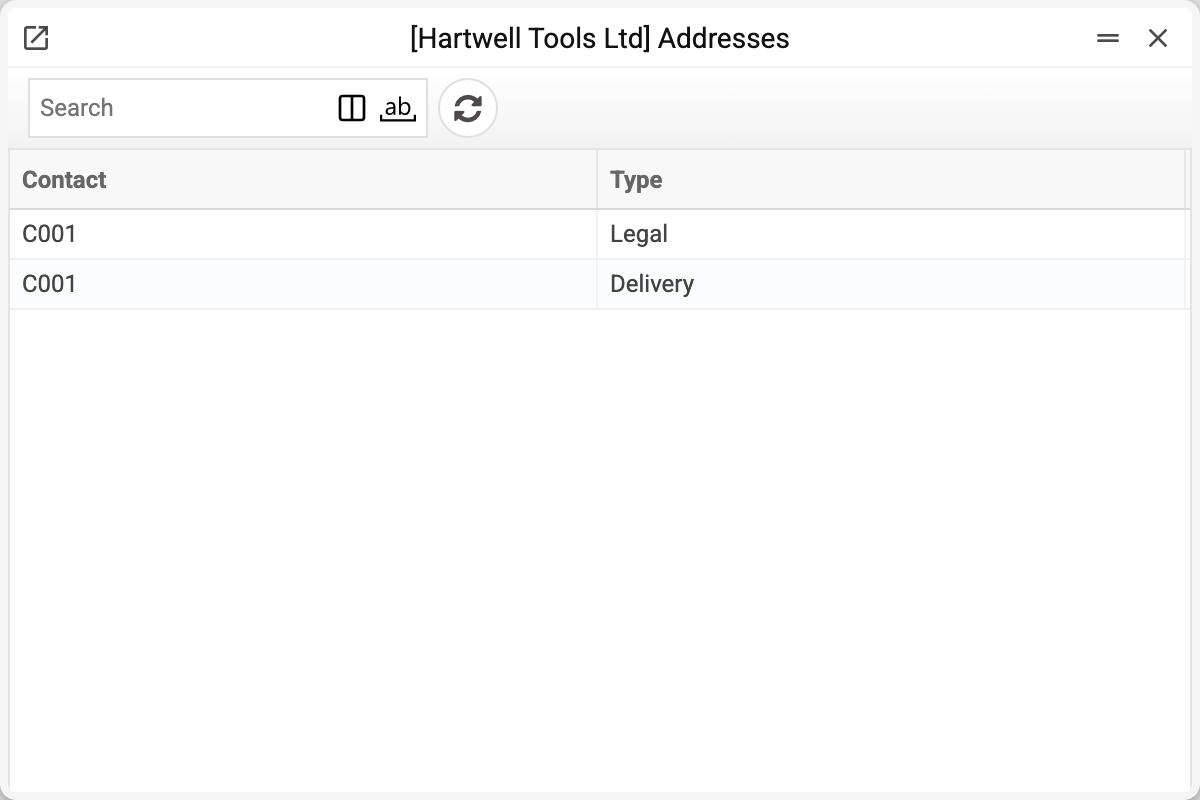
The demo company's address book holds two addresses, both of Millbrook Construction Ltd (C001): a legal one and a delivery one. The list shows only the owner and the type; everything else is on the card.
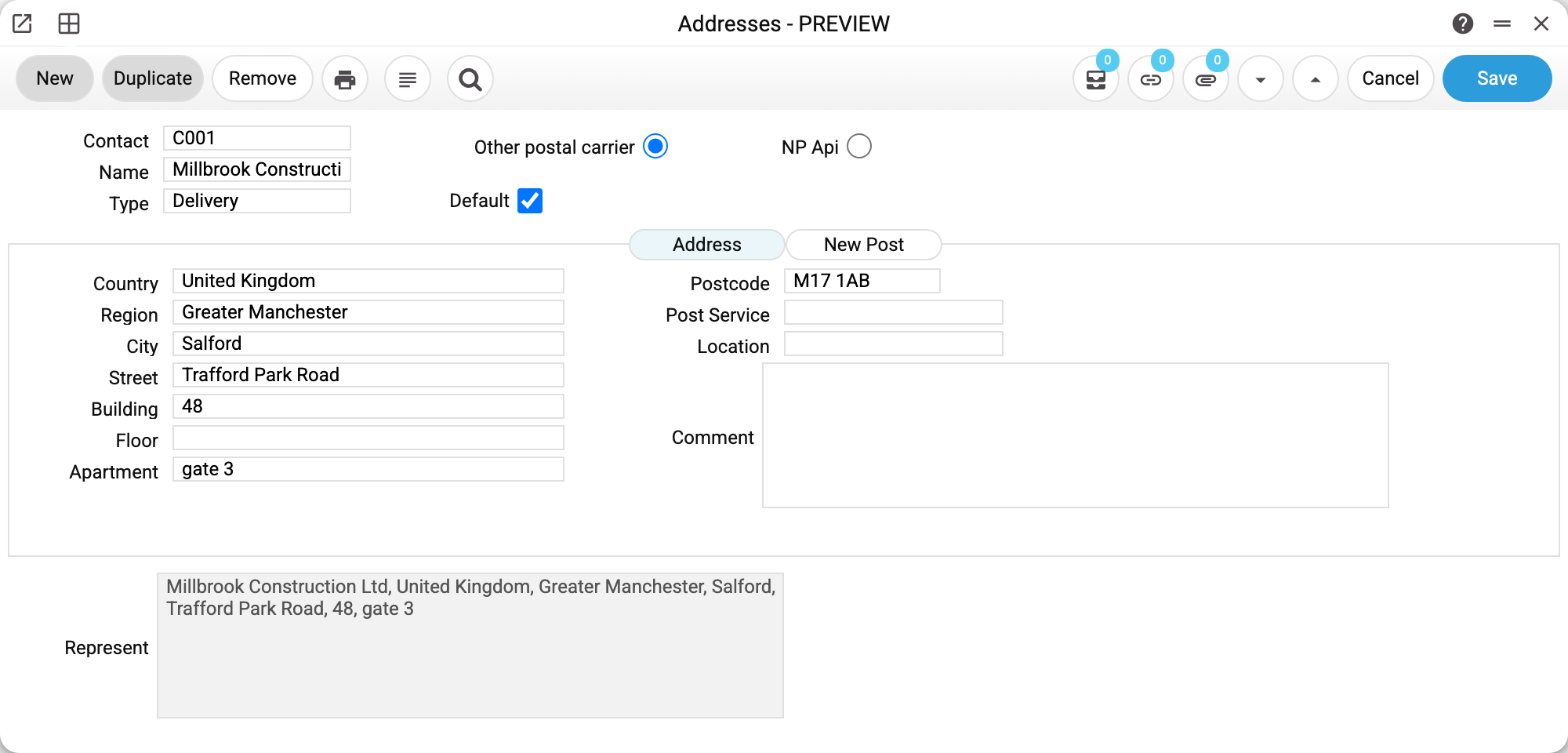
An address of Millbrook Construction Ltd. The header holds:
- Contact and name — whose address this is;
- Type — one of three: legal, postal, delivery;
- «Default» — the address the system will substitute on its own;
- the «Other postal carrier» / «NP Api» switch — an ordinary address or one taken from the Nova Poshta reference books.
With «Other postal carrier» selected the «Address» tab is used: country, region, city, street, building, flat and postcode.
At the bottom sits «Represent» — the line the system assembles from the filled fields. It is greyed out, never typed by hand, and it is exactly what reaches documents and print forms.
What an address does to the contact card
A «default» address rewrites a field on the contact card — this is the point of the register:
| Address type marked «Default» | Which card field it fills |
|---|---|
| Delivery | «Address» on the «Contact» tab |
| Legal | «Legal address» on the «Requisites» tab |
This is why the address on a card sometimes «changes by itself»: a new delivery address was saved and the card followed.
Only one address of each type may be the default. A second one is rejected: «Address of this type is already specified by default».
How to create an address
From the contact card — menu «Create address»: the contact is filled in for you. Or straight in the address register by entering the contact code.
Contact code and type are mandatory. For Nova Poshta delivery the region, city and depot are picked from the NP reference books rather than typed — otherwise the waybill cannot be created.
Typical situations
The shipment shows the wrong address. Check which address is marked «Default» — that is the one substituted. Another delivery address can be picked inside the document.
The address is saved but «Represent» is empty. It is assembled from the tab matching the selected switch: «NP Api» takes the «Nova Poshta» tab, «Other postal carrier» takes the «Address» tab.
The delivery address landed in the card's «Address» field together with a name and a phone. That is how it works: the whole representation is substituted, recipient and phone included.
The customer moved. Do not edit the old address if shipments refer to it — create a new one, mark it «Default» and clear the tick on the old one.
Print variables
Values available in this document's printed form templates. How to write a variable in a template — see Print Forms.
Header fields:
| Variable | What it holds |
|---|---|
| Addresses_PostService | Post Service |
| Addresses_Comment | Comment |
| Addresses_Contact | Contact |
| Addresses_Name | Name |
| Addresses_Type | Type |
| Addresses_ByDefault | Default |
| Addresses_Country | Country |
| Addresses_Region | Region |
| Addresses_City | City |
| Addresses_Street | Street |
| Addresses_Building | Building |
| Addresses_Floor | Floor |
| Addresses_Apartment | Apartment |
| Addresses_Postcode | Postcode |
| Addresses_Warehouse | Location |
| Addresses_NPFullName | Full name |
| Addresses_NPPhone | Phone |
| Addresses_NPArea | Region (Nova Poshta) |
| Addresses_NPCity | City (Nova Poshta) |
| Addresses_NPWarehouse | Post office |
| Addresses_NPWarehouseDesc | Nova Poshta branch description |
| Addresses_NPAddressDeliv | Delivery to |
| Addresses_NPStreet | Street (Nova Poshta) |
| Addresses_NPBuild | Building (Nova Poshta) |
| Addresses_NPFloor | Apartment (Nova Poshta) |
| Addresses_NPPayer | Payer |
| Addresses_NPPaymentMethod | Payment |
| Addresses_AddressType | Type 2 |
| Addresses_Represent | Represent |