Update Full Search Text
A housekeeping operation that rebuilds the search index: the invisible field the Search box in list windows runs on.
Where to find it: Modules → Database Maintenance → Maintenances → Update Full Search Text
A worked example
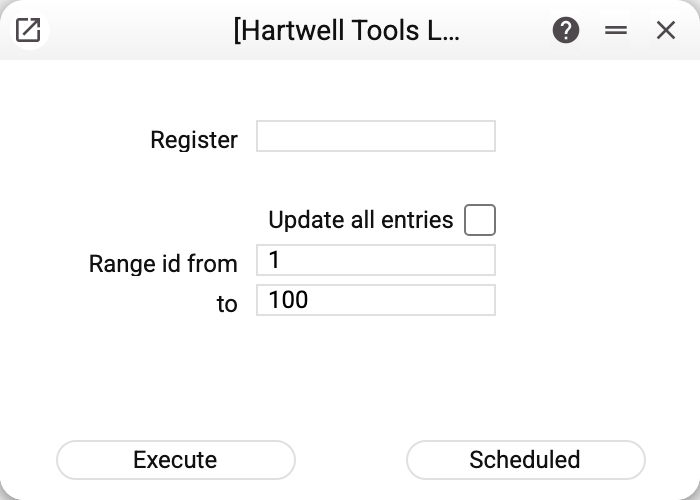
The parameters narrow the work: register name, "Range id from … to" — the records' internal ids, not document numbers — and an update all entries flag. Without a register name the service will not run — it has to know what to rebuild.
Why it is needed
List search does not scan every field: to find things fast the system keeps a ready-made text snapshot per record — name, code, comment, details. It refreshes itself whenever a record is saved.
Sometimes the snapshot falls behind the data:
- the data was imported, bypassing the ordinary save path;
- a new field was added to the register and should now be searchable;
- records were edited en masse by a script.
Then the record is in the list but search cannot find it — which is exactly what this service fixes.
Typical situations
The item exists but search cannot see it. Rebuild the index for that register.
No wish to walk the whole database. Give an id range — only records with those internal ids are processed. A document number (an invoice's, say) does not fit here: the id and the number are different values. The bounds are whole numbers from 1, and "from" may not exceed "to"; otherwise the service refuses — "Specify the id range: whole numbers from 1!" or "The start of the id range is greater than its end!" — and highlights the field.
The register's technical name is unknown. It shows in the address bar or the help; the service needs it.
Where to look next
- Registers — an example list where search runs.