Cost Price Difference Report
Goods reach the warehouse before the supplier's invoice does. The goods receipt books them at the order price — and that becomes the cost price. Later the vendor invoice arrives with a different price: the supplier raised the list, granted a discount, or added delivery.
Where to find it: Modules → Stock → Reports → Cost Price Difference Report
This report shows where the cost price on stock has diverged from the invoice price, and by how much.
A worked example
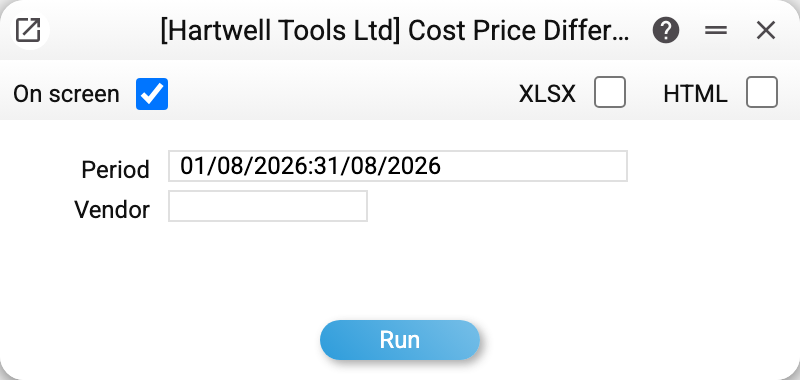
There are two parameters: Period — by goods-receipt dates, and Vendor — to look at a single supplier.
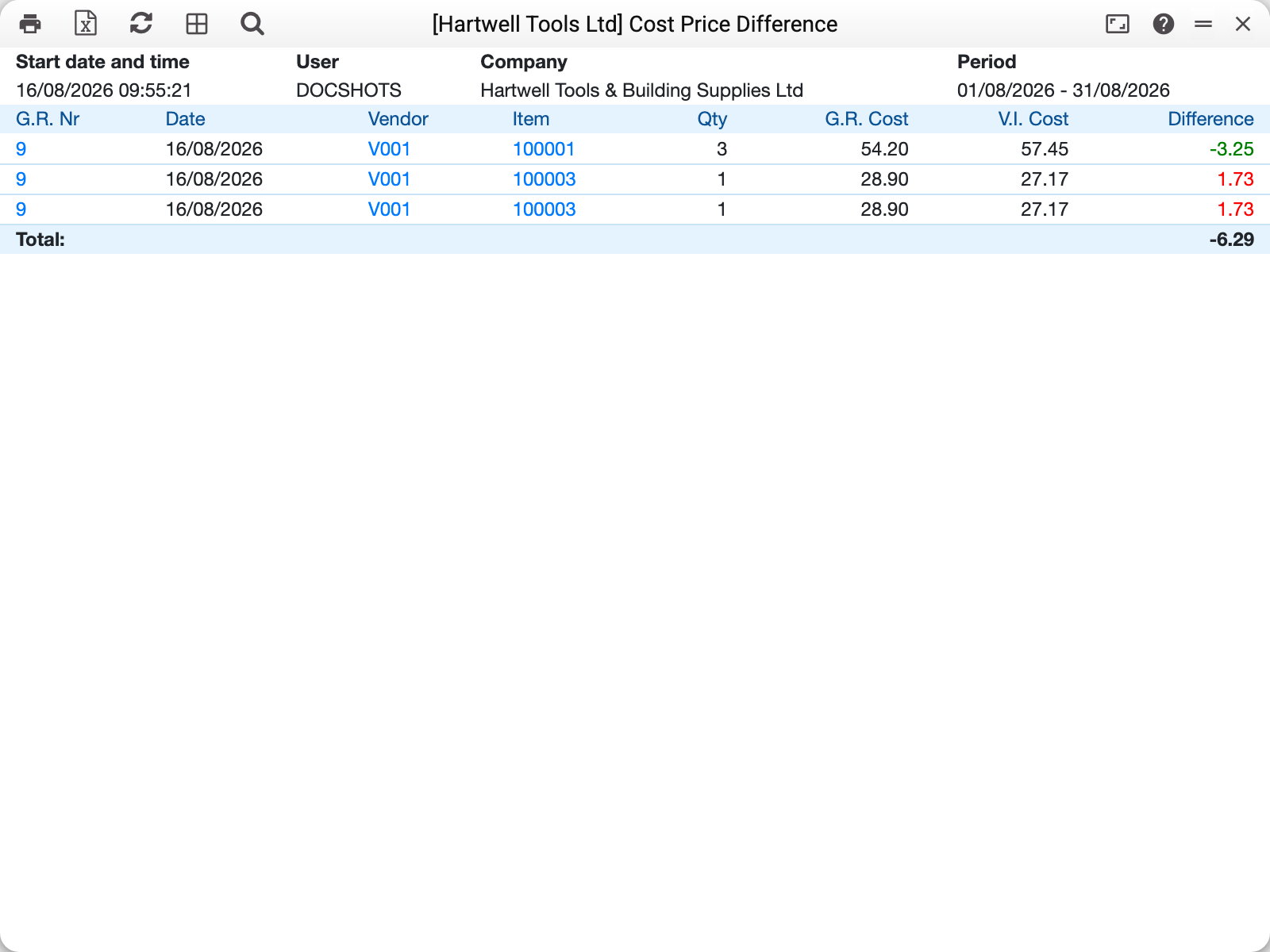
For August 2026 the report found one receipt with a divergence — No. 9 from vendor V001:
| Item | Qty | G.R. Cost | V.I. Cost | Difference | Difference amount |
|---|---|---|---|---|---|
| 100001 drill | 3 | 54.20 | 57.45 | −3.25 | −9.75 |
| 100003 angle grinder | 1 | 28.90 | 27.17 | +1.73 | +1.73 |
| 100003 angle grinder | 1 | 28.90 | 27.17 | +1.73 | +1.73 |
Read it like this: the drill was booked at 54.20 (the order price) while the invoice charged 57.45 — the cost price is understated by 3.25 per unit. The angle grinder, on the contrary, came in cheaper than expected, so its cost price is overstated by 1.73.
Two identical grinder lines are not a mistake: it is a serial-tracked item, and the receipt split two units into separate lines, each with its own serial number.
Total: −6.29 — the sum of the "Difference amount" column: −9.75 + 1.73 + 1.73. The "Difference" column shows the difference per unit, "Difference amount" — for the line's whole quantity.
The difference amount is computed from exact prices, not prices rounded to the cent: a line of 1000 units at 10.004 against 10.001 on the invoice shows 0.00 per unit but 3.00 as the amount, and it does appear in the report. Before 01.11.2026 the report multiplied the already rounded per-unit difference by the quantity: such a line disappeared and the total drifted from the exact sum. There was no "Difference amount" column then — the screenshot above does not have it yet.
What the system actually compares
- The left-hand side is the cost price of the receipt line: the order price plus the additional costs allocated to that line.
- The right-hand side is the price of the same item in the vendor invoice, also "full": the goods line amount is taken without VAT, the way the invoice posts it, and a share of the invoice's cost lines (delivery, insurance) is added, distributed in proportion to the value of the goods lines. An invoice that carries only the order's costs and no goods at all is spread over all approved receipts of that order in proportion to the value of their lines. For a foreign-currency invoice the amount is converted at the invoice's rate.
- The link between lines runs through the order line: a receipt line is compared with the price of the vendor invoices that carry the same order line. If there are several such invoices (say, for two deliveries at different prices), the weighted average unit price of all of them is used.
- A line without such a link. If there are no invoices for the order line, the system takes the invoice lines of the same order with the same item that are not linked to any order line; an invoice for another order line, even with the same item, gives no price. A receipt line not linked to an order line is compared with all the order's invoices for that item, and a receipt without an order — with the invoices created from it. If there is no such invoice, the line stays out of the report.
Only approved documents are included: receipts with OK within the period and approved vendor invoices. Credit notes (invoice type "Credit") are left out. Lines whose difference amount for the whole quantity is below one cent are not shown.
Typical situations
The report is empty. Most often that means there really is no divergence: every invoice matches the order prices. Check the period as well — it filters by the RECEIPT date, not the invoice date.
A difference where no invoice has arrived yet. That happens when the order arrived in parts and so far there is an invoice only for the first delivery: the lines of the second are compared with that invoice's price. A line with no invoice yet stays out of the report (see above). "No difference" and "no invoice" are different states, and the second one is visible in the purchase order journal.
The difference equals the delivery charge. Then the invoice carries additional costs that were never allocated to the receipt. See Additional costs — that is where delivery enters the cost price.
What to do about the difference. The report only reveals it. There are two remedies: pull the cost price of the remaining stock up with a revaluation, or leave it, in which case the difference sits on the purchase clearing account (685) and shows up in the trial balance.
Where to look next
- Goods receipts — the source of the left-hand side.
- Vendor invoices — the source of the right-hand side.
- Additional costs — how delivery and customs duty enter the cost price.