Closing changes
This setting answers the question "up to which date can documents no longer be edited". The return is filed, the period is closed — and nobody rewrites history after the fact.
Where to find it: Modules → System → Settings → Closing changes
A worked example
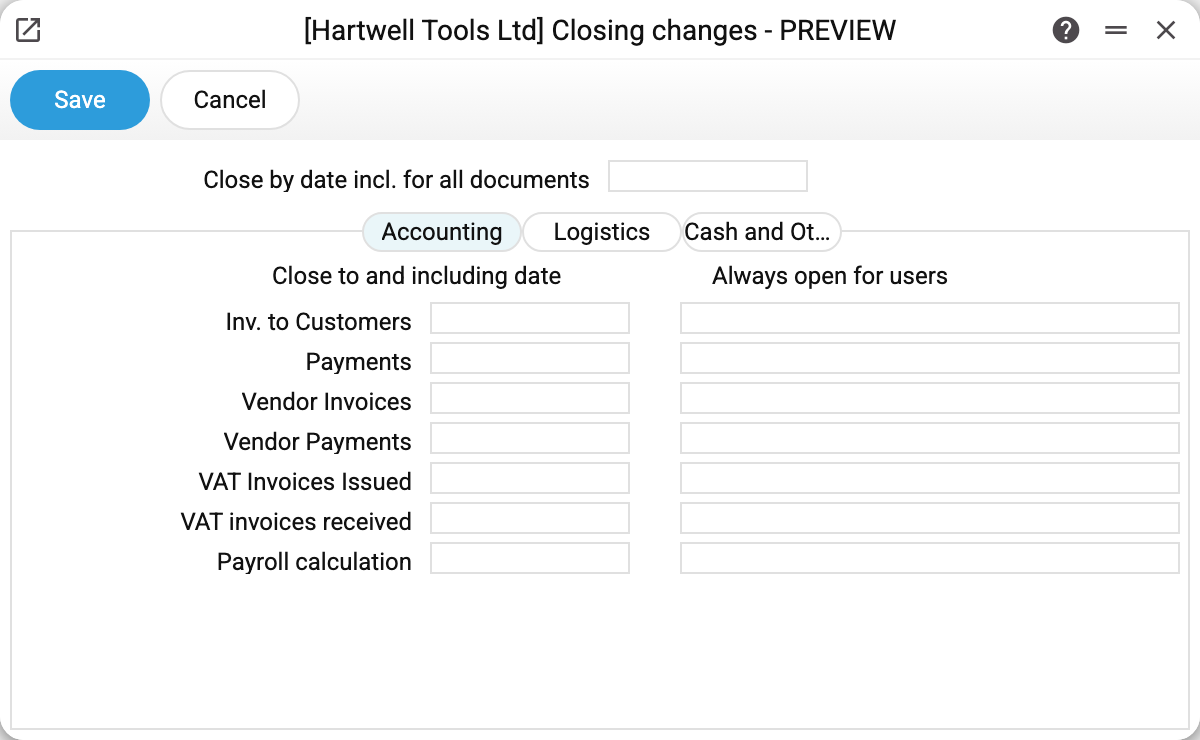
At the top sits "close up to and including this date for all documents": one date covering everything.
Below are the Settlements, Logistics and Cash and other tabs, each with two columns:
- close up to and including — a date per document type (customer invoices, payments, supplier invoices, tax invoices, payroll);
- always open for users — the people the lock does not apply to.
The logic is straightforward: if a document type has its own date, that date applies — even when it is earlier than the general one; the general date applies only to types without a date of their own. Users listed on a type's row bypass that type's restriction.
In a closed period you cannot post a document, unpost it or change a posted one so that its posting is rewritten — the system answers "Period closed!". A document with a posting is judged by the posting date, and a document posted without one — by its own date: so a zero-amount document, and a document whose type has postings switched off in the "Records from Subsystems" setting, cannot be posted or unposted either (the exception is production and production operations). A draft dated in a closed period can still be saved, and documents that make no postings at all (orders, quotations) are not stopped by this setting.
Why it matters
Three familiar cases: closing the year once the return is filed; closing a month after the bank reconciliation; keeping payroll untouched once it has been paid.
The lock neither deletes nor hides documents — it only refuses posting, unposting and changing posted documents dated on or before the date given.
Typical situations
A mistake has to be fixed in a closed period. Add yourself to "always open", make the correction, then take yourself back out.
Only payroll should be locked. Fill the date on the payroll row and leave the general field empty.
Someone says they cannot save a document. Compare the document's date with the dates here — that is the usual culprit.
A new company: everything posts, whatever the date. Until the setting has been saved in the company at least once, there is no lock at all — fill in the dates and save it. An empty "always open" list means nobody gets past the lock. (Before 21.10.2026, transactions and the fixed asset services crashed with a technical error in such a company.)
Where to look next
- Reporting periods — named stretches of time for reports.
- Company information — the rest of the company's system parameters.