Customer Payments Journal
How much money customers paid in over a period and by which method — cash, bank transfer, card. It is the cashier's answer to "what did we take between the first and the thirty-first", with a separate subtotal for every payment method.
Where to find it: Modules → Sales Ledger → Reports → Customer Payments Journal
It looks the opposite way from the debt reports next to it: the aging report and the unpaid invoices report show what is still owed to you, while this one shows what has already been paid and which till the money went through.
A worked example
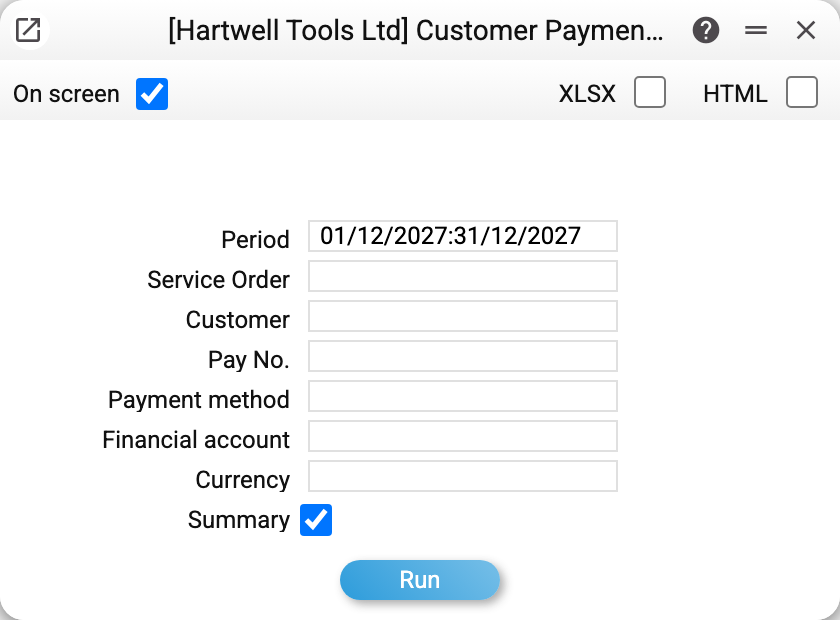
Take December 2027:
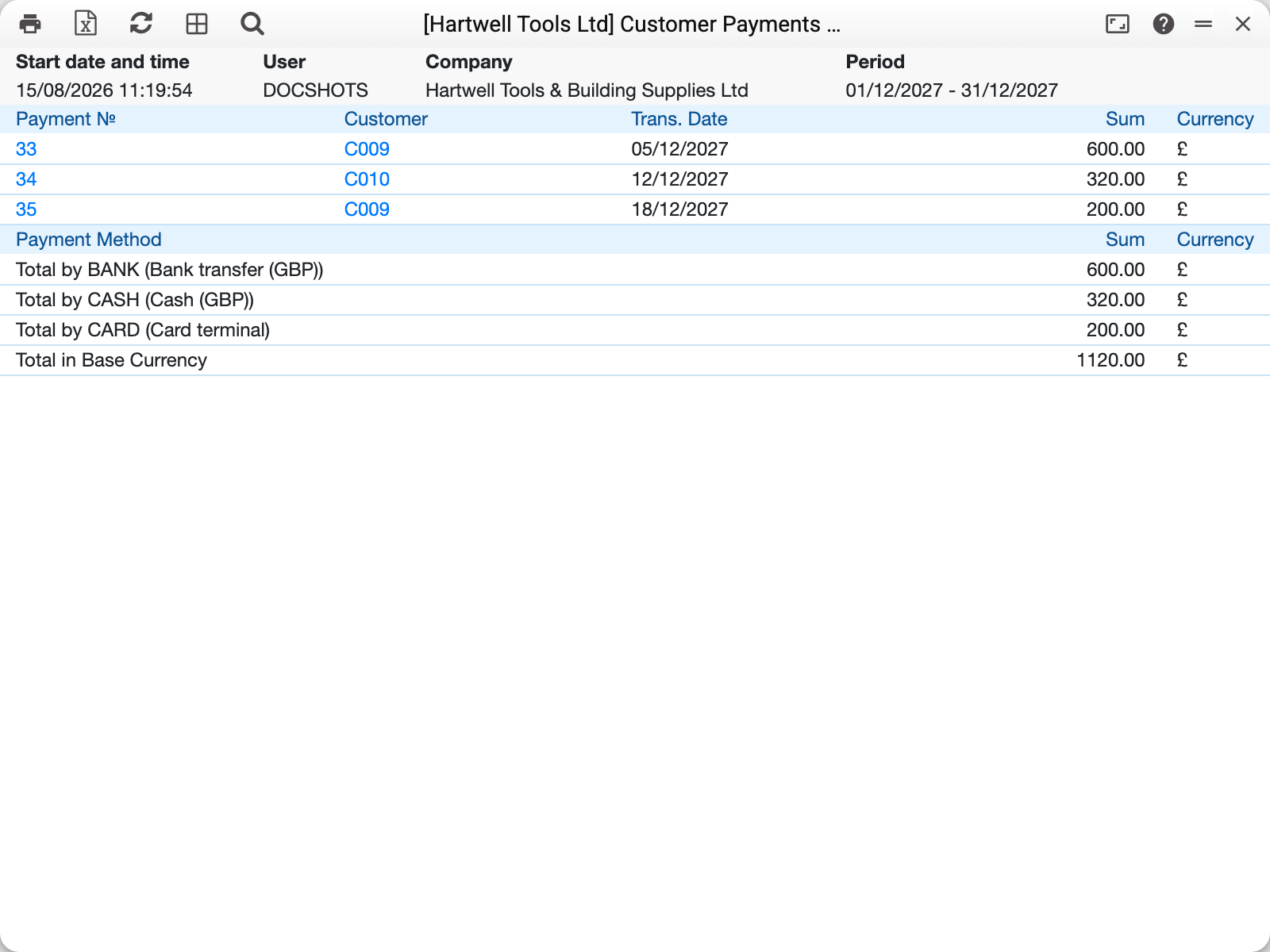
The upper table lists the payments themselves — number, customer, transaction date, amount and currency. Three receipts in the month:
- No. 33 of 05/12/2027, £600.00 — a prepayment from Stockport Shopfitters: the money arrived before any invoice existed;
- No. 34 of 12/12/2027, £320.00 — cash from Ellen Craddock, settling invoice 59 in full;
- No. 35 of 18/12/2027, £200.00 — a part payment by card against invoice 62.
The lower table is the same money broken down by payment method, and that is what the report is usually opened for: "Total for BANK (Bank transfer (GBP)) 600.00", "Total for CASH (Cash (GBP)) 320.00", "Total for CARD (Card terminal) 200.00", and beneath them "Total in base currency 1120.00". Till, bank and card terminal are kept apart, so the figures can be reconciled against the cashier's daily count and the bank statement.
If the company runs a service department, one more table appears above the customer payments — "Service payment No.": money taken on a service order when the equipment is handed back. It counts towards the payment-method totals too, so the report covers the whole day's takings, not only invoice settlements.
Where the numbers come from
A customer payment is a row of a payment approved (OK) within the period. Unapproved payments never appear: money that has not been entered into the books does not belong in a cash report.
The amount comes from the payment row — the amount credited to the account, in its currency; if the row has none, the received amount, and then in the received currency. The total at the bottom is converted into the base currency at the row's rate. A foreign-currency payment therefore stands in its own currency and joins the grand total converted.
The payment method is a code from payment modes; in the totals the system prints its description from the list alongside.
A prepayment is a payment too. No. 33 in the example is an advance with no invoice behind it, and it counts here like any other because the money physically arrived. Where that advance went afterwards is shown by the prepayment history.
Parameters
| Parameter | What it does |
|---|---|
| Period | The span the payments are shown for |
| Service Order | Keep only the till entries of one service order |
| Customer | A single customer |
| Pay No. | One particular payment document |
| Payment method | Till, bank, card terminal — one code at a time |
| Financial account | Filter by the account the money landed on (the account is set on the payment method) |
| Currency | Keep payments in one currency — the one the row stands under in the report |
| Summary | On by default. Rows of the same payment collapse into one: a payment covering three invoices shows as a single amount. Rows of one payment in different currencies stay separate — one row per currency |
Two limits of the filters are worth knowing up front. "Financial account" and "Pay No." apply to customer payments only — service payments are filtered by order, customer, method, currency and date. And clearing "Summary" splits a payment that closed several invoices into separate rows: the total does not double, there are simply more lines.
Common situations
The report is empty although money came in. Usually the payment is not approved: clear the filters, open the payment and check the OK flag.
The total does not match the bank statement. Check the payment-method filter: if the company keeps two bank methods (sterling and euro), one bank's statement matches only one of them. "Total in base currency" merges every till and by definition matches no single statement.
You need to reconcile one day's till. Set the period to a single date and read the lower table — that is the daily figure per till.
The customer paid but the debt did not fall. The money may have arrived as a prepayment with no invoice attached: it shows in the journal while the invoice stays unpaid. Check the prepayment history and link the advance to the invoice.