Rozetka Items Update
The service sends the price and stock of products to the marketplace — the values held in the Rozetka items register. It does not send card names, descriptions or attributes. It is the reverse of downloading items — there you fetch, here you push.
Where to find it: Modules → Rozetka → Maintenances → Rozetka Items Update
A worked example
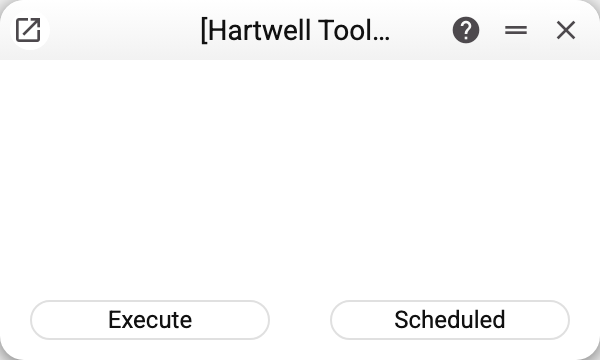
No parameters: the service takes every product already coupled with the marketplace (except positions whose article the download marked as Not found … — not found in the items register) and sends their price and quantity in one request.
Stock that is not above the "Min. Leftover" in the settings goes out as zero: with a threshold of 2 and two units in the warehouse, the storefront shows the product as out of stock. This is insurance — the marketplace will not accept an order for the last units, which may already have gone to another buyer. No threshold set (0) — the stock goes out as is.
A product whose price in the register is not above zero goes out without a price — stock only — and keeps its previous price on Rozetka: a zero never reaches the storefront. When it finishes, the service reports how many products went out: "Sent to Rozetka: …"; if some of them had no price, the summary comes as a warning listing their article codes: "Sent without price, stock only (price is not above zero): …" — the first 20 codes, the rest as a count.
What it checks before running
Three things, each with its own message:
- the settings are filled in — otherwise "Rozetka options are empty";
- they hold a login — otherwise "Rozetka login is empty";
- they hold a password — otherwise "Rozetka pass is empty".
Not a formality: the marketplace accepts changes only under the seller's account, and without the credential pair the request never leaves.
If Rozetka did not answer or refused
The whole catalogue goes in one request, and the service writes nothing to the base (except a just-received access token), so a failure in the middle leaves the Rozetka item register unchanged: the window shows "API request failed. Contact the administrator!" or "MAINTENANCE ERROR!". Whether Rozetka accepted part of the positions cannot be seen from the answer; a repeated run sends the same prices and stock again, so repeating is safe.
How it works together with the price update
They are easy to confuse, since both "update products". They are two consecutive steps, not two alternatives:
| Service | What it does |
|---|---|
| Price and stock update | computes the price (from the settings' price list) and the available quantity (from item statuses) locally and writes them into the Rozetka items register — sends nothing to the marketplace |
| Items update | sends the price and quantity from the Rozetka items register to the marketplace (the price only when it is above zero) |
So the price and stock update runs first, then this service. Skip the first step and the storefront gets the old numbers.
Typical situations
"Rozetka login is empty". Fill in the credentials: the service has nothing to authenticate with.
The price or stock on the storefront did not change. Recalculate them with the price and stock update first, then run this service. Also check that the product exists in the Rozetka items register: only coupled positions are sent.
The storefront shows the product as out of stock, but the warehouse has it. Check the "Min. Leftover" in the settings: while the stock is not above that threshold, Rozetka receives zero. This is by design; if the storefront should show the last units too, lower the threshold.
The stock on the storefront changed, the price did not. The product is named in the "Sent without price, stock only…" warning: its price in the Rozetka items register is not above zero. Get the price calculated with the price and stock update — check the price list and its currency's rate — and run this service again.
Where to look next
- Rozetka items — what is being sent.
- Price and stock update — the step before this service.