Cash Out Report
On a single sheet it shows everything that happened to the money in the till during a shift: what was there at the start, which sales and refunds went through, what was paid in and taken out, and what was left at the end. This is the report a cashier hands the shift over with and a supervisor accepts it by.
Where to find it: Modules → POS → Reports → Cash Out Report
The report is available both in the normal interface and at the till itself — if it has been allowed there, see POS Reports Settings.
Menu: Modules → POS → Reports → Cash Out Report.
Worked example
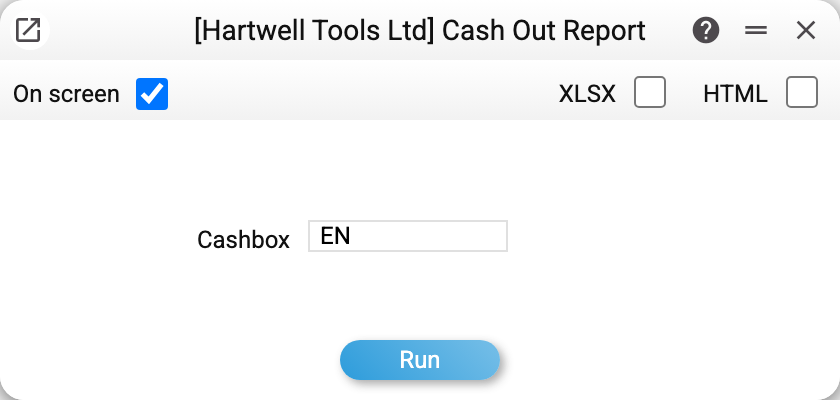
There is a single parameter — Cashbox: the login of the point of sale whose shift you are looking at.
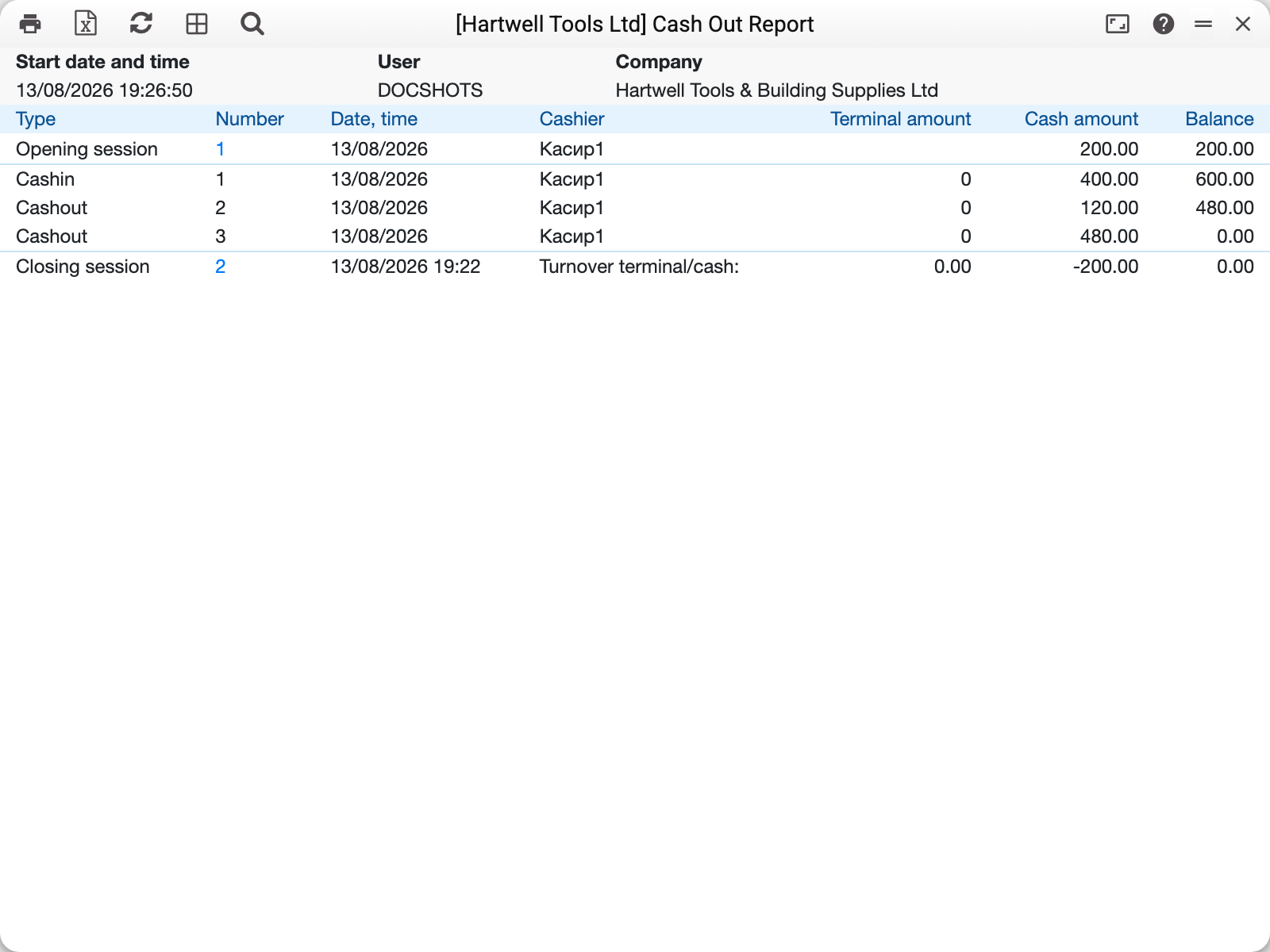
Line by line:
| Type | Number | Cash amount | Balance |
|---|---|---|---|
| Opening session | 1 | 200.00 | 200.00 |
| Cashin | 1 | 400.00 | 600.00 |
| Cashout | 2 | 120.00 | 480.00 |
| Cashout | 3 | 480.00 | 0.00 |
| Closing session | 2 | −200.00 | 0.00 |
Balance is a running total: how much cash is in the drawer after each operation. Started with 200, added 400, took out 120 and then 480 (the withdrawal at closing) — nothing left.
In the closing row the system prints a turnover rather than an amount: "Turnover terminal/cash". Cash went down by 200 against the opening float, and nothing went through the card terminal.
If the shift had sales, they appear as their own rows — the cash part in one column, the card part in the other; refunds are shown as negative amounts.
Where the data comes from
The report is assembled like this:
- it finds the first shift closed today on this point of sale;
- it steps back to its opening;
- it takes every shift from that opening onwards — the one still running included — and for them the cash movements (Cash In/Out) and the receipts (Invoices that carry a shift number).
If no shift has been closed on this point of sale today, the report takes the latest opening on it: the shift running now or, if none is open, the last closed one, however old.
Hence its main property: the report is about today's shifts of the till, and if none has been closed today — about the latest shift (the running one or the last closed one). There is no period parameter; you cannot pick a particular older shift through it — for history there are POS Sessions and the cash movements filtered by shift number.
Sales come from the receipts: the cash part is the amount paid by the cash payment method, the terminal part — by card. Payment by the third method (e.g. M-Pesa) and by cheque goes into columns of their own, Other amount and Cheque amount, which appear only when such payments were in the report; like the terminal, these amounts do not change the cash in the drawer. Returns are shown as a negative amount.
Parameters
| Field | Description |
|---|---|
| Cashbox | Login of the point of sale. Mandatory: without it the report has nothing to report on. |
Common situations
The report is empty. No shift has ever been opened on this point of sale — or the parameter holds the login of a user who is not a point of sale. A login that is not among the users is not accepted: the report refuses, saying the cashbox was not found. A shift not yet closed today does not get in the way: the report shows the running one.
Someone else's shift is shown. Check that the parameter holds the login of the POINT OF SALE, not of the cashier.
The balance does not match the drawer. The difference is the amount that was never registered as a cash movement. Walk the report rows through with the cashier: most often it is "took some for small expenses and forgot to enter it".
A weekly report is needed. This report cannot do that — it takes no period. For a period use the Turnover balance sheet on the cash account, or the Cash book module.
See also
- POS Sessions · Cash In/Out — what the report is built from
- POS Cash Collection — handing the takings over after the shift is closed
- POS Reports Settings — how to give this report to the cashier at the till