Trial balance per account
A single account broken down by analytical objects. It answers the question "what does this account balance consist of" — by employee, business line, warehouse, project: by any attribute the postings are tagged with. The regular trial balance shows accounts as a whole, the general ledger lists postings one by one, and this report sits in between: the account total on top and its breakdown by objects underneath.
Where to find it: Modules → Nominal Ledger → Reports → Trial balance per account
If you need the same breakdown for several accounts at once, use Balance by objects.
Worked example
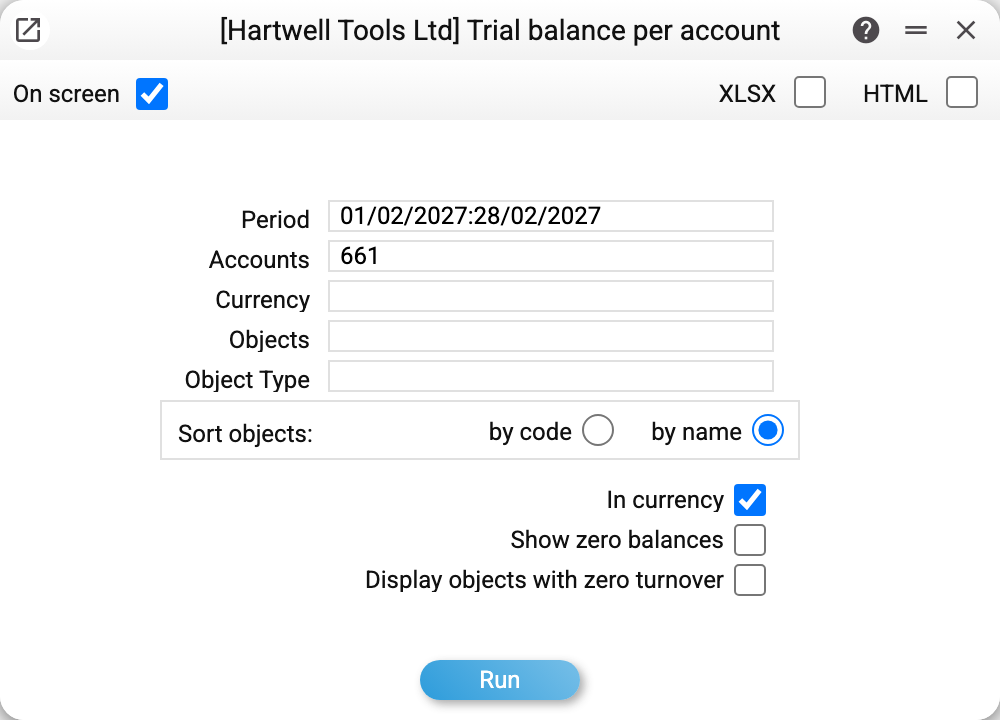
Payroll in this company is tagged with two attributes: who the salary is accrued to (object type "Employee") and which business line the cost belongs to (type "Business line"). Let us look at account 661 "Wages and salaries payable" for February 2027:
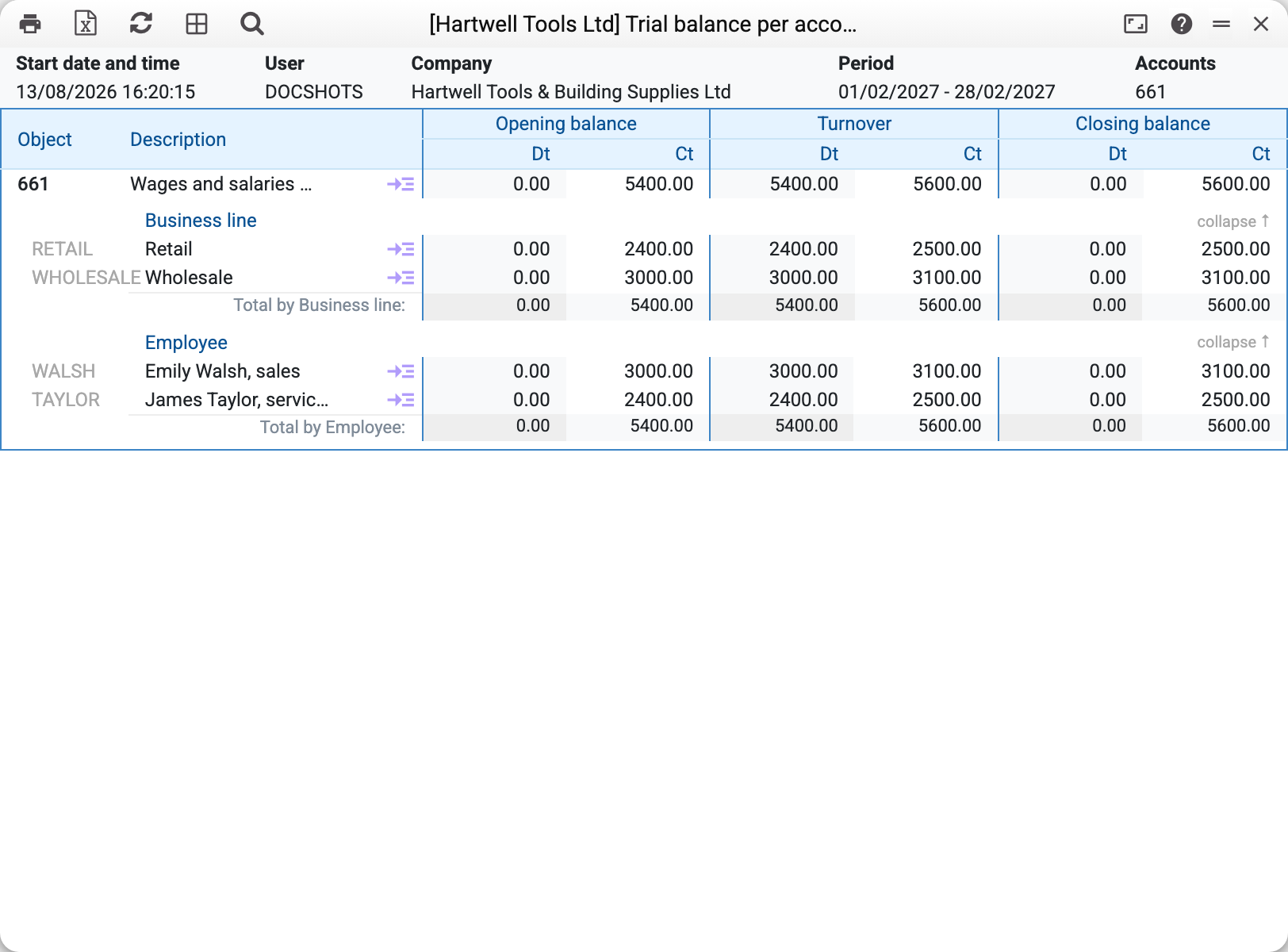
The top row is the account itself: at the start of February the company owed staff 5 400 (the January accrual), during the month it paid out 5 400 (debit) and accrued 5 600 (credit), leaving 5 600 at the end.
Below, the same balance is shown twice — one block per object type:
- Business line: wholesale 3 100, retail 2 500;
- Employee: Walsh 3 100, Taylor 2 500.
The block totals match each other and the account total, because every posting carries both attributes at once. The "Total by …" row at the end of each block is your check: it must agree with the top row whenever all postings are tagged.
The →≡ link next to an object opens the general ledger with the account, period and object already filled in — the step from a figure to the actual postings behind it.
Filtering by a single type
When there are many object types and you only need one view, fill in "Object Type":
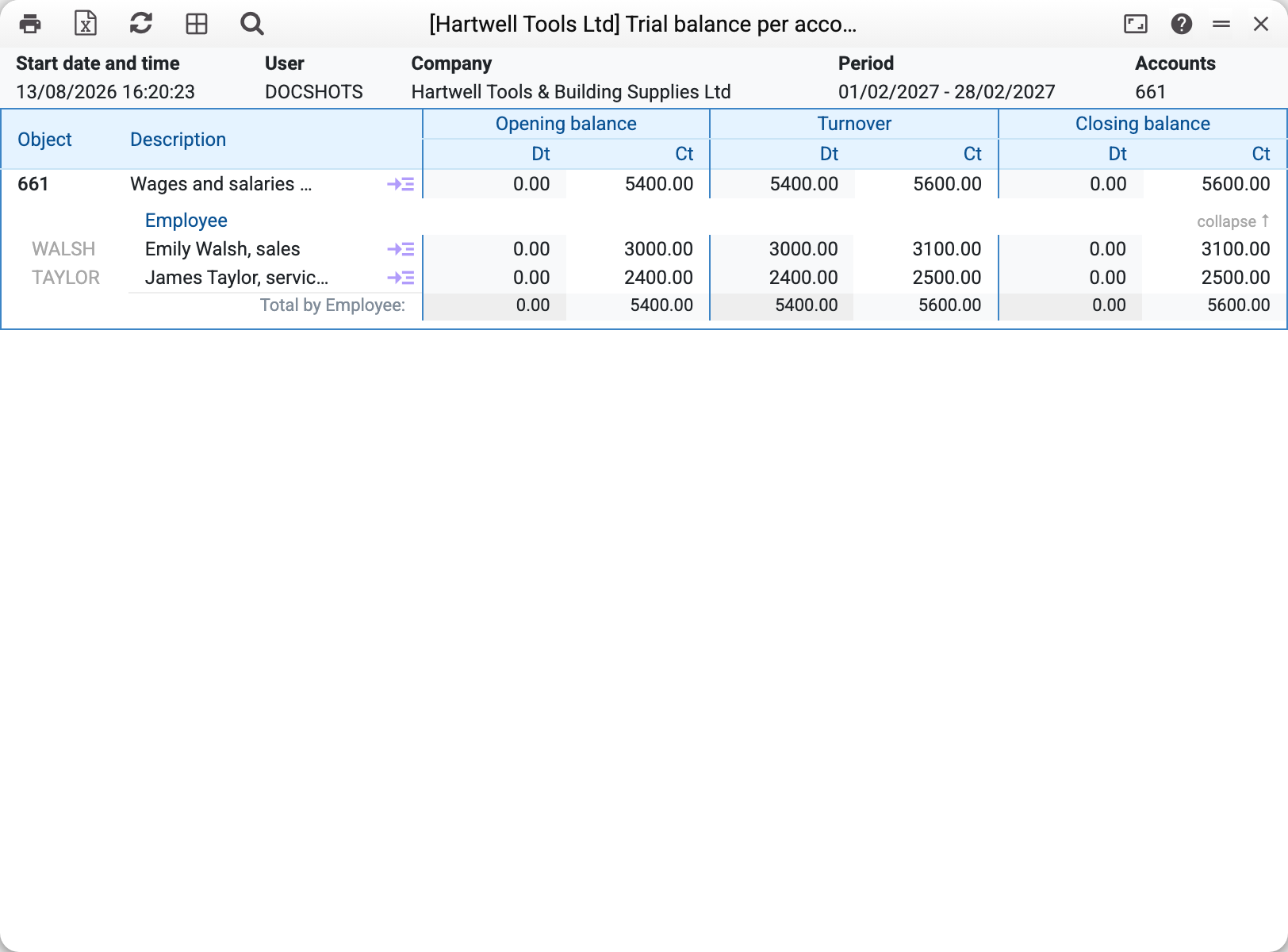
Note that this filter also recalculates the account row on top: only postings tagged with an object of that type are included. This is not an error but the point of the filter — the report shows the part of the account that lives in the selected view.
Where the data comes from
The report reads posting lines (Transactions) — all of them, no matter which document created them — plus forward balances as at the start of the period.
The analytics come from the "Objects" field of the posting line. A single line may list several objects separated by commas, so one posting lands in several views at once. Two objects of the same type in one line are not allowed: the system refuses to save such a document, since the amount would have to be split between them.
Objects are grouped by type (Object types) and sorted inside each block by name or by code. Objects with neither a balance nor a turnover in the period are left out.
Why a block total may not match the account total. If some postings are tagged and others are not (say, payroll was only split by business line starting this year), the report shows a smaller figure for that type: untagged postings have nowhere to go. The account total itself stays complete. The gap between the top row and "Total by …" is exactly the amount that bypassed the analytics.
Parameters
| Parameter | What it does |
|---|---|
| Period | The period the turnover is calculated for; the opening balance is taken as at its first day |
| Accounts | One account — the one being analysed. A list or a range will not work here: for several accounts use Balance by objects |
| Currency | Keep only postings in this currency |
| Objects | Select the postings with these objects. A comma-separated list is read by the account's top line as "any of them" and by the blocks as "all at once": for two objects of the same type the top line shows the sum of both, while the blocks stay empty |
| Object Type | Keep a single view; the account total is recalculated for it |
| Sort objects | Order inside a block: by code or by name |
| In currency | Add per-currency rows under the account total — how much of the balance falls on each currency |
| Display objects with zero turnover | Also show objects with no movement in the period |
Common situations
No block under the account line although the account has postings. None of the account's postings is tagged with an object: the top line shows the turnover and balance, but there is nothing to build the views from — check the "Objects" field in the document lines. A list or a range in "Accounts" is refused outright: "Only one account can be specified".
An object shows a negative balance. The usual cause is one-sided tagging: the outgoing side was tagged with an object while the incoming side was left blank. The report invents nothing — it shows exactly what the postings say. The cure is tagging the incoming side, not the report.
The blocks show different totals. That is expected when postings are tagged unevenly across types. Your reference point is the account row on top: it is always complete.
You need the postings, not the totals. Click →≡ next to the object: the general ledger opens for that account and object over the same period.