Contacts Report
The contacts reference answers the question "what do we know about this customer". This report answers the opposite one: who do we know at all — a list with codes, categories and phone numbers that can be filtered by contact type and exported.
Where to find it: Modules → CRM (also in modules: Sales Ledger) → Reports → Contacts Report
The report lives in the CRM module and calculates nothing beyond the number of rows: it is an extract from the reference, not analysis.
A worked example
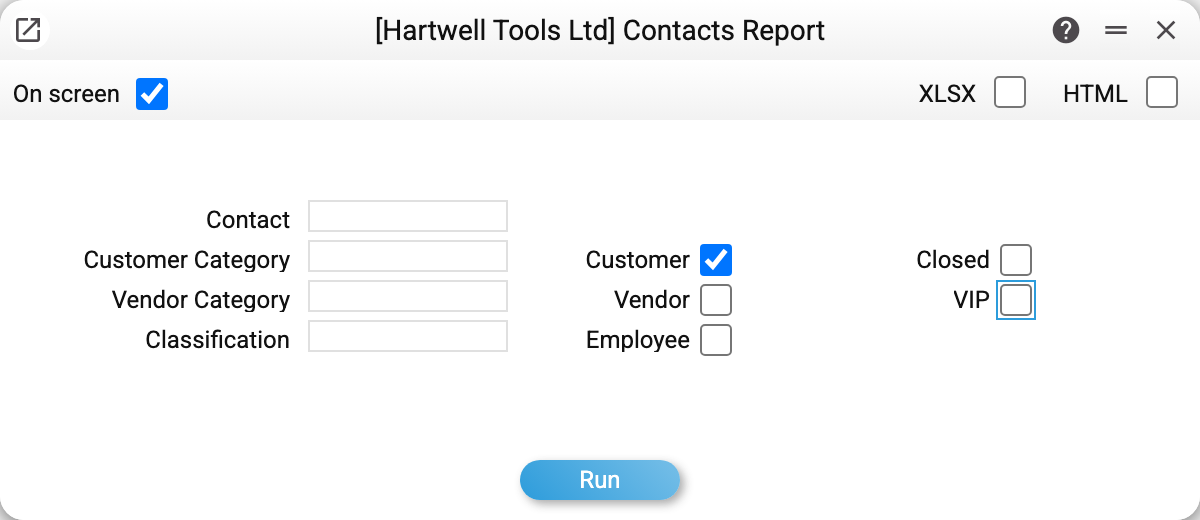
The parameter window has two halves. On the left are the search fields: a particular contact, a customer category, a vendor category, a classification. On the right are four type checkboxes (Customer · Vendor · Contact · VIP) and, separately, Closed. The Contact checkbox is the same type as the "Contact" checkbox on the contact card; before 01.11.2026 it was labelled "Employee" in this window, although contacts have no separate employee type.
The four type checkboxes combine with OR. Ticking "Customer" and "Vendor" means exactly "show me both kinds". Tick one and you get only that kind.
The two extremes mean the same thing: all four ticked, or none ticked, means no filter by type and the report lists the whole reference. That is deliberate — the window opens with all of them ticked, so running it as it opens gives you the full list rather than an empty screen.
"Closed" sits apart from the types: it is a state, not a kind of contact. It is cleared by default, and the report shows active records; ticked, it shows closed records only, without the active ones.
So the first step is to clear the ones you do not need. In the shot below only "Customer" is left:
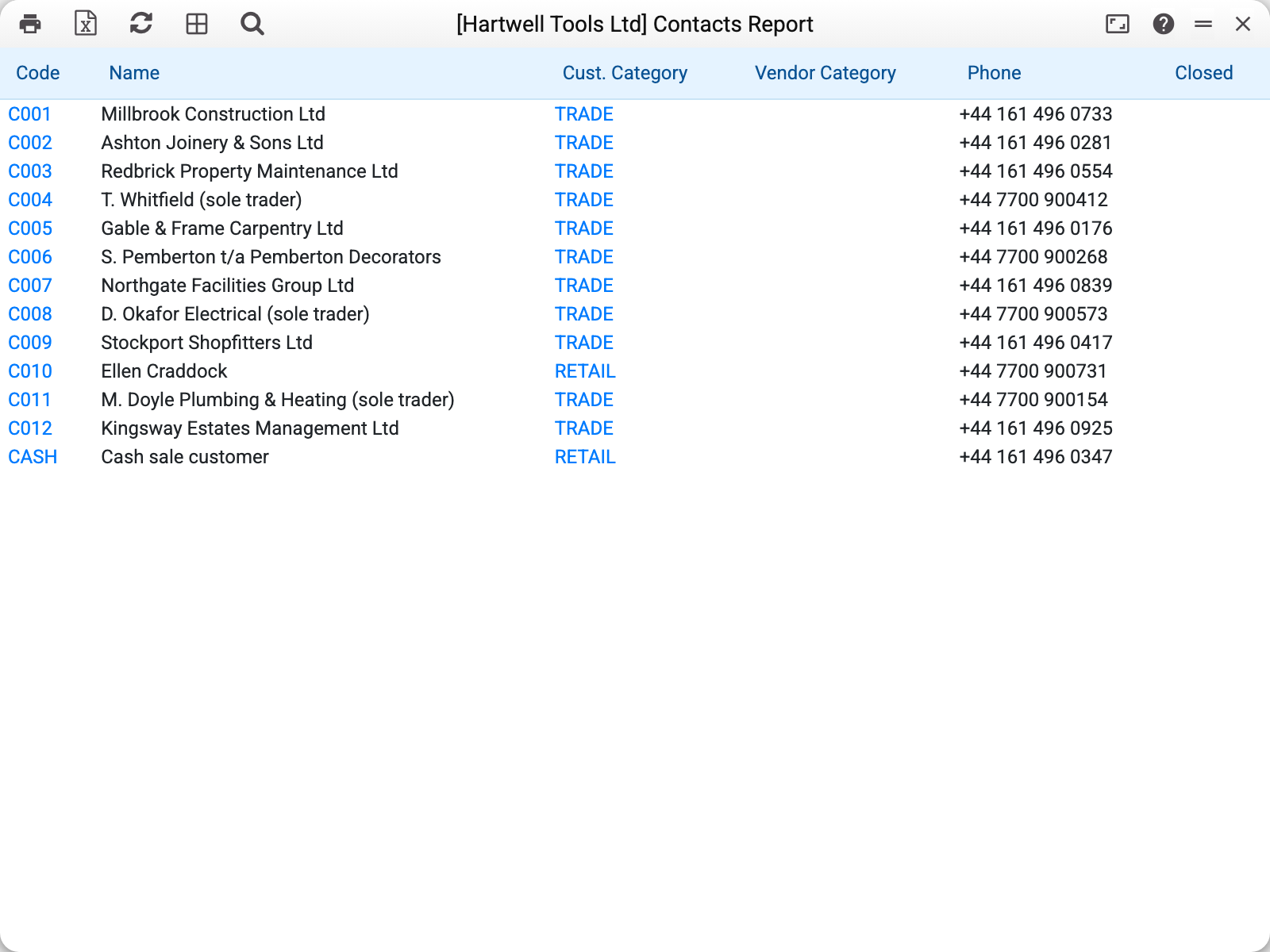
Twelve customers of Hartwell Tools plus the cash-sale card: code, name, customer category, vendor category, phone and the "Closed" flag. Codes and categories are links: clicking C009 opens the contact card, clicking TRADE opens the category.
The last row deserves attention. CASH Cash sale customer is a service card the till posts sales to when the buyer does not give a name.
What the report shows and what it does not
Shows: code, name, customer and vendor categories, phone, the closed flag.
Does not show: addresses, registration details, payment terms, debt. For those there is the customer information report — a dossier on one contact — and customer debt — the money across all of them.
Common situations
You need every contact. Leave the type checkboxes as they are (all ticked) or clear them all — both positions mean "no filter by type", and the report lists the whole reference.
You need two kinds at once. Tick both: "Customer" + "Vendor" gives you customers and vendors, not only those who are both.
You need closed contacts. The "Closed" checkbox is the only way to see them: with it the report shows closed records only, without it — active records only.
You need a list for a mailing or an import. The XLSX button in the result window's header exports exactly what is on screen.
Where to look next
- Contacts — the reference the report reads.
- Customer information — everything about one contact on one screen.
- Contact change history — who edited the card and when.
- CRM — the module the report belongs to.