Personnel Payments
The document the company uses to give an employee back the money it owes them: reimbursing what they paid out of pocket, or covering an overspend on a trip. It is normally created not by hand but from an expense claim.
Where to find it: Modules → Expenses → Registers → Personnel Payments
Do not confuse it with paying wages: those go out as a cash payment under the SALARY item and clear account 661. A personnel payment clears account 372 "Settlements with accountable persons" — the debt for money spent on the company's behalf.
A worked example
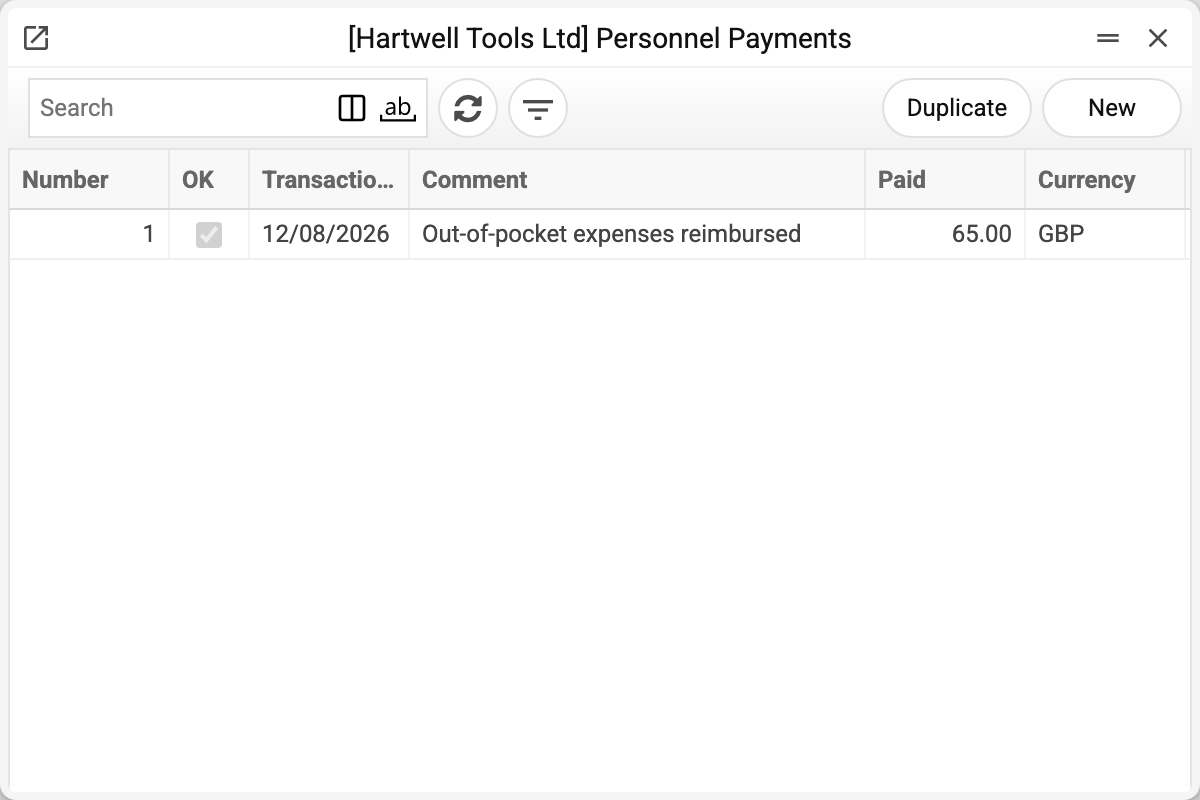
Let us open payment No. 1 of 12/08/2026:
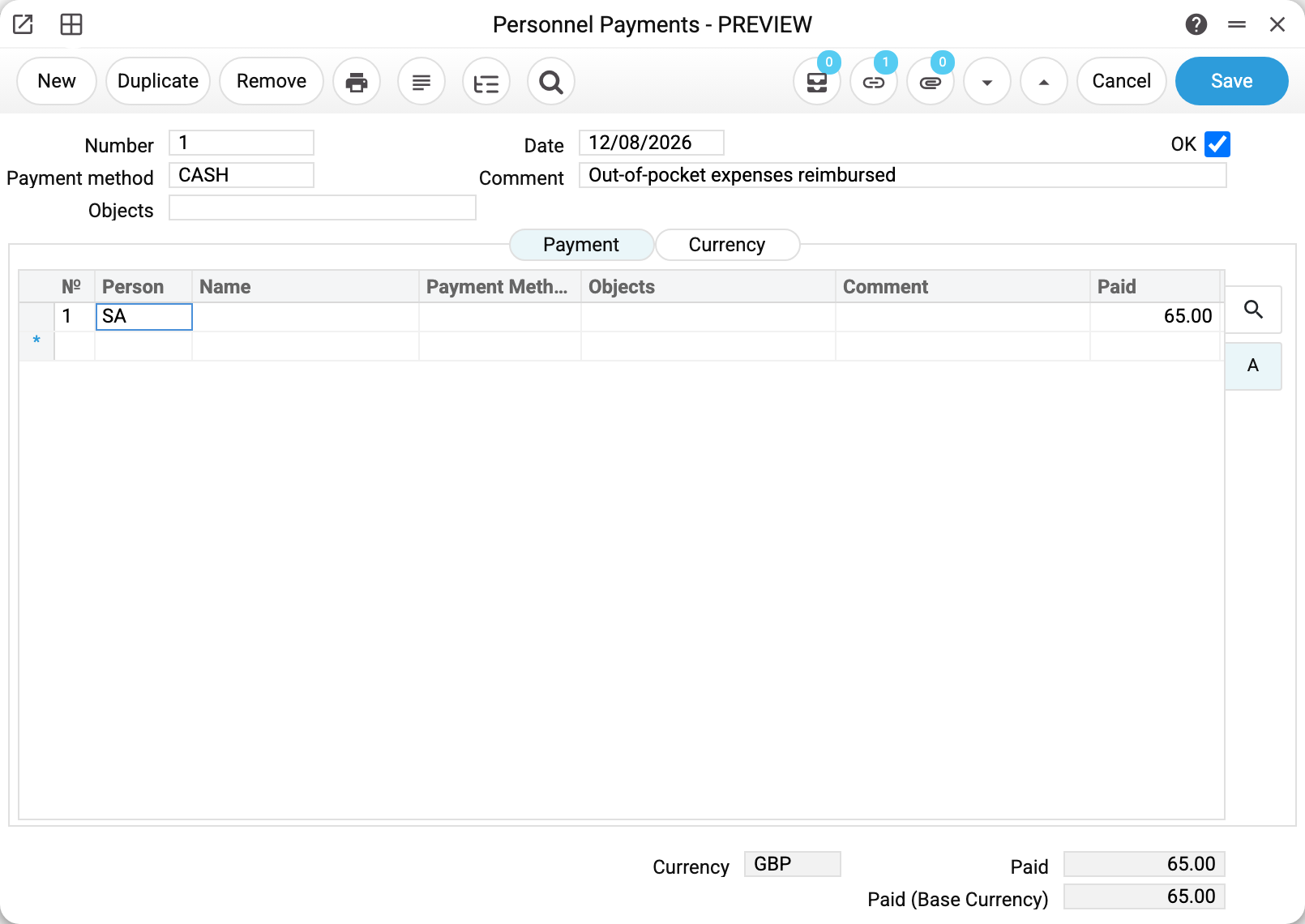
The employee bought stationery with their own GBP 65.00, filed an expense claim, and the company paid them back in cash.
The header holds:
- Payment method — CASH. As in the cash documents, the payment method decides which account the money leaves.
- Comment and objects — what the payment is for and its analytics.
- OK — the flag confirming the payment took place.
The table on the «Payment» tab says who is being paid:
| Person | Paid |
|---|---|
| SA | 65.00 |
One document can settle with several employees at once — one row each. A row carries its own payment method, a bank account («Bank Account») and objects, while the employee's name («Full name») fills in by itself, so part of the sum can be handed over in cash and part transferred to a card.
At the bottom are the currency, the amount paid and paid in base currency.
Note the link counter in the window header: it shows 1. That is the link to the expense claim the payment was created from — it lets you open one document from the other and shows them together in the document tree.
How it is created
The standard route is from an approved expense claim: the "Create Personnel Payments" command in the document menu. The system fills in the employee, the amount and the currency from the claim, today's date, links the documents and opens the new payment — you only add the payment method.
Create the document by hand and there is no link to the claim: neither the amount nor the employee is checked against the expense side, and it becomes harder to tell later what exactly was paid for.
What approval does
Ticking OK creates a ledger transaction if the «Personnel Payments» box is ticked on the «Cash and Other» tab of the «Records from Subsystems» setting. Without it the payment is approved with no transaction: the debt to the employee stays open, and the system gives no warning.
Two checks come before OK. If approval rules apply to payments, the box does not stick at once: a request goes out, and OK can be ticked once it is approved. And payments created from one expense claim cannot together exceed its amount — the extra one is refused as an overpayment of the claim, naming how much is already paid and how much is left.
| Account | Dr | Cr |
|---|---|---|
| 372 Settlements with accountable persons | 65.00 | |
| 301 Cash on hand in national currency | 65.00 |
Debit 372, credit the payment method account. The debt to the employee is cleared and the money leaves the till. A row with its own payment method credits that method's account; a row without one credits the account of the header's method. If the employee has a personal «Financial account» in the user settings, that account is debited instead of 372.
This mirrors the expense claim: the claim credited the employee's account, the payment debits it. Both documents pick this account the same way: the personal one if set, otherwise 372. Once the two amounts match, the account with that employee is settled at zero.
In a foreign currency the zero is in the document currency. If the claim and the payment use different rates, an exchange difference stays on the account in the base currency: the payment does not clear it; the currency revaluation at period closing does.
Print variables
Values available in this document's printed form templates. How to write a variable in a template — see Print Forms.
Header fields:
| Variable | What it holds |
|---|---|
| PersonnelPayments_Number | Number |
| PersonnelPayments_PaymentMethod | Payment method |
| PersonnelPayments_Date | Date |
| PersonnelPayments_Comment | Comment |
| PersonnelPayments_Objects | Objects |
| PersonnelPayments_OK | OK |
| PersonnelPayments_Currency | Currency |
| PersonnelPayments_FrRate | Rate |
| PersonnelPayments_ToRateB1 | : |
| PersonnelPayments_PayVal | Paid |
| PersonnelPayments_BasePayVal | Paid (Base Currency) |
| PersonnelPayments_Pers_Bank_acc | Personal bank account |
| PersonnelPayments_ExtraCost | Bank commission |
Row fields:
| Variable | What it holds |
|---|---|
| MNo | Row position number |
| MPerson | Person |
| MPaymentVal | Paid |
| MPersBancAcc | Bank Account |
| MPaymentMode | Payment Method |
| MObjects | Objects |
| MComment | Full name |
| MLinkNumber | Link Nr. |
| MSortingCode | Sort code |
Common situations
A payment cannot be deleted straight away. Clear the OK flag first — the system will not delete an approved document.
Less was paid than claimed. Correct the amount on the row: it does not have to match the claim, and the remainder simply stays on 372 until the next payment.
The employee owes the company, not the other way round. Then no payment is needed: the balance comes back as a cash receipt under the accountable-money item.
You need to check who has been settled with. Look at the trial balance on account 372 by objects, or at object balances if employees are tracked as analytics objects.
Where to look next
- Expense claims — the document a payment is created from;
- Expense claim articles — which accounts the expenses land on;
- Cash Out — advancing money and paying wages;
- Payment Methods — which account the money leaves;
- Personnel Payments Journal — all payments for a period with totals per payment method.