Sales Report Detail
Every sold line as a separate record — with cost, net sales amount and margin. If the Sales report is the tape of "what happened day by day", the Detail report is the analyst's tool: one flat table, easy to filter by brand, group or classification and to export to Excel.
Where to find it: Modules → Sales Ledger (also in modules: Sales Orders) → Reports → Sales Report Detail
Like its sibling, it keeps money net of VAT and in the base currency — on invoices priced with VAT and with discounts as well. The difference from its sibling is the form: one flat table, filters by brand, classification and several groups at once, and a service line without a cost carries a cost of 0 rather than an empty one (see below).
A worked example
Company sales for June–July 2026:
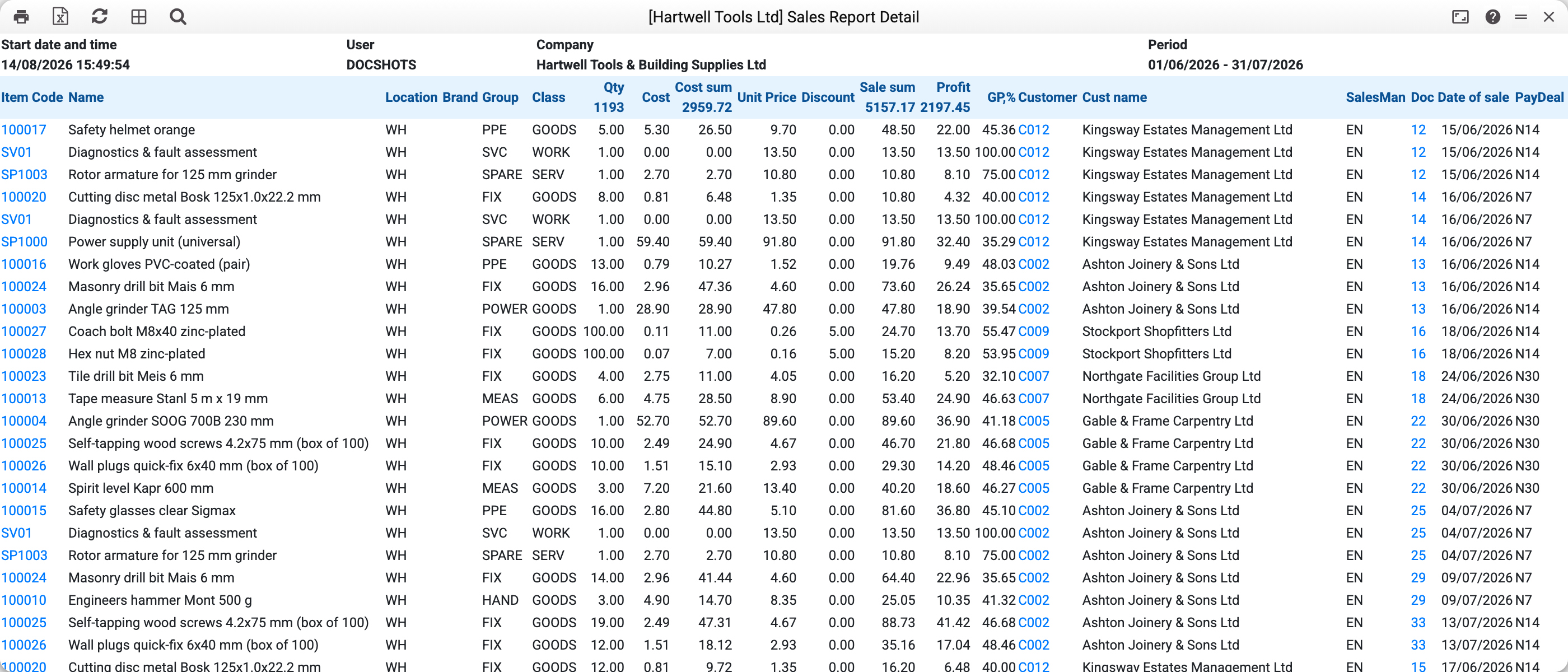
The first line — Cordless stapler, 2 pcs for Ashton Joinery & Sons Ltd:
| Column | Value | Where it comes from |
|---|---|---|
| Cost price | 19.85 | FIFO per unit |
| Cost amount | 39.70 | 19.85 × 2 |
| Price | 32.40 | invoice line price, net of VAT |
| Sales amount | 64.80 | 32.40 × 2, no tax |
| Profit | 25.10 | 64.80 − 39.70 |
| GP,% | 38.73 | 25.10 / 64.80 × 100 |
The Sales report shows the same net amounts on the same lines.
At the bottom — the period total: 1 193 units sold, cost 2 959.72, sales 5 157.17, profit 2 197.45.
Where the numbers come from
The source is the same: lines of confirmed invoices selected by operation date (the "Oper. Date" field of the invoice header); credit notes enter with a minus in quantity, amount and profit.
- Sales amount is the invoice line amount without its VAT, already after the discount (percentage or fixed), the same as in the "Sales report". Price is the line price net of VAT: for an invoice priced with VAT the report takes the tax out of it in the same share as out of the amount, with or without a discount; for an invoice priced without VAT it leaves it as is.
- Foreign-currency invoices are converted to the base currency at the invoice's own rate — so a sale in EUR and a sale in GBP add up honestly in one total.
- Cost — as in the sibling report: for a line from a shipment, the unit cost from the shipment (FIFO) × the line quantity; for an invoice that updated stock itself, from the invoice line. A stock item whose cost is unknown (not recorded on an invoice with no stock movement, or not recorded by the stock update) leaves cost and profit empty, as in the Sales report, and such a line does not enter the total profit. A service on an invoice with no stock movement gives cost 0 — and "Profit" then equals the whole line amount (the Sales report leaves cost and profit of such a service empty).
- Profit = Sales amount − Cost amount; GP% is the profit share of the sale. A line with a sales amount of 0 has no share — its GP% is empty.
Money columns are visible only to roles with the "Show cost price" action — see the Sales report article.
Parameters
| Parameter | What it does |
|---|---|
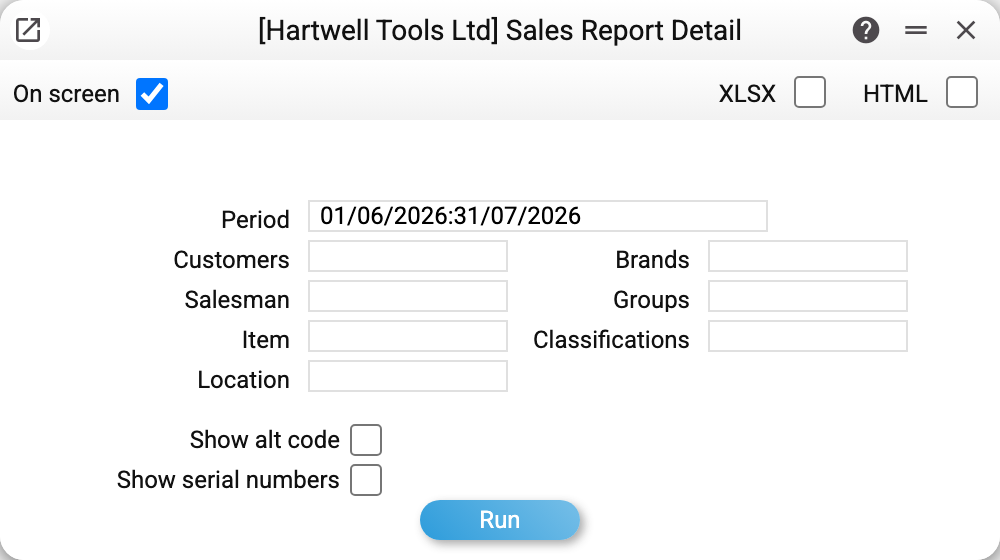
| Period | Operation dates of the invoices |
| Customers | One customer |
| Salesman | The "Salesman" field of the invoice header |
| Groups | Item groups — several allowed, comma-separated |
| Item | One item |
| Location | Stock from the invoice header |
| Brands | Brands — several allowed, comma-separated |
| Classifications | Classifications — several allowed, comma-separated |
| Show alt code | Adds a column with the item's alternative code |
| Show serial numbers | Adds a serial number column: the invoice row's own number; when it is empty and the row was created from a shipment, the shipment row's number |
Common situations
Numbers differ from the "Sales report". Services without a cost cause it: here they carry cost 0 and profit for the whole amount, there cost and profit stay empty and such lines do not enter the total profit.
A service line shows 100% profit. A service has no stock cost, so there is nothing to subtract. To see service margins, cost has to be tracked another way (e.g. via Work sheets in the service module).
Filtered by brand — fewer lines than expected. The filter works through the item card: lines of items without that brand silently drop out of the report together with their amounts. The bottom total covers visible lines only.
Till sales. As in the sibling report, POS receipts are invoices with the CASH customer and appear in the common list.