Nova Poshta waybill status update
Once an express waybill exists, it lives a life of its own: it reaches the branch, waits for the recipient, is collected, comes back. This service walks through your waybills, asks Nova Poshta what has happened to them, and writes the fresh status into the document.
Where to find it: Modules → Nova Poshta → Maintenances → Nova Poshta waybill status update
Menu: Modules → Nova Poshta → Maintenances → Nova Poshta waybill status update.
A worked example
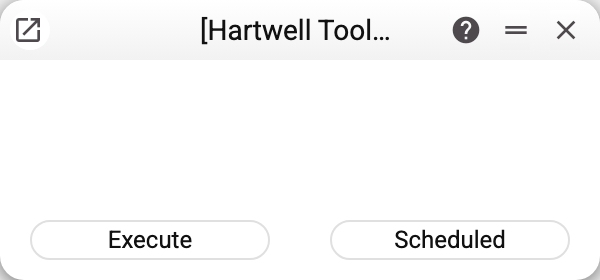
There is nothing to configure: the window holds two buttons — Execute and Scheduled. The service knows on its own which waybills to check.
Here is how it works. Every document a waybill was created from keeps a row with its number and last known status: in Shipments and in TTN. The service gathers those rows, drops the waybills in final states — collected, deleted, refused by the recipient, storage terminated, number not found — and asks Nova Poshta only about the rest. A final status will not change again, so there is no point in troubling the service about it.
The numbers then go out in batches of a hundred. For each answer the service compares the new status code with the stored one, and if it has changed, updates the status row in the document and the status in its header: in a TTN — the "Exp. Waybill Status" field, in a shipment — the status of its newest waybill (the one the shipment list shows).
The convenient thing is to put the service on a schedule — every few hours, say. The manager then sees the current state right in the shipment list, without visiting Nova Poshta's website.
Where the data comes from
- The service checks only the waybills whose numbers are in documents. A waybill created by hand on Nova Poshta's site and never written into a document does not exist for it.
- No cabinet key is needed here: the status is requested from the public tracking service by waybill number. Statuses therefore keep updating even when the key has expired — though creating a new waybill without a valid key will not work.
- The list of "final" states is built into the system: collection (cash and cashless), deletion of the waybill, an unknown number, refusal by the recipient and termination of storage.
Common situations
- The status does not update. Most often the waybill is already in a final state and the service skips it deliberately. The other case: the document has no row with a waybill number, because the waybill was not created from the system.
- The status column in the shipment list is empty. The "Nova Poshta" and "Status by NP" columns appear only when "Enable Nova Poshta" is ticked in NP Setting.
- There are a great many waybills. The service queries in batches of a hundred numbers, so a large volume simply means a longer run, not an error.
- The run ended with an error. If Nova Poshta's service does not answer for a minute (or one batch's request takes longer than 5 minutes), the service stops with an error — and no status of that run is saved, not even from the batches that did answer: everything is rolled back together. The next run checks the same waybills again.
- The warning "Nova Poshta did not return waybill statuses: …". The service answered with a refusal (the key, a limit): its text follows the colon. Statuses of the batches it answered are saved; the next run checks the rest.
Nearby
- Nova Poshta data download — the module's other service: it fills the reference books
- Nova Poshta — the cabinet card
- TTN, Shipments — the documents express waybills are created from
- Task scheduler — how to put a service on a schedule