Vendor Cred Report
A quick answer to "how much do we owe suppliers right now" — with the advances already paid taken into account.
Where to find it: Modules → Purchase Ledger → Reports → Vendor Cred Report
A worked example
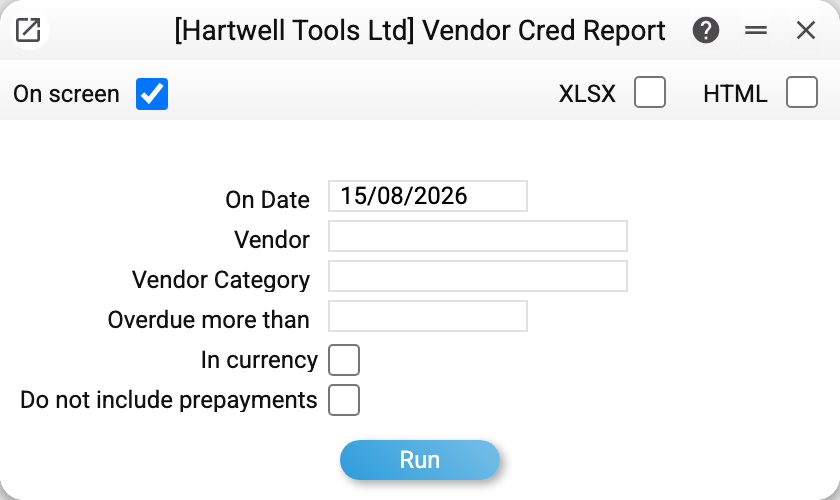
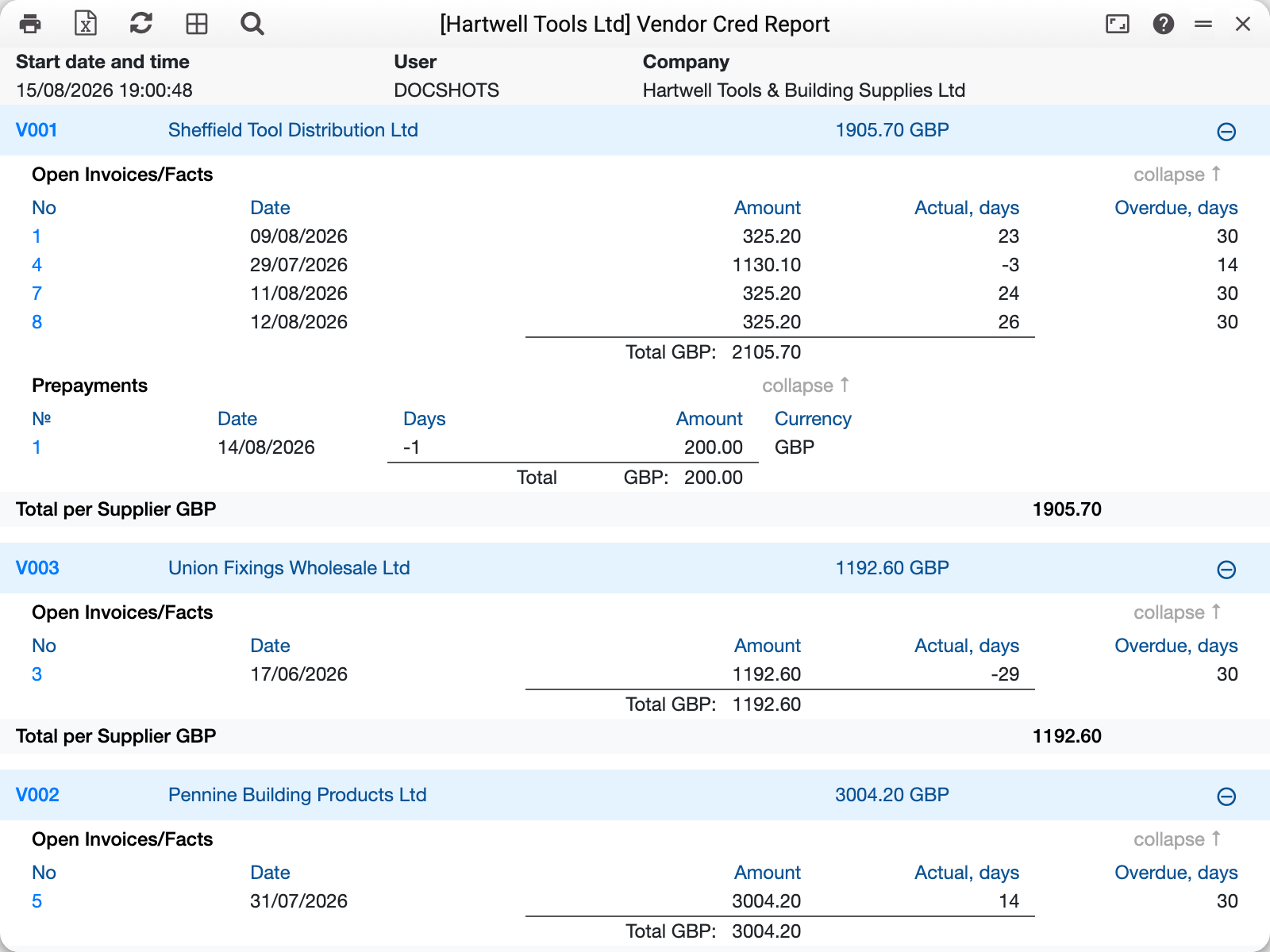
A supplier block has two parts. First the open invoices — everything still unpaid: Sheffield Tool Distribution Ltd has four of them, 2 105,70 GBP in total. Then the prepayments: advance No. 1 of 14/08/2026 for 200,00, not yet closed by any invoice.
A cash invoice is never among the open ones: it is paid at the moment of purchase. If a payment was also made against such an invoice, it shows as a line with a minus sign.
The "Total per Supplier" line — 1 905,70 — is the difference: invoice debt less the advance. That is what you actually owe this supplier.
In the "Actual, days" column a positive number means overdue: invoice 4 shows 3, three days past its due date. A negative number is the opposite — days still left before the due date, −23 for invoice 1. The sign is the same as in the aging report. Before 14.10.2026 the sign here was reversed, so the screenshot above still shows overdue with a minus (−3) and days left with a plus (23).
The "Overdue, days" column holds the credit period from the document's payment terms: 30 means "30 days from the invoice date", 0 means payment on delivery.
How it differs from the aging report
Both measure supplier debt, but from different angles:
| Vendor cred report | Aging report | |
|---|---|---|
| Source | Source documents: invoices and payments | The same source documents |
| Advances | Subtracts unapplied prepayments | Does not see them at all |
| Split by age | None, only days per invoice | Bracket columns from the settings |
| Best for | "What do we pay now" | "How bad is the debt" |
So the two reports give different totals for the same supplier, and that is not an error: the difference equals the unapplied advances.
Window parameters
| Field | What it does |
|---|---|
| On date | Debt as it stands on that day |
| Vendor | A single supplier instead of all |
| Vendor category | Only suppliers of this category |
| Overdue more than | Only invoices overdue by more than this many days |
| In currency | Amounts in document currency instead of the base one |
| Do not include prepayments | Advances are not subtracted: the total equals the invoice sum |
The "Do not include prepayments" checkbox is the switch between the two pictures. In the example above it gives 2 105,70 when ticked and 1 905,70 when cleared.
Common situations
A supplier shows zero. That happens when unapplied advances equal the debt on their open invoices: the block shows both the invoices and the advances, and the total is nil. Perfectly normal. A supplier whose invoices are all closed and who has no advances is not in the report at all.
The total is lower than the sum of invoices. That means unapplied advances exist. Check them in the vendor prepayments history.
The debt of one invoice needs breaking down. Open the vendor invoice status.
A document for reconciling with the counterparty is needed. This report is internal; for correspondence use the reconciliation act.