Countries
The simplest register in the system: a country code and a name. Documents and cards do not read it yet — the country in an address or an item's country of origin is typed in as text (see below).
Where to find it: Modules → System → Registers → Countries
A worked example
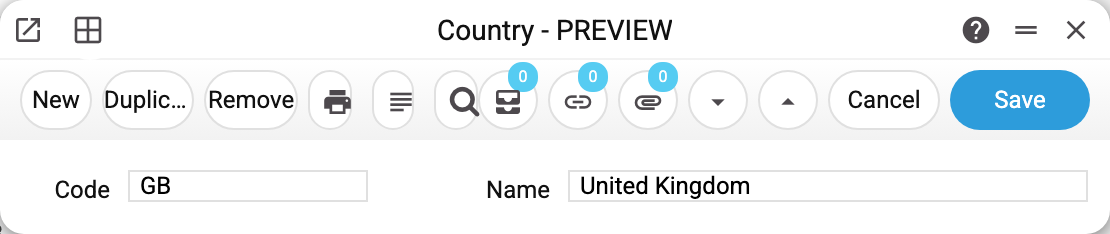
Record GB "United Kingdom". Two fields, both required: a short code (normally the two-letter ISO one) and a name for people to read.
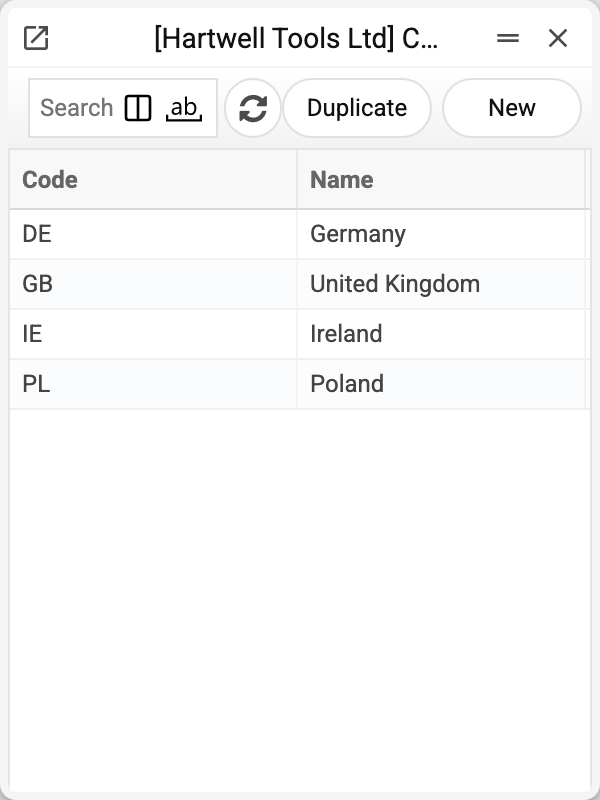
The demo company defines four: the United Kingdom, Ireland, Germany and Poland.
Where it takes effect
Nowhere yet: the register is kept for your own use, and documents and cards do not read it.
- the contact card has no country field;
- an item's "Country of Origin" is free text on the item card, not a pick from this register (it prints as typed);
- tax accounting does not distinguish countries.
Keeping to ISO 3166 codes (GB, IE, DE, PL) pays off: external systems and customs formats expect them.
Typical situations
Regions or counties are needed. That is another level: the contact card has separate address fields for it.
Deleting a country. Nothing in documents or cards refers to it, so deleting breaks nothing.
The country code was mistyped. The code does not change after saving — the system answers "Can't change code". Create the country with the right code and delete the wrong one. A lower-case code is stored in capitals by the system itself.