Object Types
Analytics axes for objects. A type answers "what is this tag about": employees are one axis, departments another, business lines a third. The rule types exist for: objects of the same type cannot be combined on one record — a transaction cannot carry two "employees", while "employee + department" is fine. Each axis stays unambiguous, and its analytics never double-count.
Where to find it: Modules → Nominal Ledger → Registers → Object Types
Walkthrough
The demo database has one axis — STAFF "Employee", holding the salespeople TAYLOR and WALSH:
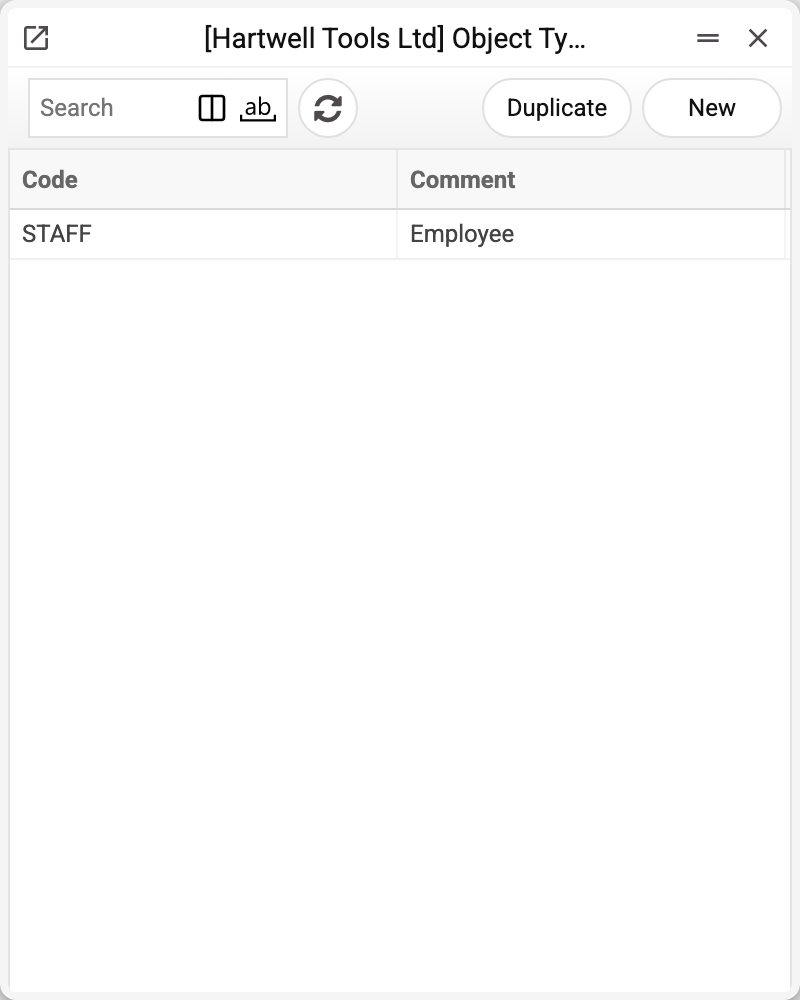
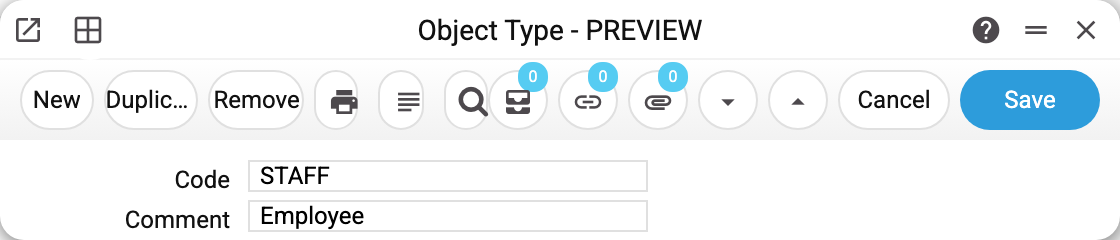
The card is a code and a comment. The "Comment" is the type's name that people see in the object picker, so do not leave it empty. Apostrophes and quotes in the code and comment are replaced with "˙" (a double quote with "˙˙"): O'Brien is saved as O˙Brien.
The type is set on the object card via the "Object Type" field, and from there the system:
- groups objects by type in the object picker on documents: each chosen object shows its type's name above it, and the "Add object" list offers only types not yet used, with the types required for the account ("Object Type Control Settings") first and marked "(Required)";
- rejects two same-type objects on one record — "Objects of the same type are prohibited". Header and row objects of a document are checked together: a row cannot carry an object of the same type as the header;
- breaks reports down by axis: the "Objects type detailing" field in the financial report builder splits an account row into objects of the given type — revenue per salesperson, one row each.
Live databases typically run several axes: STAFF (who), DEPT (where), LINE (what), PROJECT. Each axis has its own objects, and a transaction may carry one tag from each.
Print variables
Values available in this document's printed form templates. How to write a variable in a template — see Print Forms.
Header fields:
| Variable | What it holds |
|---|---|
| OBJt_No | Code |
| OBJt_Comment | Comment |
Common situations
"Objects of the same type are prohibited". The refusal names both the type and the codes: the objects field holds two codes of the same type — say, two employees. Keep one: an axis answers its question once. If both codes truly belong together, they should have been different types.
An object with no type. It works, but outside axis rules: it combines with anything and never shows up in by-type detailing. For proper analytics, always set the type.
«Field "Code" must be filled!» A type without a code is not saved.
The type cannot be deleted: «A record of «Object Types» is used in: Objects!» A type that marks at least one object, project class or key indicator row, or is named in "Object Mask", "Object Type Control Settings" or "Contacts Setting", cannot be deleted. The refusal names the first place where the type was found: "Objects", "Project Classes", "Graphs", "Object Mask", "Object Type Control Settings", "Contacts Setting". Remove the type from there and the deletion goes through.
Changing the type of an existing object. The field on the object card is editable, but past transactions are not re-checked — old combinations stay as they were. Change the axis before the object enters bookkeeping.