Information on depreciation of fixed assets
The module's principal report: what each asset originally cost, how much wear was charged over the period, and what remains at the end.
Where to find it: Modules → Fixed Assets → Reports → Information on depreciation of fixed assets
A worked example
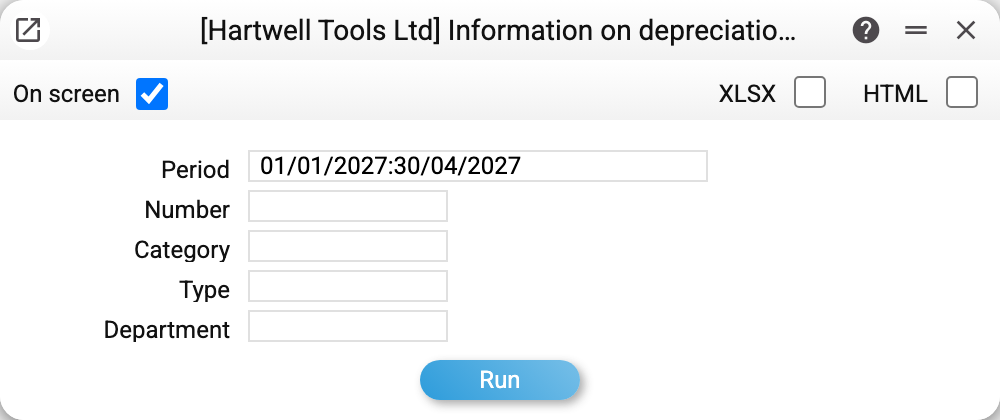
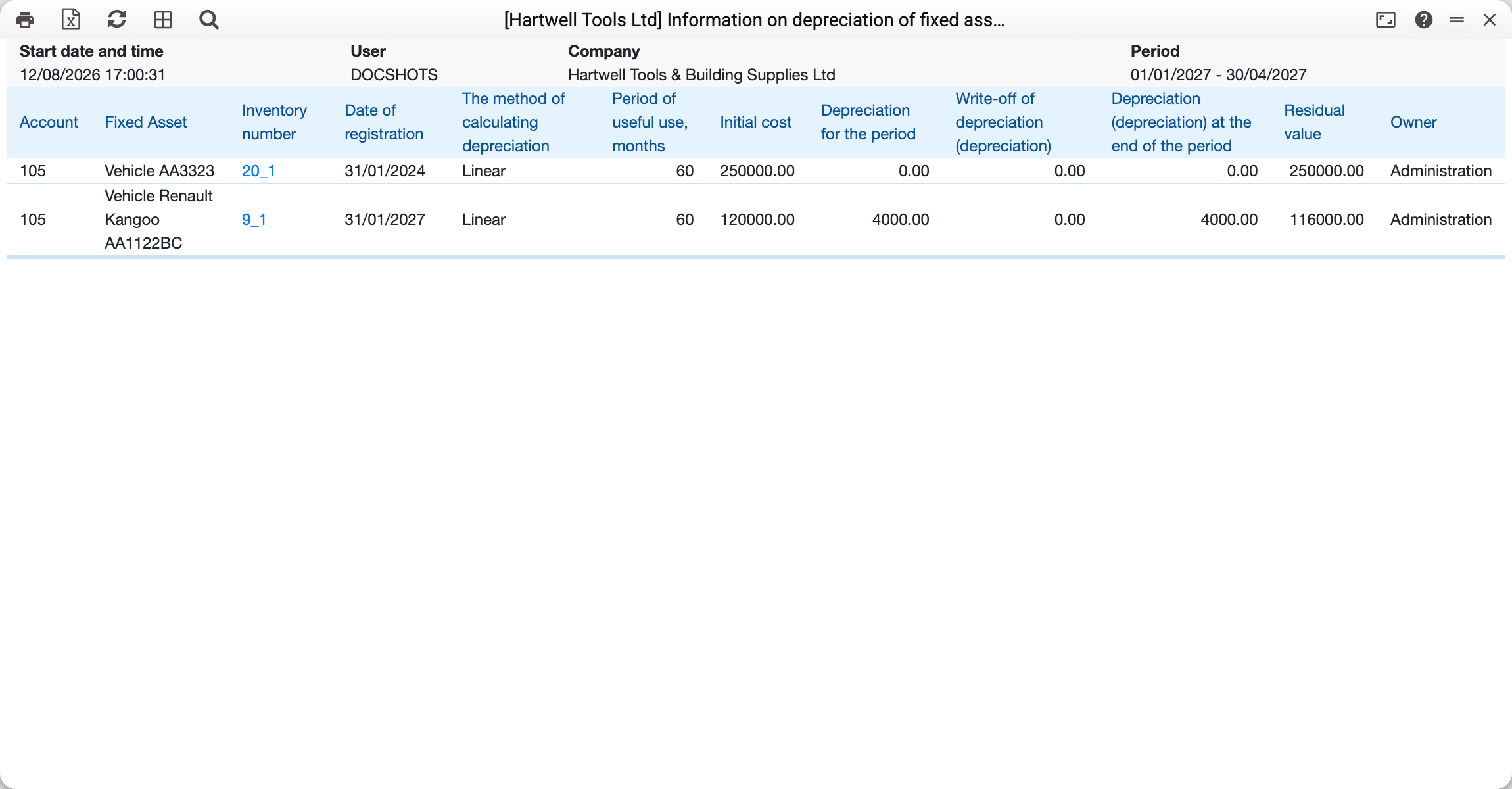
The period covers the first four months of 2027, and the two vehicles behave differently: one was taken onto the books back in 2024 and had no depreciation charged in this window — closing wear exists, movement does not. The other came onto the books in January 2027, and all of its wear was earned right here.
How to read a row
Left to right it tells the asset's story: the account, the inventory number, the date taken onto the books, the depreciation method (straight-line in the example) and the useful life in months. Then the money: original cost, movement over the period, accumulated wear and the residual value. At the end, the owner — the department the asset is assigned to.
Original cost is the whole card's: unit price × quantity (a card of 4 pcs at 200,000 shows 800,000, the same as its commissioning; before 05.10.2026 the sheet showed the price of one piece here). Residual value is original cost minus closing wear; if the asset left through a disposal act, the sheet also subtracts the written-off value (and closing wear has already been reduced by the written-off wear): an asset disposed of in full shows a residual value of 0, although its original cost in the row stays in full. An asset disposed of in full before the period starts is not in the sheet at all. If only part of the quantity left before the period, the row is there and is calculated the same way: the residual is that of what remains (before 11.10.2026 any act dated before the period removed the whole card from the sheet, even when one piece out of four had left).
Which model
The report's model comes from the Assets Setting: "Model 2" makes it the sheet of the parallel (e.g. fiscal) books, otherwise it is model 1. Everything in a row is then of one model: the date on the books is that model's "Used with", the method and useful life come from its depreciation model, the account is its main account from the type, and the charges are its postings ("Assets Amort" or "Assets Amort 2"). The exception is the depreciation written off by a disposal act: it is calculated under the model the setting held when the act row was filled in and is subtracted from the depreciation of whichever model is selected — switch the model after the act, and the disposed object's row will not add up. The sheet lists the assets commissioned under that very model.
Typical situations
Depreciation for the period is zero. Either the run was never made, or the asset is already fully depreciated, or the depreciation posting was made other than by the «Asset Depreciation» maintenance: the sheet counts depreciation postings carrying the card's inventory number (as the maintenance writes them) or linked to the card. Before 01.11.2026 it counted only linked ones, and a maintenance posting without a link to the card did not get into the sheet.
An asset is missing. Check its date on the books: if it is later than the period, there will be no row. Nor will there be one if the asset was disposed of in full before the period. For the model 2 sheet, check model 2's own "Used with" date — an asset commissioned under model 1 only will not appear in it.
Wear is higher than expected. Look at the method, the useful life and the depreciation period (month, day, quarter or year) in the depreciation model — together they set the amount of one charge: straight-line 120,000 over 5 years is 2,000 per monthly step and 24,000 per yearly one.
Where to look next
- Asset status — the same information for a single asset, with its documents.
- Asset Inventory — the counting form.
- Assets Setting — which model (1 or 2) the sheet is built on.