Worksheets Report
A list of work sheets for a period with the grand total — the workshop's revenue by worksheets. Filters slice it any way you need: by technician, customer, warranty status or payment state.
Where to find it: Modules → Service Orders → Reports → Worksheets Report
The report lives in the Reports menu of the Service Orders module.
A worked example
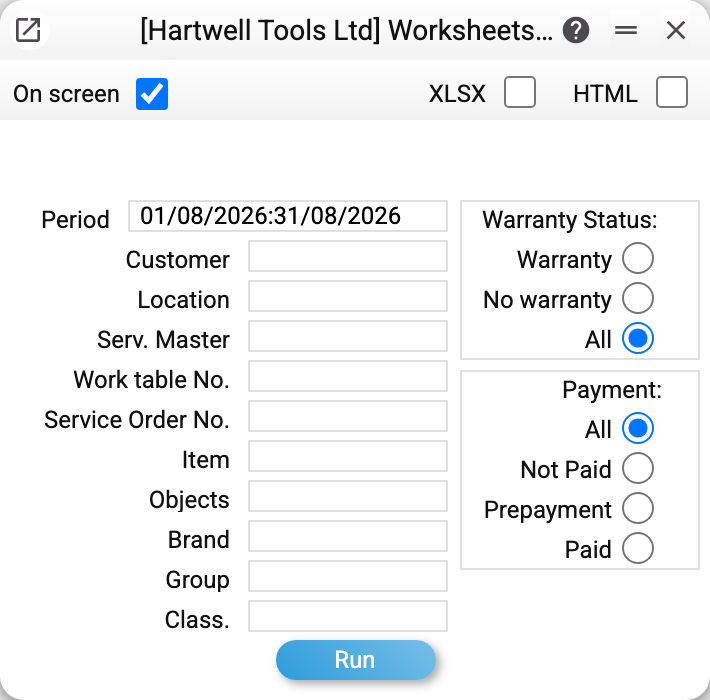
The default period is the current year. Two switches on the right: warranty status (warranty jobs, regular or all) and payment — all, unpaid, prepayment or settled.
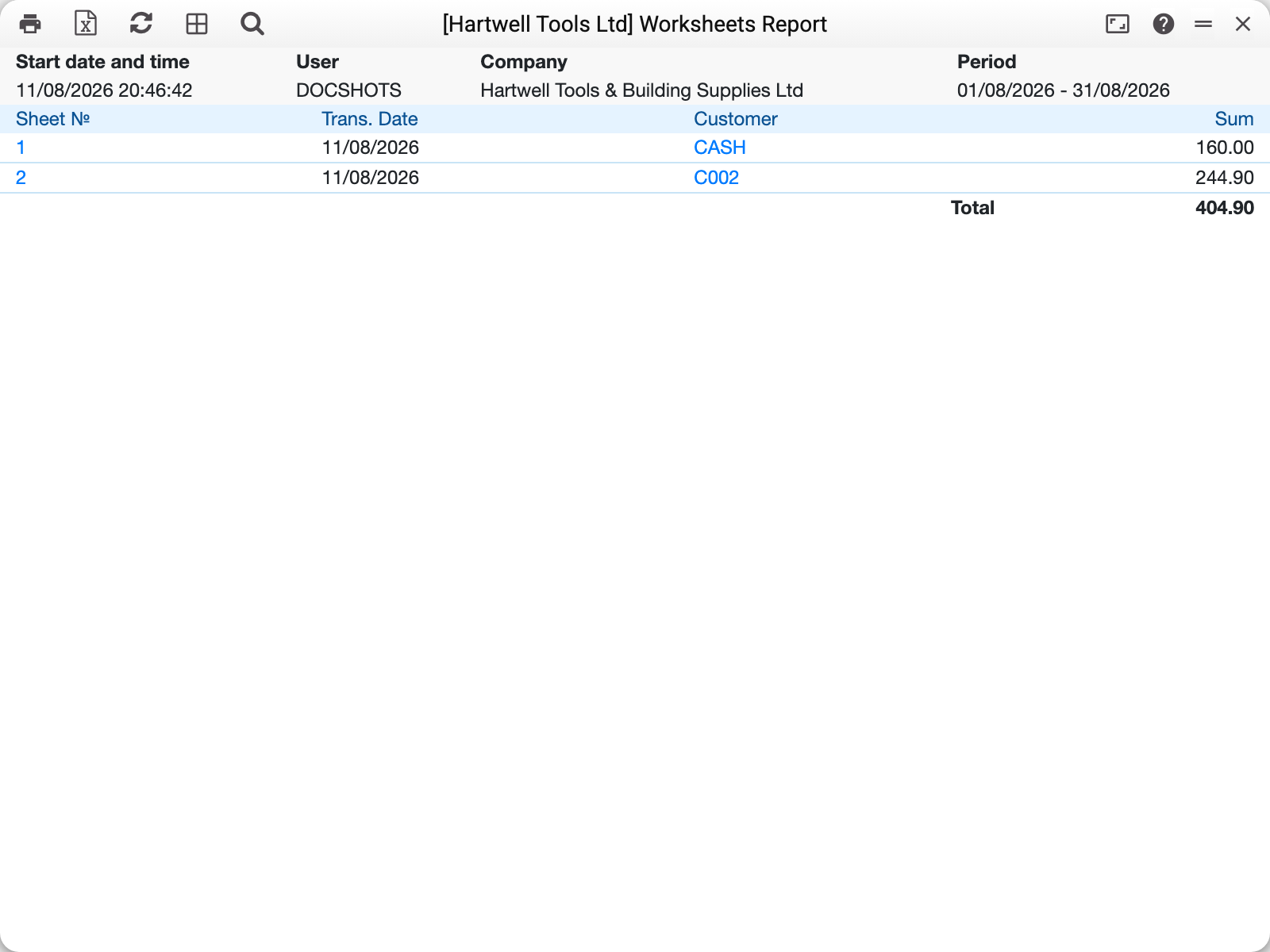
The worksheet number and the customer code are links: a line opens the worksheet or the customer card directly. The grand total closes the list.
It is the fastest way to see a technician's monthly output: period + "Serv. master" — and the total is there.
Common situations
The total does not match the expected revenue. Unposted worksheets are included too — they have not become ledger transactions yet. Warranty worksheets also go into the total with their value, although the customer does not pay for them: to keep only the paid ones, choose «No warranty» under «Warranty Status». That also drops worksheets whose warranty status has not been chosen yet (it is required only when posting).
A worksheet is missing although its date fits. The item, objects, brand, group and classification filters judge the lines: a worksheet enters if at least one of its lines fits, and a worksheet without a single work line is left out under an item, brand, group or classification filter (without these filters it enters).
Under a line filter the worksheet amount is that of the matching lines only. A worksheet "spare part 2000 + labour 300" under a labour-group filter shows 300, and the total adds up exactly such amounts. A worksheet whose matching lines give 0 stays in the report with zero. When all lines match, the amount is the same as on the worksheet. Until 29.10.2026 the amount stayed full under a filter.
Empty report with "Unpaid" selected. Payment state is tracked per service order, not per worksheet: when the order is fully paid, all its worksheets count as paid. An order whose Rest to pay is still empty (before its first posted worksheet) counts as unpaid, and its worksheets do appear under Unpaid. Before 01.11.2026 such worksheets dropped out of Unpaid.
Parameters
| Parameter | What it does |
|---|---|
| Period | Worksheet dates (defaults to the year) |
| Customer, Location, Serv. master | Slices by reference data |
| Work table No., Service order No. | One specific worksheet or order |
| Item, Objects, Brand, Group, Class | Filters on work lines |
| Warranty status | Warranty / non-warranty / all |
| Payment | All / unpaid / prepayment / settled |