Fleet status
A salesperson gets a call: "Do you have two hammers from the 10th to the 20th?" The director asks how many days the excavator worked this month. The mechanic looks for what was not brought back on time. One report answers all three for the chosen period.
Where to find it: Modules → Rental → Reports → Fleet status
Parameters
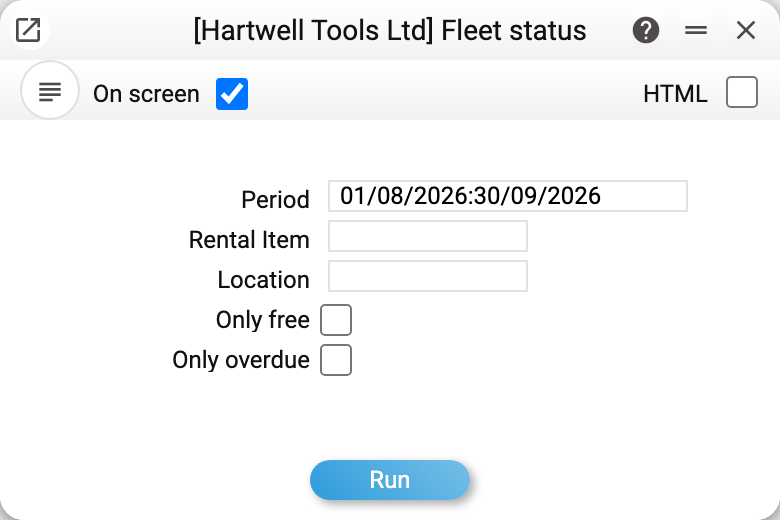
- Period — required. It decides what is free and which days on hire are counted;
- Rental item — this model only;
- Location — units at this location only;
- Only free — units free for the whole period;
- Only overdue — issued units past their planned end.
How to read the result
If today is inside the period, a separate Today table comes first: what to issue (a booked unit whose term has started) and what to take back (an issued unit whose planned end is today). A unit in service or still out with the previous customer is not listed for issue: the issue act would refuse it.
Below it — one row per unit, grouped by model. The model row shows how many of those displayed are free.
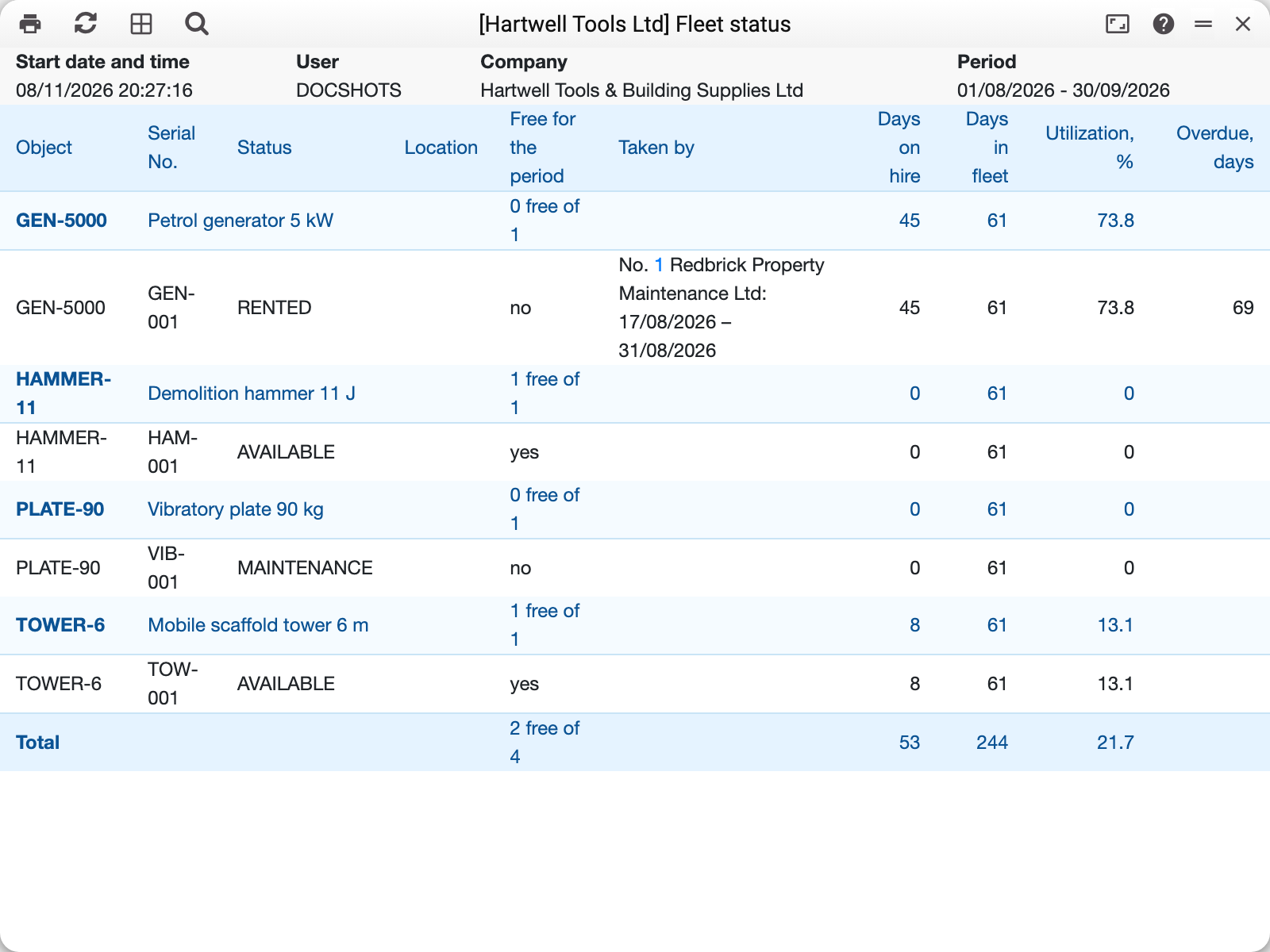
For August–September 2026 two of the demo company's four units are free. Generator GEN-5000 went out under agreement No. 1 and has not come back: 45 days on hire out of 61 in the fleet, utilization 73.8 %, 69 days overdue when this frame was taken. The vibratory plate is in maintenance, so it is not free either.
- Free for the period — in this period the unit is neither booked nor issued under an agreement, is not in service and is not overdue. What the customer has already returned does not hold the unit, even if the agreement would have run longer. A unit booked outside the period is free for these dates;
- Taken by — the agreement number, customer and dates of each booking or issue;
- Days on hire — from posted issue and return acts: the fact, not the agreement dates. The issue day and the return day both count;
- Days in fleet — the days of the period up to today, and from the purchase date for a unit bought inside the period;
- Utilization, % — days on hire out of days in fleet;
- Overdue, days — how many days have passed since the planned end of an issued unit that has not come back.
A unit not returned on time is not shown as free for the days after its planned end: the agreement's booking has ended, but the machine is still with the customer. Closed and decommissioned units are not in the report.
Typical situations
The agreement is already on screen and the unit turns out to be taken. Check the dates here before making the agreement: it refuses only when saved.
Utilization looks low. Only posted acts count. An agreement without an issue act has no days on hire.
The report shows a unit as free, but its card says "Reserved". The card shows today's state, the report the chosen dates.
Where to look next
- Rental agreements status — everything about each agreement.
- Rental agreements — bookings, extension, invoices.
- Rental items — the unit's card.